Hello everyone, how are you? I'm back after the summer break. As you know, I stopped posting lessons on the site to take a break. I'm back with more energy and enthusiasm. Today we will learn how to create many visual effects to make webtoon scenes look expressive and professional with the help of artificial intelligence, such as smoke, dust, sparks, rain, and others, without spending a lot of time drawing them manually, especially for those who work on a large number of pages.
My online store has everything you need as artists
Here we will use artificial intelligence in a smart way, not to create webtoons with full pages, as I am against that, but only to create effects. Anime artists can then modify and integrate them into the work and chapters. We will use Clip Studio software to add the effects correctly within the scenes.
First step
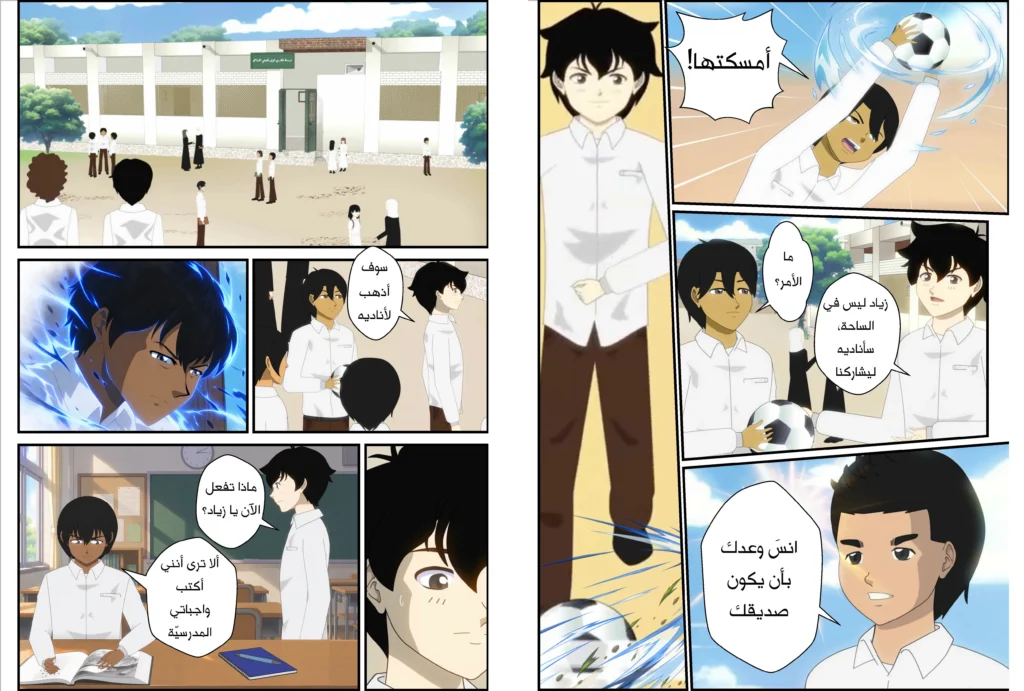
Here we will begin to determine the type of effect we want, by specifying its type, whether it is a flame, wind, sparks, etc. The more specific the request, the more accurate and better the generation process will be if we enter it into the scene panel.
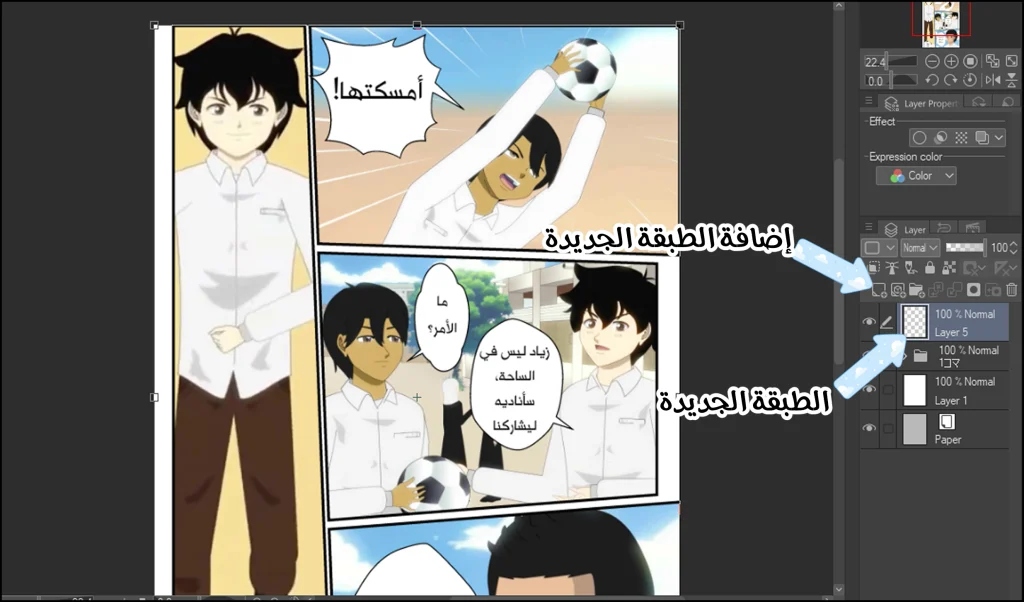
- We open the drawing program Clip Studio, Photoshop, or any other program.
- We open the manga or webtoon we are working on.
- We add a new layer via: Layer > New Raster Layer
Step two
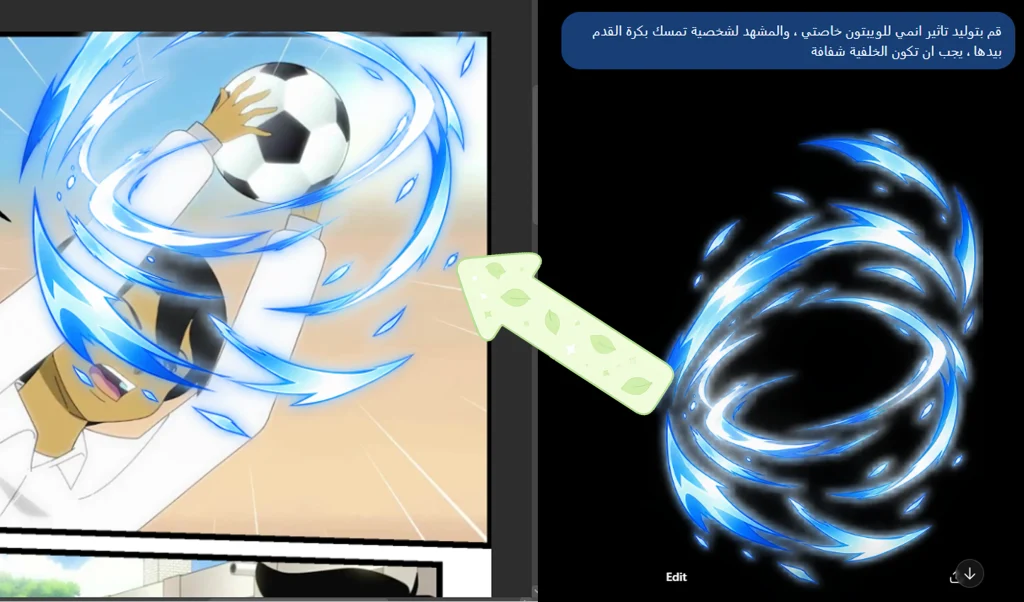
Now open any image generator app or website, it doesn't matter what it is, the important thing is that it designs the effects accurately and without noise. For example, we ask for the generation of a fire with the color and size written on it on a transparent background, and this is very important.
- After that, we will obtain raw material that we can use quickly after downloading it.
- We switch to the drawing program and import the image through: File > Import > Image
- We can copy it to the layer we added earlier, or insert the image as is for the webtoon scene.
- We use a tool Operation To change the size and shape of the material.
Step three
We have two options: either we use the material as generated by artificial intelligence, or we modify it. I recommend modifying it slightly, because artificial intelligence may design it in a style that does not match your drawing style.
Here the difference will be clear to the audience, as your role as an anime artist is to reshape the drawing to become part of your work rather than appearing as an extraneous element.
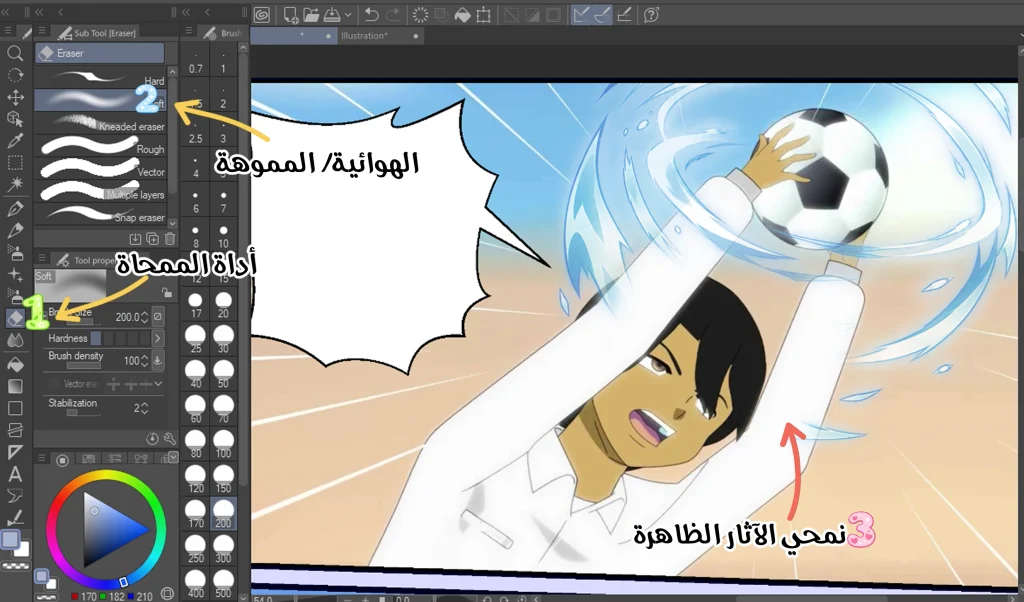
- We select the blurred eraser tool Soft Eraser We remove the unnecessary parts.
- We use Opacity To reduce the intensity of the effect and make it more transparent, especially if it is wind, for example.
Step four
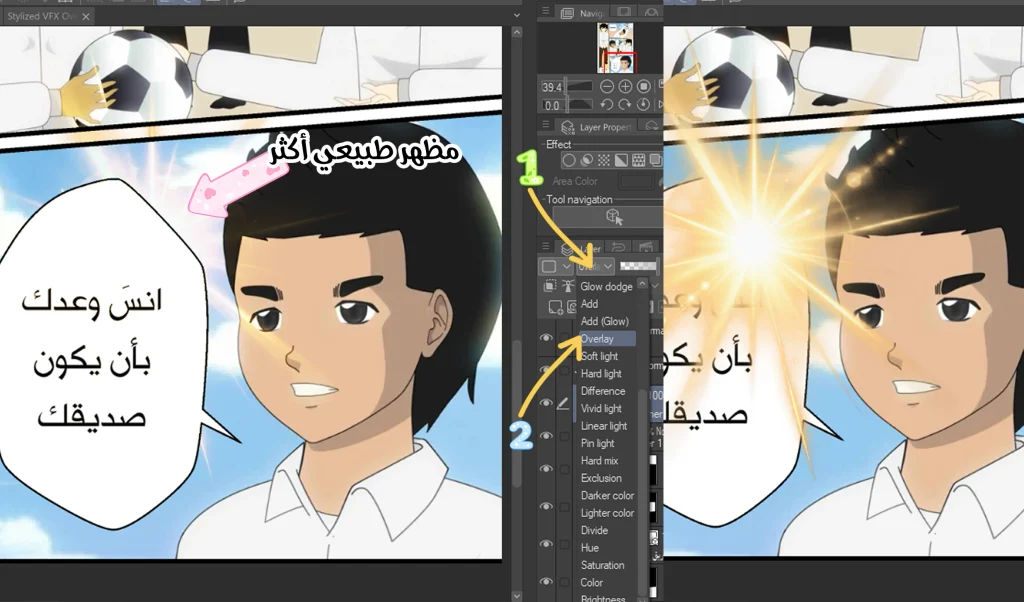
If we add sunlight to a webtoon scene, we must immediately reduce it; because the AI tool will not be able to match the image to our drawing style, so we must do the following:
- We generate an image of sunlight using any artificial intelligence tool.
- We import it into the desired scene in Clip Studio Paint.
- We choose from the list Blending Mode situation OverlayIn order to achieve a natural softening of sunlight, and to blend it with the colors of the landscape.
Step five
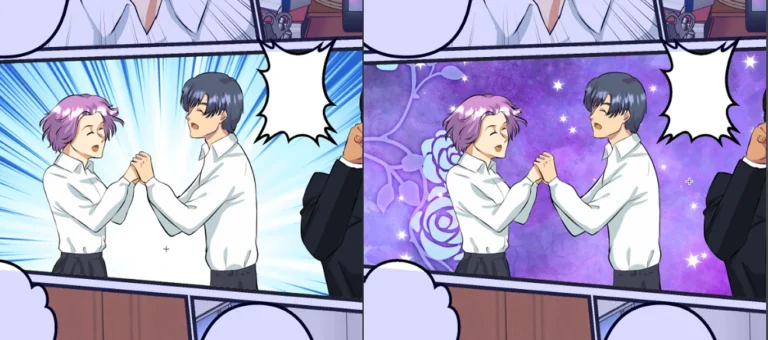
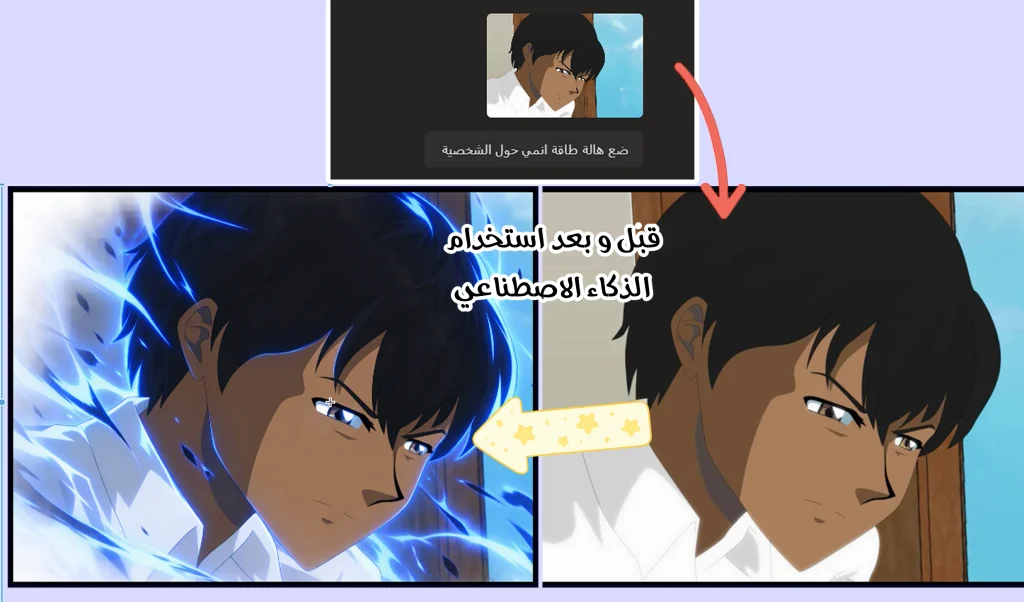
There's a fantastic and useful technique, one that manga and webtoon artists will love, which is combining our artwork with artificial intelligence by generating an anime aura around the anime character. This is perfect for scenes of strength and focus, and that's what I've done here, like this:
- I finished drawing the required scene.
- Save the drawing separately, and insert it into the artificial intelligence website.
- I ask him to generate an aura of power or energy around the character, depending on the script, of course.
Step six
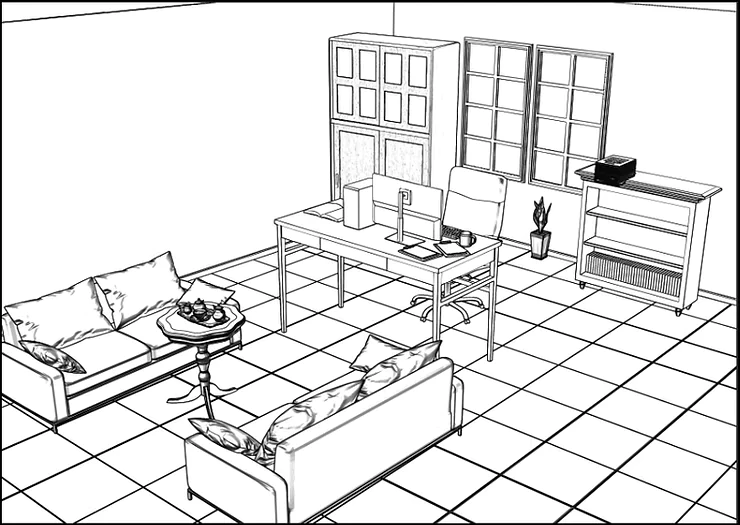
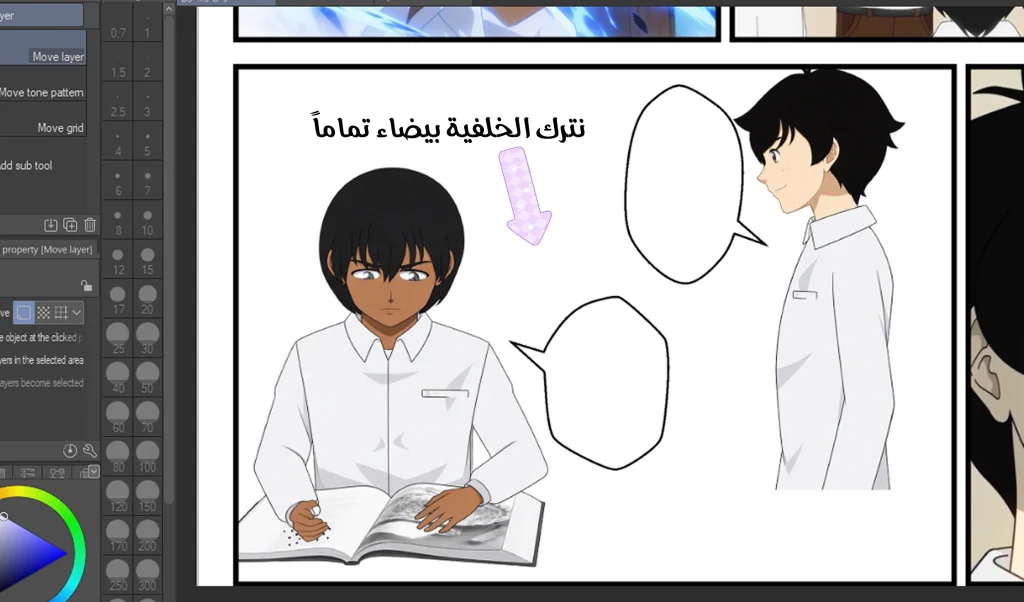
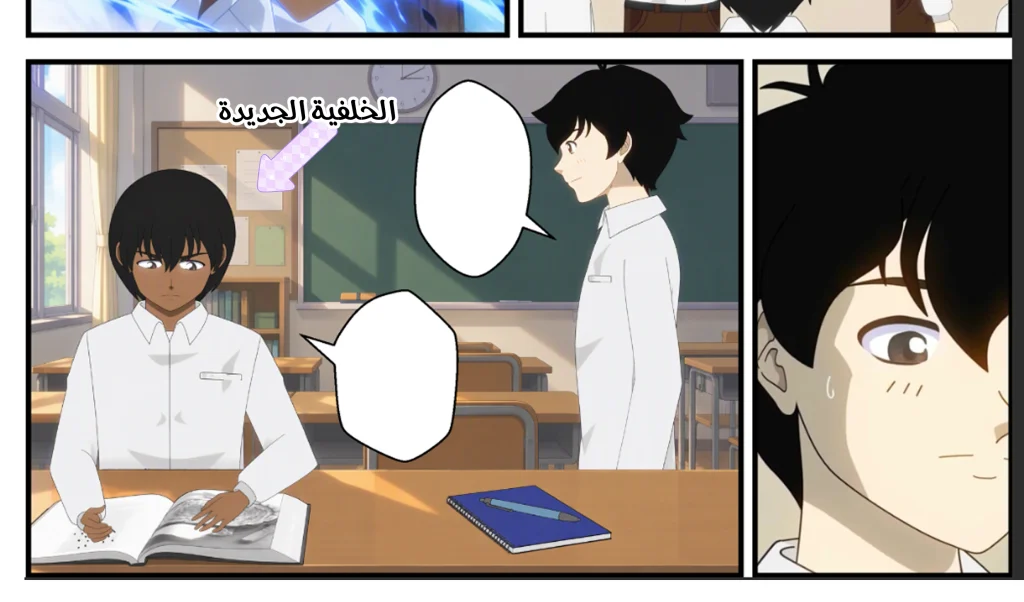
One of the most important features of artificial intelligence is that we can save time by having it design the entire webtoon background; we only need to draw the initial lines and the Sketch In order to obtain a suitable background for the webtoon.
- We draw the characters within the scene, while keeping the background white.
- We insert the scene into the image generation site and ask for a suitable background to be generated for it; for example: "Generate a classroom background for this scene.".
Final result
In this image, we'll see how we were able to easily design a webtoon background together, without needing to draw it. It's essential that we take the time to explain the drawing style and colors required for image-generating websites.
How to add toons to manga and webtoons for clothing
note: You may find that the artificial intelligence makes mistakes in guessing your drawing style; so try more than once, and don't forget to adjust the colors and lighting within the drawing program itself, such as Clip Studio Paint, using color correction and lighting adjustment tools.
And so today we have finished the lesson on generating visual effects for our webtoons and manga instead of wasting time drawing them manually. It is true that many creative artists are able to draw them manually and this is excellent, but I and many others like to work quickly and efficiently in order to save time and use artificial intelligence tools and websites to generate visual effects because they are closer to professionalism and may take the webtoon to a higher level.
Thank you for following the lesson well. Apply every step in it and I will meet you in new lessons, God willing.