Welcome to a new tutorial. I will show you how to design 3D backgrounds to use as wallpapers for your anime and manga works. Designing manga backgrounds is one of the important steps that every manga or anime artist needs to develop their work in a professional and attractive style.
You don't need any prior experience in design or complex 3D software. Today, we'll be using Clip Studio Paint and its tools and features to create a complete 3D scene. This will help you later when drawing anime and manga scenes faster and more professionally. So, get your computer or phone ready, and let's get started!
You can find all the 3D models that will help you design unique manga backgrounds, and most of them are available for free from Here
First step
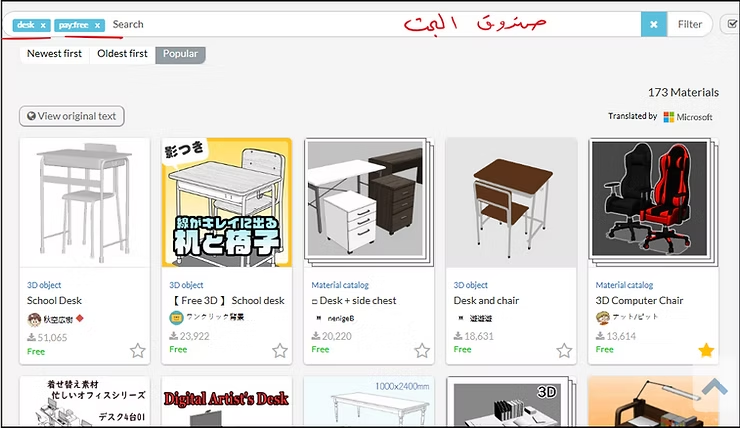
First, we need to define the space we want to design—is it a room, a kitchen, a street, etc.? From there, we can begin. Today, I'll choose an office, log into the website, and write down the content I want.
We will add the walls and floor of the room, from the search rectangle, and then I will search for anything related to offices, such as the table, chair, notebooks, etc.
Step two
We download each of their models from the Clip Studio Asset library. Clip Studio Asset provides a huge library that helps you design manga backgrounds professionally, where you will find 3D models of characters, buildings, schools and rooms ready to be used directly within your projects, which makes drawing backgrounds and moving the model easy to quickly create professional manga scenes.
Note: There are free and paid models, choose one.
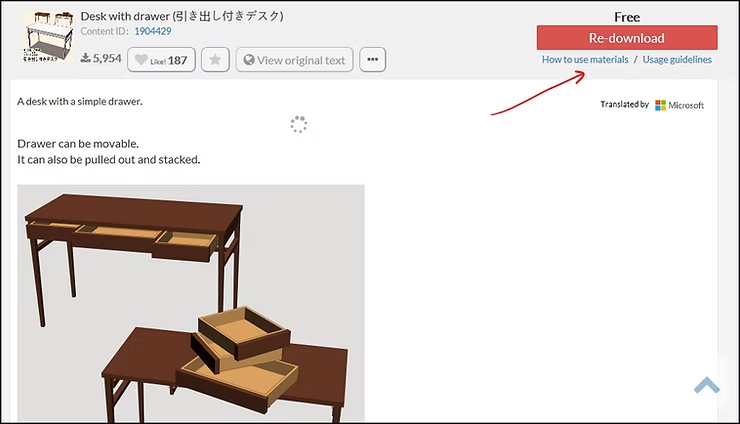
Step three
We can enlarge or reduce the piece, or change its location within the office, as needed, and you can also control the shading.
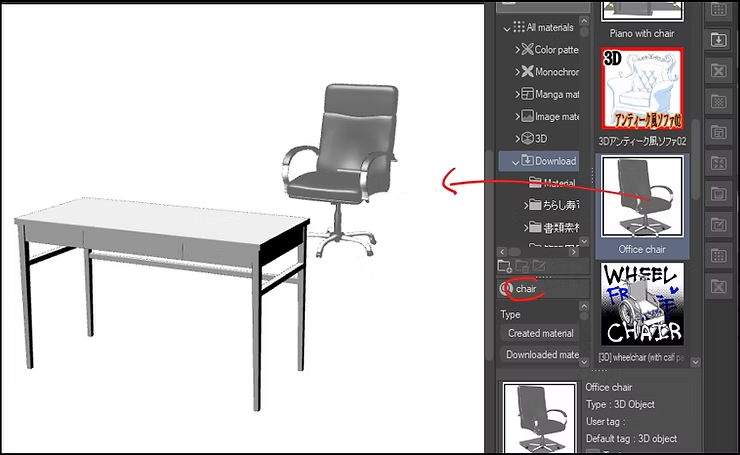
Explanatory video
Here is a simple explanation of how to control the model that will turn into a drawing, which is useful if you need to save time while designing quick, three-dimensional manga backgrounds.
The office is now ready, and we save it in the program so that we can use it again in the future.
You can find a fully equipped office or download the models one by one and assemble them yourself.
Explanatory video: https://youtu.be/0NZnzErs_hw
Step four
We determine the angle we want for the desk, on which we will later draw the anime and manga characters.
Then we right-click on the mouse, select this option and click OK, and it will turn into 3D anime wallpapers.
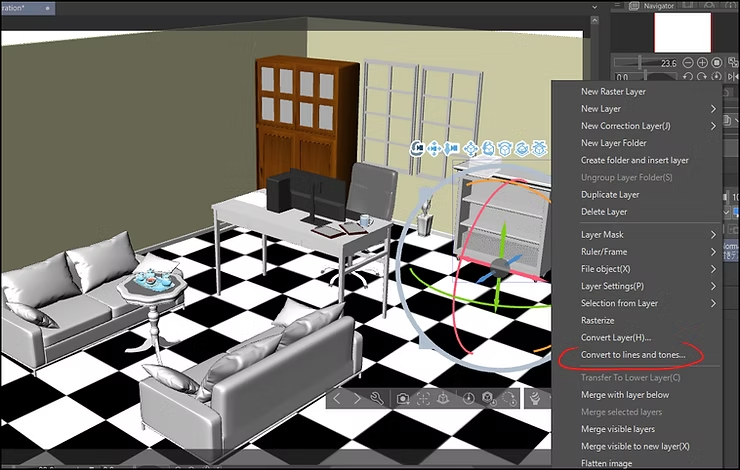
Illustrative image
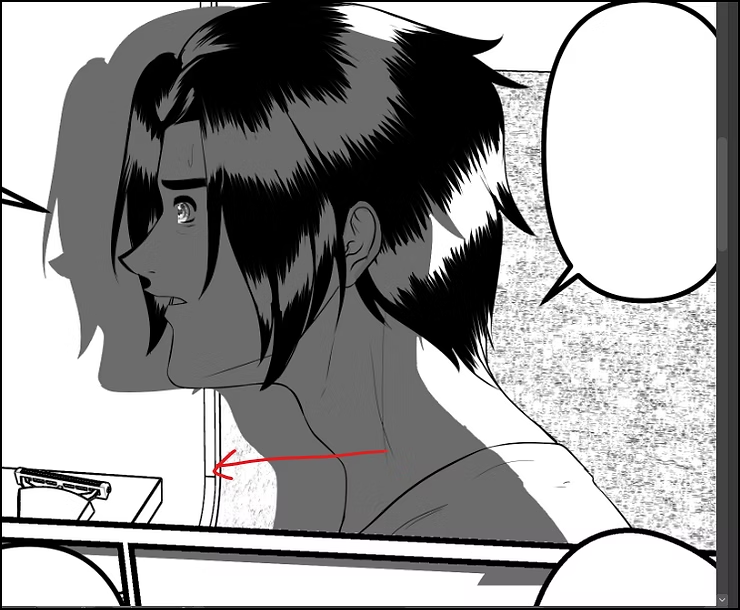
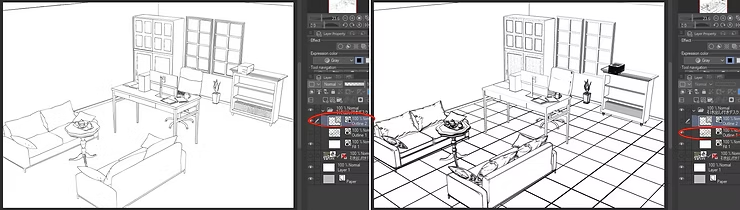
It will turn into a live drawing, and we can easily modify it, because it is in vector format. There is another inked layer, dedicated to materials, which you can delete, keep, or even hide.
A free website offering anime and manga wallpaper designs.
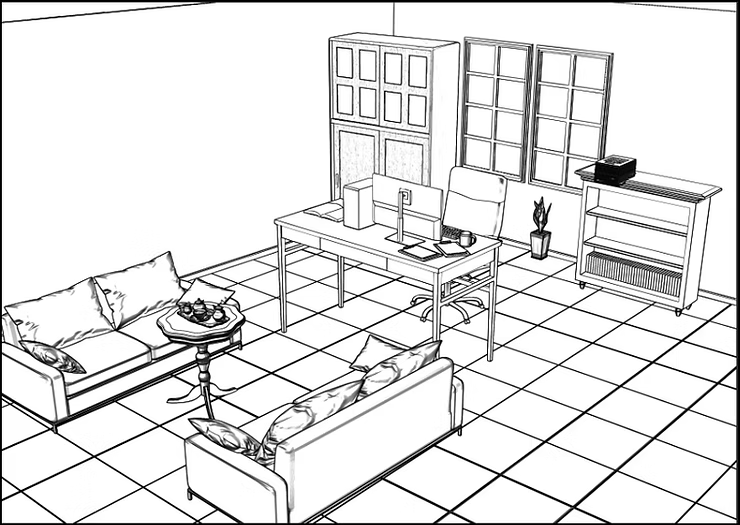
The difference between the two pictures
Notice the difference between the two pictures, and the inking style of each.
- The first layer: It is in “vector” format, which allows you to control the thickness and color of the lines, and modify the drawing at any time.
- Second layer: Regular ink, but it is intended for materials such as wood, clothing, etc.
Step five
Control the thickness of the lines as you wish, especially since the top inking layer consists of “vector” lines that can be modified, and I have identified the tool for you in the picture.
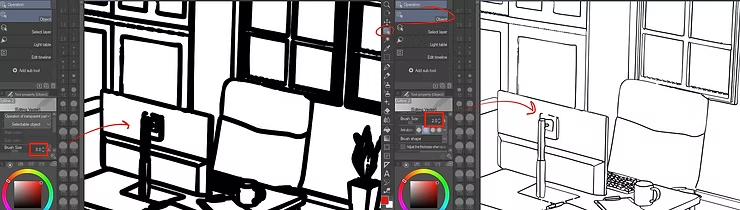
Thus, we were able to easily and effortlessly design a high-quality 3D background for use in anime and manga drawings in a professional manner, without the need for any prior experience in the field of 3D or complex design programs, and in this way we save ourselves the trouble of drawing backgrounds manually every time.
I hope you enjoyed the manga background drawing and design lesson and benefited from the steps we took today to learn how to design manga backgrounds professionally. I hope you'll try it yourselves and share your results with us. I'll see you soon in other helpful lessons that will help you develop your manga and anime drawing skills and create your own artwork, just as I've been doing for years. Until then, take care.