Hello, today I'm going to introduce you to a great website that lets you design anime backgrounds and interior decorations for homes to use in comics, and it's called "Home By Me".
This is a house I designed using the website for my manga project, and as you can see, it has a living room that is organized and ready for use in anime scenes.
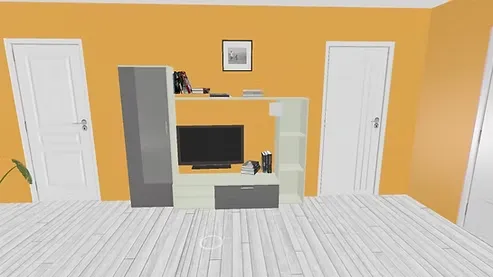
Here you can see the kitchen, which was designed in the same style and in a practical and quick way that suits the needs of manga and anime stories.
The great thing is that the site is completely free, and it is an excellent alternative to spending long hours drawing backgrounds manually. The steps are clear and easy and do not require experience in design programs. All you have to do is add walls and furniture to make your home ready and design anime backgrounds.
Website link from Here
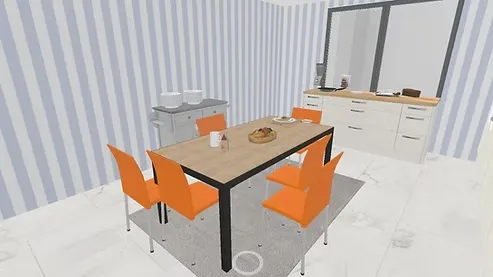
First step
You go to open a new project on the “Home By Me” website, then you start to select the floor and add the walls, with prior planning of the home space you need for your project.
You can color each side with any color that suits your anime story, or add materials suitable for interior design such as wood or tiles.
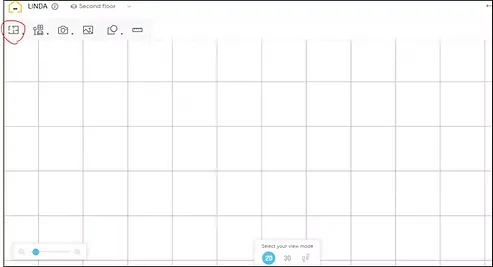
Step two
Choose the room size from the options available on the site, to determine the size of each room according to your needs in designing anime wallpapers.
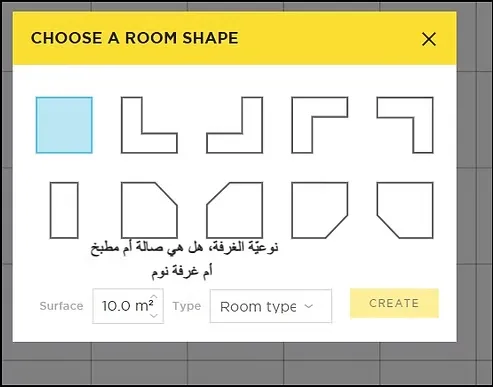
Step three
Divide the house into various rooms such as a bedroom, living room, kitchen, and bathroom, to ensure that all angles are available for watching comics and anime.
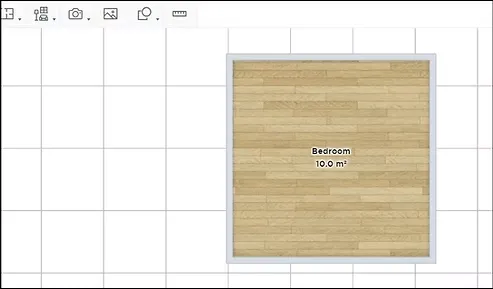
Step four
We now choose to add the appropriate door for each room from among the doors available on the “Home By Me” website, so that it matches the background design you need.
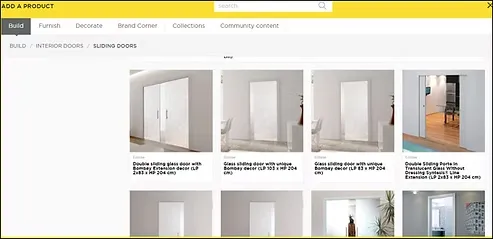
Step five
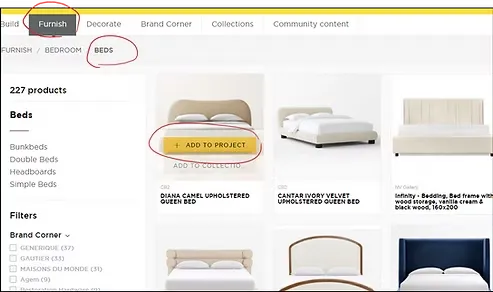
As for furniture, it's simple. You can add furniture from the top options menu. There are many options such as chairs, tables, beds, cabinets, and more, with the ability to modify the colors and shapes of the pieces to match your anime background design.
Step six
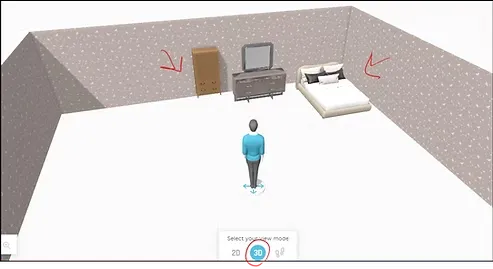
We arrange the room decor according to what suits you in the scene, taking into account the distribution of elements in a way that makes the scene balanced.
Step seven
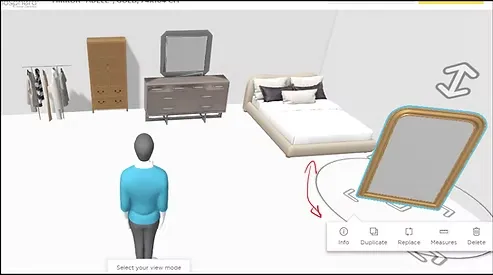
If you want to rotate the furniture or change its orientation within the room, you can use the options below, which give you complete control over the arrangement of the scene.
A closer look
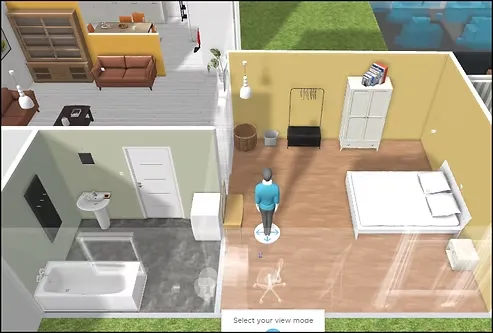
Now I will show you some of the rooms that I have previously designed for use in my projects, including bedrooms, a living room, a bathroom, and a kitchen, which are ready for use at any time.
The stage of converting the image into an anime or manga drawing
First step
Now to the fun part of the lesson, which is taking pictures and turning them into anime backgrounds or using them directly in comics.
There are three options available to you:
- A realistic image.
- Screenshot.
- A comprehensive view of the room.
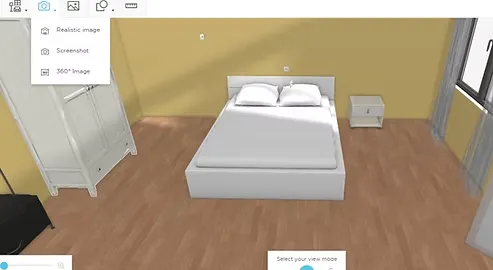
realistic image
The realistic image option allows you to get a high-quality image of the scene with the ability to switch between night and day scenes, and the image will arrive in your email ready to be used in your anime background design project.
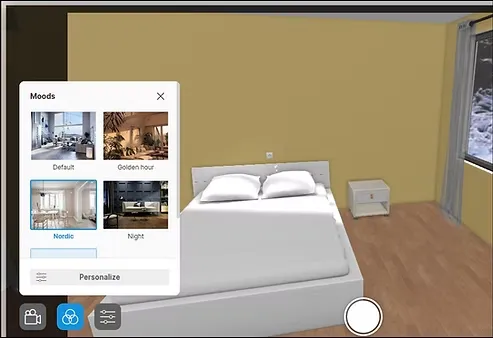
Here is a brief overview of how the realistic image appears after being exported from the website in high quality for direct use.
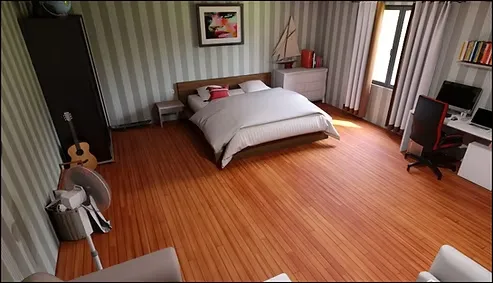
screenshot
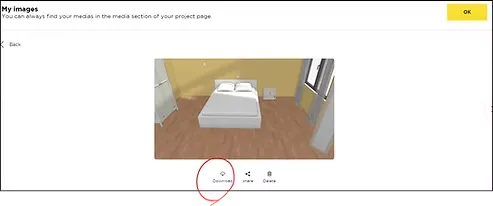
The screenshot option allows you to choose a suitable shooting angle, then save the image to your device, and you can return to it at any time when needed.
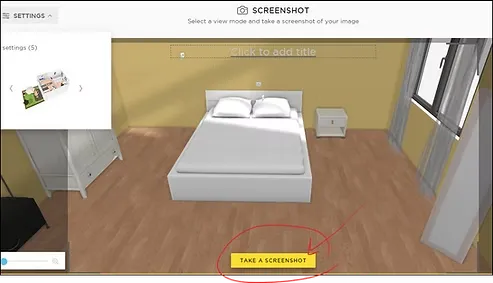
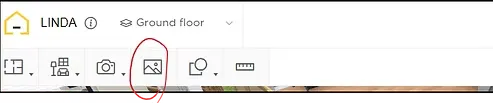
All images
Here you will find all screenshots saved in an organized manner within your project files on the site, ready for use.
Step two
After downloading the image, you can import it directly into your drawing program, where you have two options: either draw directly over the image, or convert the image to lineart (Inking) For use in your manga and anime pages.
Step three
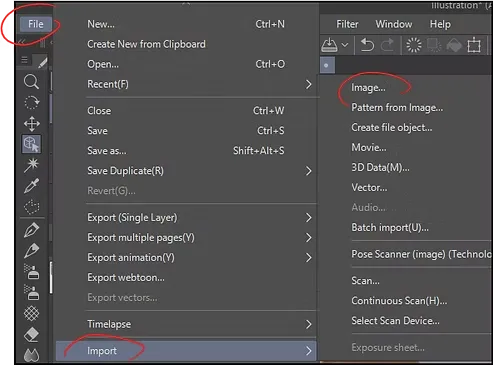
Enter it directly into the drawing program and insert the image into it, as I have shown you in the image below.
When downloading the image from the “Home By Me” website, open Clip Studio Paint Import the image into your project.
Step four
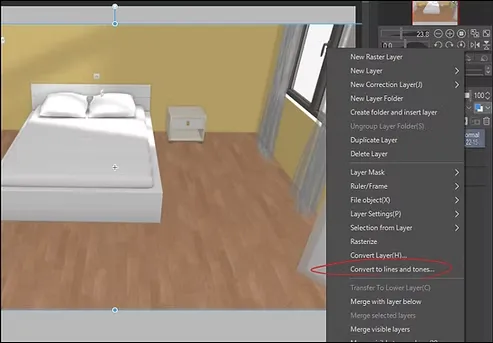
From the list Edit Choose an option Convert brightness to opacity To make the background transparent, then use the option Convert to Line Art To convert the image to lineart Ready to ink and color directly into the project Anime wallpaper design Yours.
A closer look
Repeat these steps for each scene you need, and don't forget to save the file each time you finish adding a new edit to it, so you can return to it later when needed.
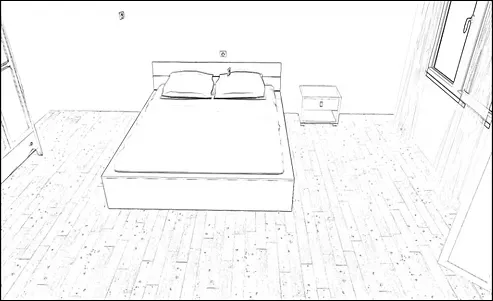
This is how the image will look in a black and white manga style, with the addition of some textures to make it more attractive and professional.
Final image
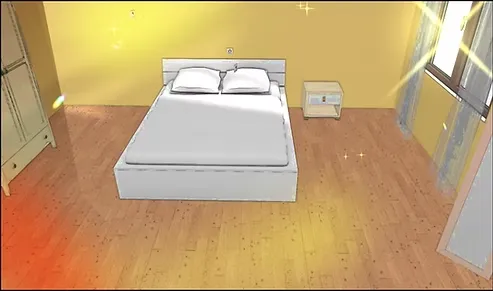
This is how the image will appear if you edit it using drawing programs and add filters and colors, through the website that allowed us to design anime backgrounds with high professionalism.
Professional guide: Turning a 3D doll into anime
That concludes today's lesson on how to use the "Home By Me" website to design anime backgrounds practically and easily without having to draw them from scratch. Stay tuned for more lessons, God willing.