
Hello everyone, how are you today? Today we will learn how to use a 3D doll to draw with. It is an easy tool available in Clip Studio Paint. It helps us to determine the required movement of the body, and then we draw on top of it. It is suitable for artists who find it difficult to draw difficult body poses.
We will apply the steps to the computer program Clip Studio, but it is possible in any phone application that allows us to use a 3D doll to design poses, and then we save the image or screenshot, and insert it directly into the drawing program, even if the phone applications do not allow us to use a 3D model, we download any application that has 3D models or characters.
My online store has everything you need as artists
First step
We will insert the 3D doll into the work screen using the following steps:
- We adjust the length and thickness of the object from the window Tool Property or Sub Tool Detail Through options Body Shape.
- We open New file From the list File > New.
- We go to Materials Library via Window > Material > 3D.
- We are looking for 3D Drawing Figure (The 3D doll).
- We drag it directly to the workspace.
Step two
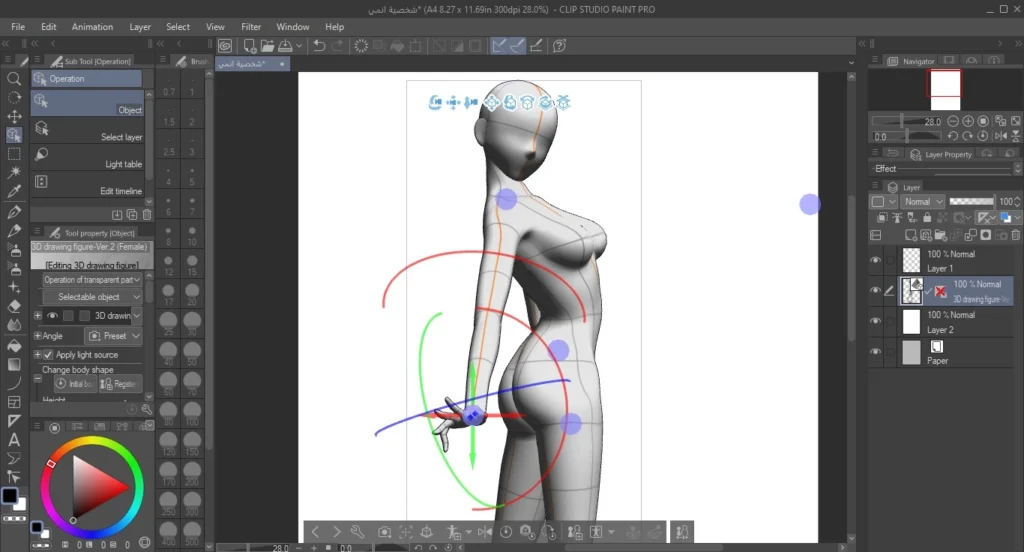
Here we adjust the body position:
- We select the doll, then we go to the tool. Operation > Object.
- We press on the part we want to move, such as the arm or the foot.
- Pull the arm backward or forward using the rotating tool. Rotate From the control loops.
- We define the waist and turn it slightly backwards.
Step three
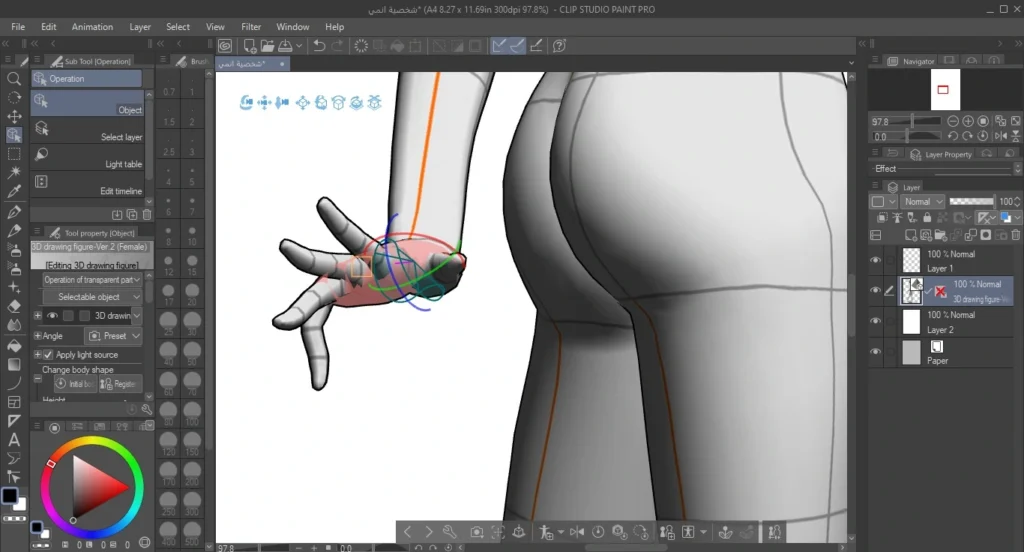
Here we can control the hand as well:
- Using a tool Operation > ObjectWe press on the hand.
- We change the finger movement from the board Tool Property via the control bar of Finger Pose.
Step four
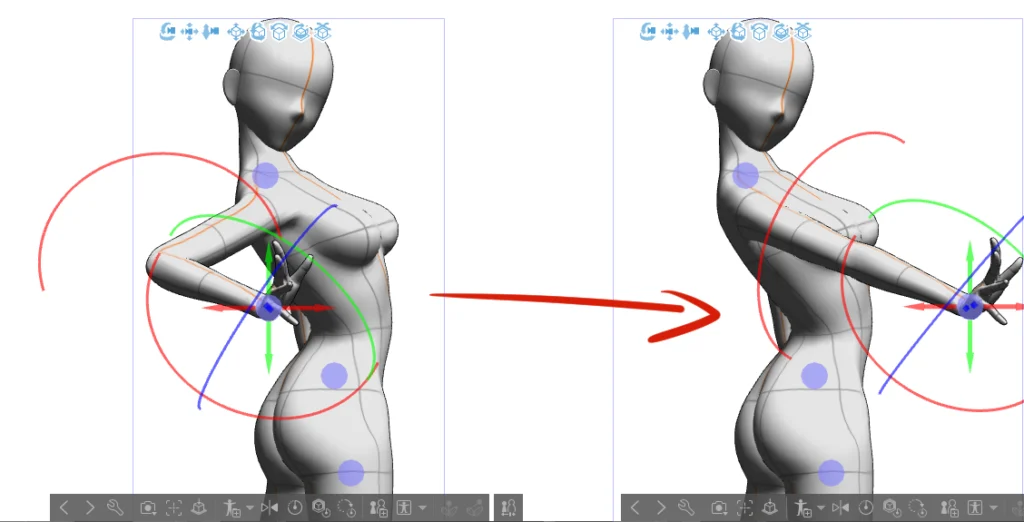
We will begin by changing the arm's movement and pulling it forward:
- We locate the hand using a tool Operation > Object.
- Pull the blue or red circle that appears on the wrist forward.
A look at where we've arrived
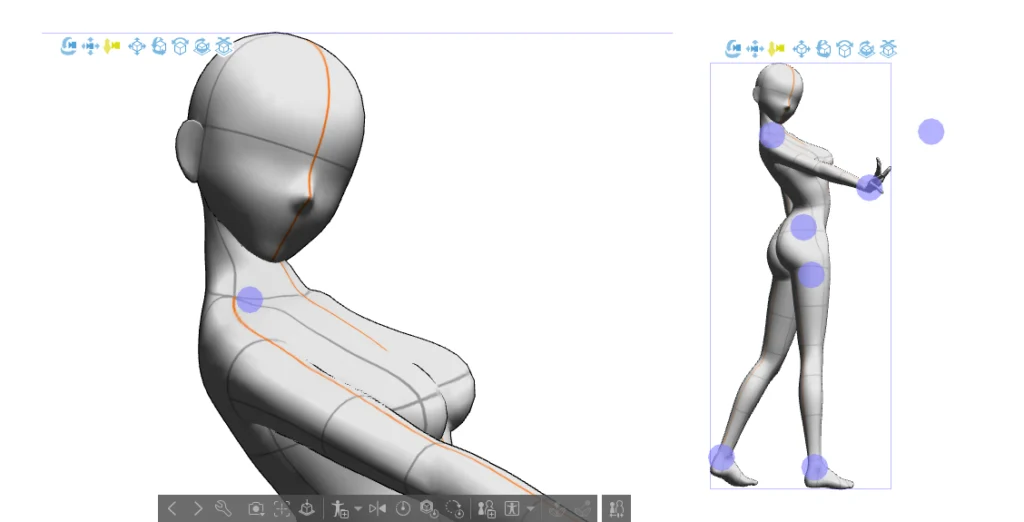
Now the body movement is ready after we used the 3D doll.
At this stage, we can easily adjust the position before starting to draw on top of it.
Leave this layer below the sketch layer, lighten it and make it faded, and then draw your anime or manga character on top of it.
Step five
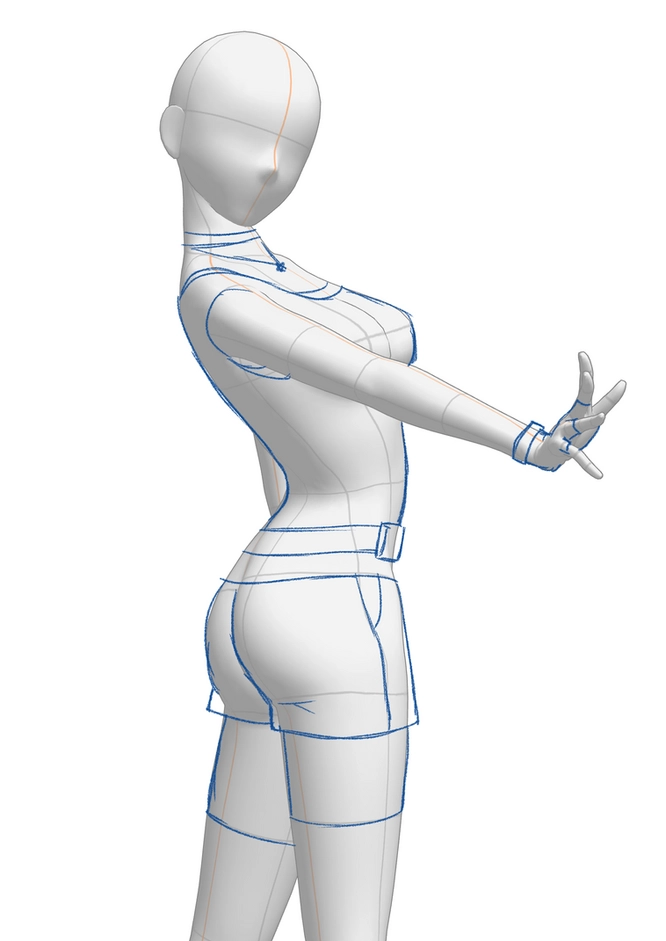
We will now begin the drawing process using the 3D doll:
- We select a tool Pencil From the toolbar.
- We add a new layer on top of the doll layer.
- We choose the color blue from the color wheel.
- We begin by drawing the sketch on top of the model.
Step six
At this stage we will add some details:
- We add New layer.
- We choose the color red.
- We select a tool Pencil Again.
- We draw the hair directly on the head.

Step seven
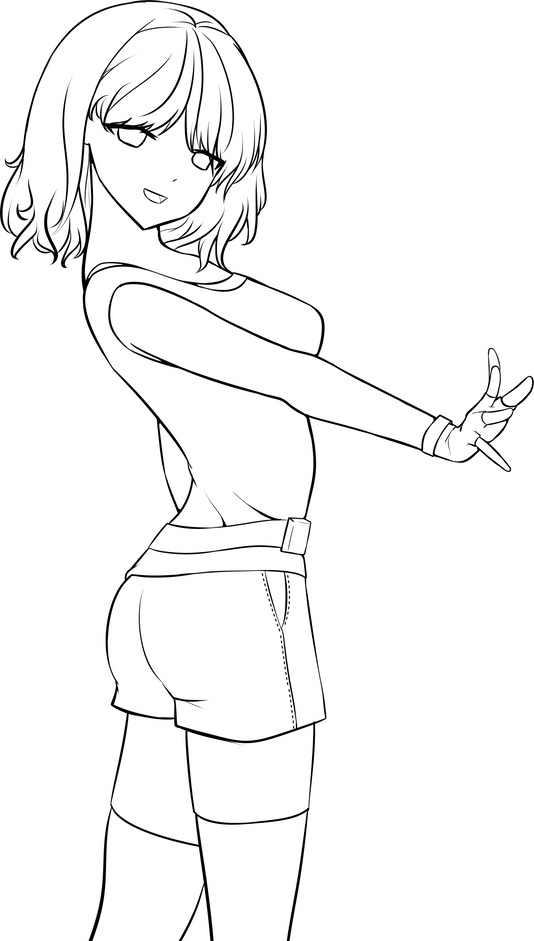
Here we will begin inking the anime girl character:
- We select a tool Pen (G-pen or Mapping pen).
- We add a new layer on top of the sketch layer.
- We choose the color black from Color wheel.
- We ink over the previous sketch.
Learn how to draw a female body in anime style
Step 1Eighth
After we have finished adding the doll, drawing the sketch over it, and inking it, we will color it:
- We add a new layer to color the skin.
- We choose the appropriate skin tone from Color wheel.
- We select a tool Fill.
- We color the face, arms, and legs with the skin tone.
note: We can repeat the same steps when coloring the rest of the character's parts, adding a new layer to each part such as the hair, eyes, blouse, or pants.

The lesson is over. Follow all the steps as I have outlined them. Using a 3D doll is an easy way to save time and helps in creating the required body poses if we encounter difficulty in drawing.
One point to note: sometimes we don't have to draw the same size or lines as the doll; it's enough to draw outside the boundaries of the three-dimensional doll if necessary. It's more like using it to determine the position, nothing more.
If you didn't understand the lesson from the beginning, that's okay. Try reading this lesson about drawing an anime girl using a 3D doll again, and each time apply a new step calmly, and then move on to the next stage, and so on.
I hope you liked the lesson. If you would like more drawing lessons related to three-dimensional objects, let me know and I will dedicate a lesson to it, God willing.