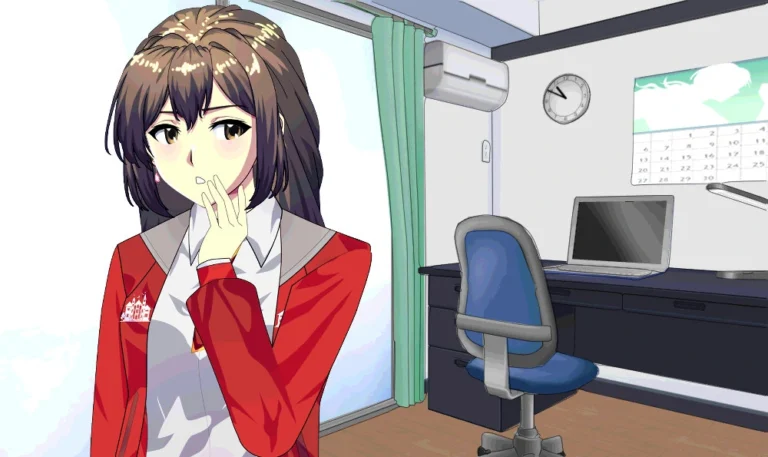
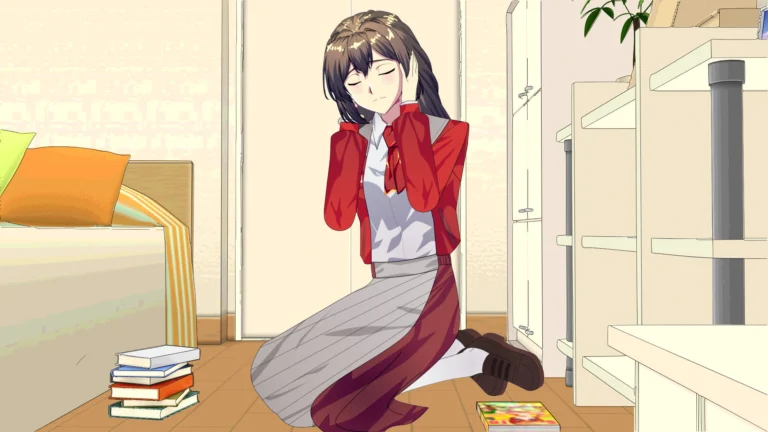
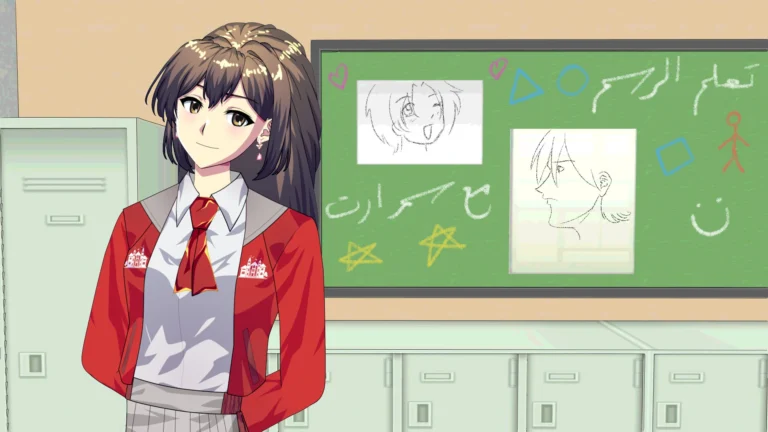
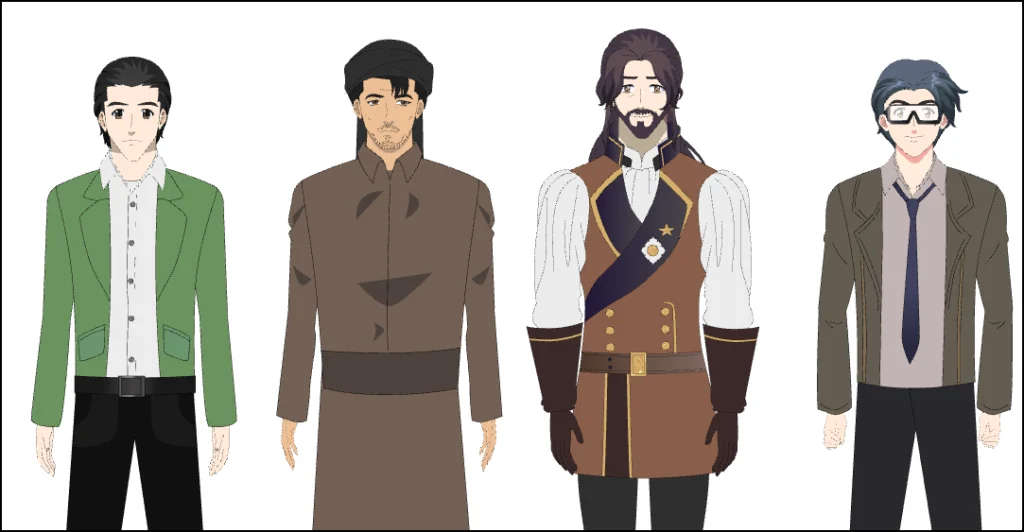
I am pleased to share with you today a collection of anime characters from the Toon Boom program that I have been working on recently. These are characters ready for animation, drawn in layers from several directions, and used in the “cut-out” animation style.
Download link from Here
They have appeared in several works that I have published on my channel, and here I am presenting them to you in case you would like to save effort and time. Instead of designing the characters from scratch - which takes up a lot of your time - you can use my ready-made characters, modify them, whether in terms of colors or elements, and start animation directly.
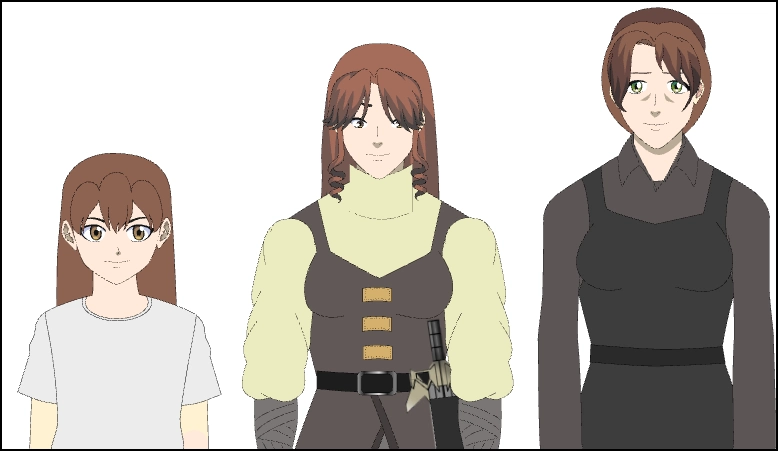
What works did these personalities excel in?
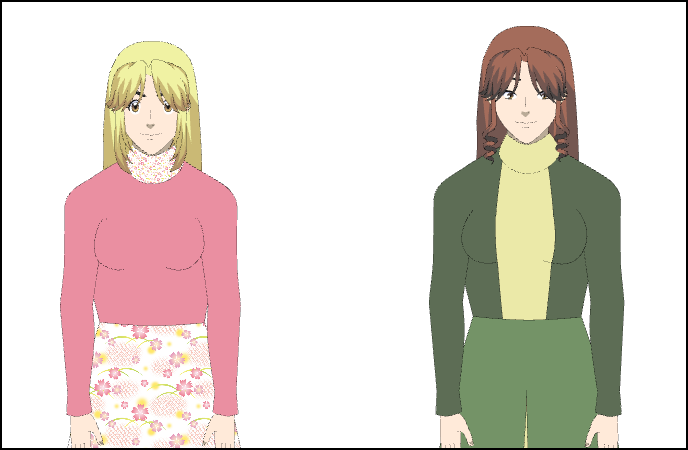
- The Prince: A somewhat European narrative style, though not entirely similar, as I used my own drawing style. It features the two girls in the pink and green dresses, the warrior girl, and the prince's friend.
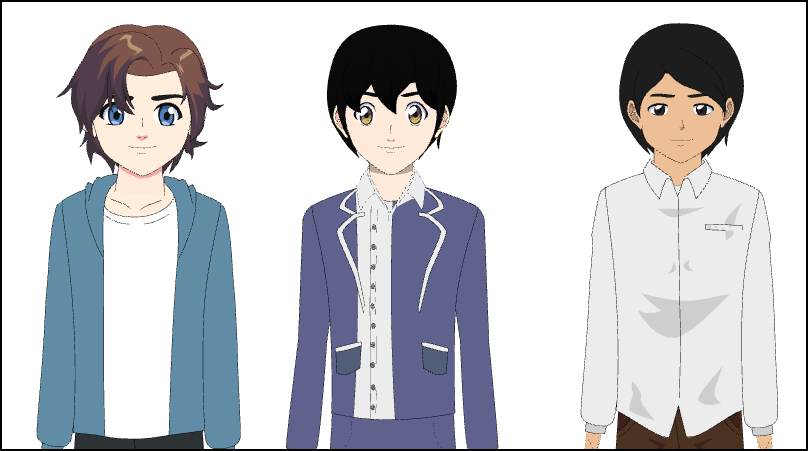
- The Poor Student Clip: A simple drawing, which is a short clip in which the mother, her son, and the teacher appeared.
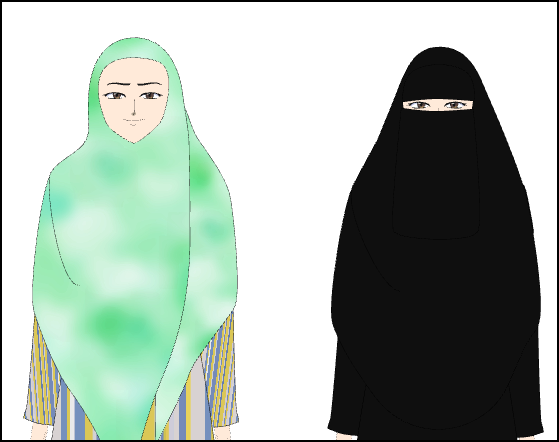
- The Fire: This is my first full series, and it includes the two women, the veiled and the niqab-wearing, the student in the white shirt, and the farmer.
- Various characters: I remember the young man with the glasses, and the child in the blue dress.
How to upload characters to the project:
- Open a new project or your existing project in Toon Boom Harmony.
- From the top bar, select:
File > Import > Harmony File… - In the window that appears, select the profile (usually with the extension
.xstageor a folder containing files.tpl). - Activate the option:
Import as Template or Import into Library (According to the version). - Then open Library View From the list:
Windows > Library If it is not visible. - Drag the character from the library directly to the Node View or Timeline.
If the characters are inside the Template folder, you must first right-click on the library and select:
Right Click > Open Library > Browse to the Template Folder.
What is the animation style like?
As I told you earlier, it will be with bones, so all you have to do is the following:
- Acquire these characters from the link below.
- Download it in the Toon Boom Harmony program.
- Add it to the library and then drag the character into the scene.
These anime characters are now ready to be animated at any time. Download link from Here
Are they suitable for commercial use in your business?
Of course, as long as I am the original owner of those ready-to-animate figures, I give whoever acquires them the full right to commercial use, as stated on the website.
Links to or clips from works in which the characters appeared:
I will now show you a collection of videos, which are of works that included my characters, including the series “The Fire” with its six episodes, as well as the film “The Prince” and ”The Poor Student”.
The Fire series, all six episodes. Here
Why should you use pre-made characters instead of working from scratch?
From my experience in the world of anime animation, which has spanned more than 17 years, I have found that designing characters “rig” from scratch can be more difficult than modifying existing characters, and the following reasons will explain this to you:
- You need a thorough understanding of the Toon Boom Harmony program.
- It takes a lot of time to design a character from scratch, about a week per character.
- It requires a thorough understanding of the Node View, or the system of nodes, to understand the internal anatomy of characters.
The poor student clip
How can you edit it later?
When you download characters to the program, you have complete control over them, and there are several things you can change. For example:
- Changing hair, clothing, and eye colors.
- Eye modification, due to the availability of a diverse library of eyes drawn in various styles within all characters.
- Erase and redraw the part to be modified, such as redrawing pants or changing the hairstyle.
Building a different form of the current character
The main reason for downloading ready-made Toon Boom characters is that you can use the same characters and radically modify their appearance, essentially creating a new anime character from the existing ones. The benefit lies in:
- There is no need to build the body from scratch in Toon Boom.
- Click on the layer you want to edit, use the eraser, and draw in your own style.
- Modify the shape from all projections, from the front, side and back, all at once.
- Make multiple copies of the same person and use them in various projects of your own.
Anime heroes have evolved from stereotypes to complexity.
The Prince movie
Therefore, do not hesitate to get them now, and save precious time on the Toon Boom Harmony program, because the world of anime and cartoon animation is very tiring, and needs organization in order to accomplish a lot of animation work efficiently and quickly.
I've left the download link in the article, and the best part is that you can apply all the tutorials on my website as soon as you get my Toon Boom characters. Download link from Here
Thank you for your time, may God protect you.