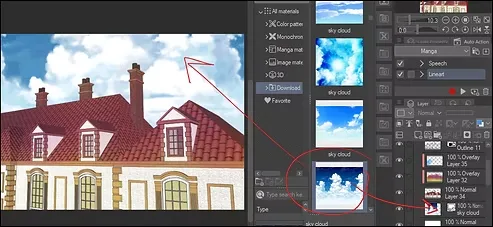
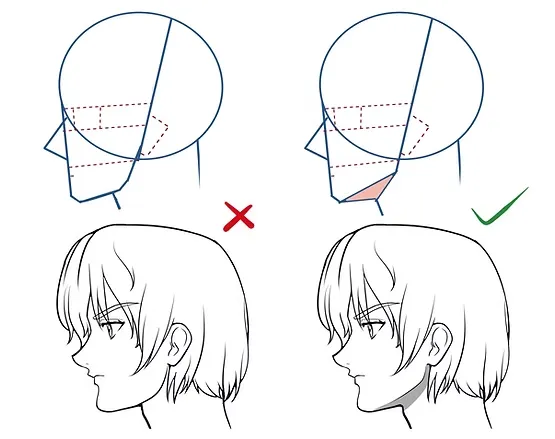
Welcome, my dear friends, to a unique and new tutorial in which we will learn how to draw anime tree branches with complete ease and without the need for any prior experience in drawing landscapes! Yes, that's right, we will not need high manual skill or to spend long hours drawing each leaf or branch separately. All we will do today is use one smart brush that will do all the work for us to show us attractive anime tree branches ready to be used in manga backgrounds or your own anime designs.
My online store has everything you need as artists
First step
We start by opening the drawing program that you usually use for drawing and designing anime, then we open a new file with the size and resolution that you need for your project.
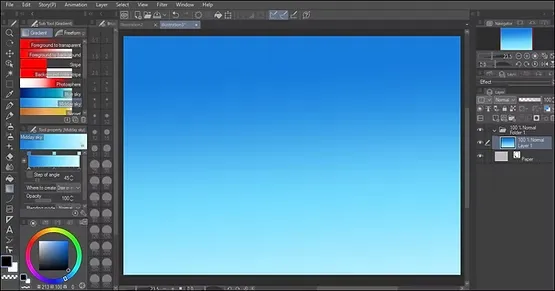
Next, we move on to setting up the background, and we color the sky using a blue color gradient. You can choose the appropriate gradient for you between light and dark blue, in order to give beauty to the background in which the anime tree branches will appear.
If you like, add other background elements such as clouds or a simple mountain background.
Step two
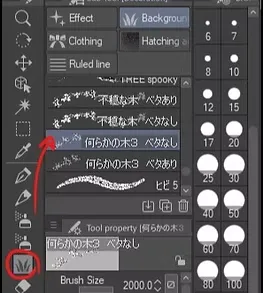
We move to the menu on the left in the program, and from there we select a tool. DecorationIt is a tool that contains many ready-made brushes that help in drawing anime tree branches quickly and effortlessly.
Within this tool, we select the brush that is shaped like tree branches. You will find many options such as thin or thick branches. Choose what suits your taste and the scene you are working on.
Step three
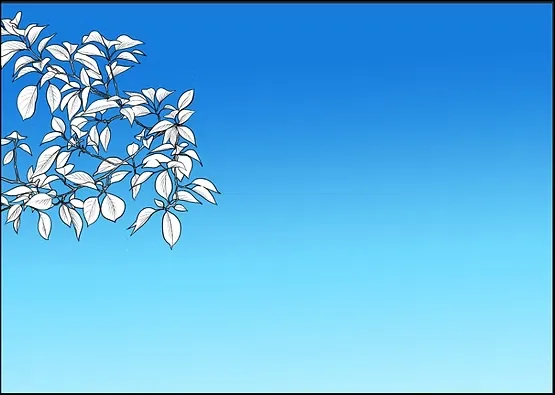
Now comes the fun part of the lesson, where we will simply click the mouse button or use the digital pen, and start drawing on the screen randomly or in an organized manner as needed, and the branches of an anime tree will appear in front of us naturally and in a random order. .
You can continue drawing and filling the scene with branches until you reach the shape you want. This method saves a lot of time instead of drawing each branch or leaf individually.
Step four
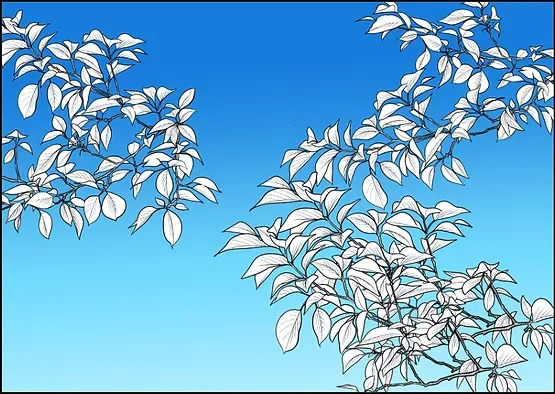
We now continue drawing the branches in the right section of the picture, just as we did previously with the left section.
You have two options:
- Drawing on the same layer saves time.
- Drawing on a separate layer allows for more control.
Step five
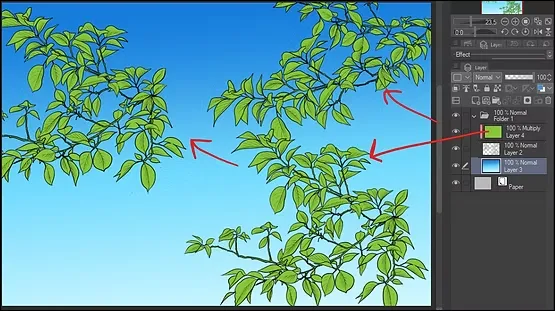
After finishing drawing the branches, we move to the right-hand menu for layers, and we choose the layer on which we drew the branches of the anime tree.
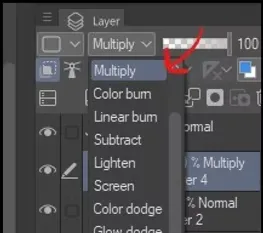
From the options window at the top or on the sides of the layers, we select the effect. MultiplyThis is the effect that will enable us to color the branches easily without affecting the shape or arrangement of the branches.
From this we will be able to color the white branches any color we want.
How to draw the surface of water in the original anime style
Step six
Next, we add a new layer on top of the branches layer, then press the option Mask To link the new layer to the branches layer, this will allow us to color the branches easily and accurately, as we can control the color we want on the branches only without affecting the background or other elements.
To add distinct anime touches to the branches, use gradient green with touches of light yellow or pale blue on certain parts of the branches, to add a sunlight effect to them as in anime backgrounds.
aesthetic steps
As an aesthetic addition, add some glitter or effects such as points of light or scattered leaves in the background.
With these steps, you will get beautifully and skillfully drawn anime tree branches in just a few minutes, without having to spend long hours drawing every small detail, and by using a simple tool that makes the drawing process fun and comfortable.
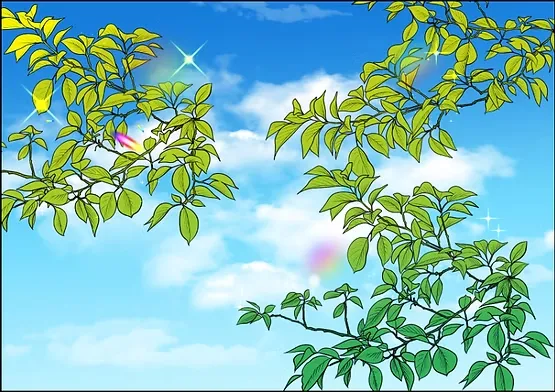
And so we have finished drawing tree branches, in the anime style that we all love, and now you know how to draw any part of nature without direct hand drawing, just by using ready-made brushes from Clip Studio’s library.
There are other brushes specifically for tree trunks, stones, clouds, and much more, so stay tuned because I may post tutorials about them in the future. As you know, I don't like to draw backgrounds myself; I don't have the time or experience for that. So, like all anime artists, we use ready-made brushes.
Thank you, and I will meet you soon, God willing.