Welcome back after taking a break from the site. Today's explanation will be about how to animate an anime eye and make it blink, in an easy way that will only take a few minutes. The program is Toon Boom on the computer, and the steps will be easy for all anime and even cartoon animators. You can apply these steps on any application available on Apple or Android, so let's get started.
My online store has everything you need as artists
First step
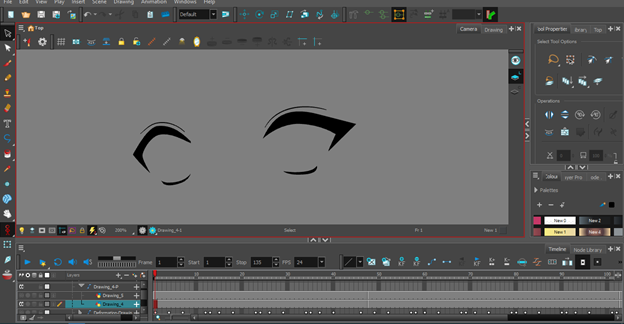
We will begin by defining and drawing the shape of the eyes:
- We add a new layer via: Insert > Drawing > New Drawing From the menu bar.
- We select the pen tool (Brush Tool) For drawing.
- We draw the eyes from the upper section, which includes the upper eyelashes, in a simple anime style.
- The lower section is in a simple black line.
- We select the filling tool (Paint Tool) We color the eyelashes until they are colored black.
Step two
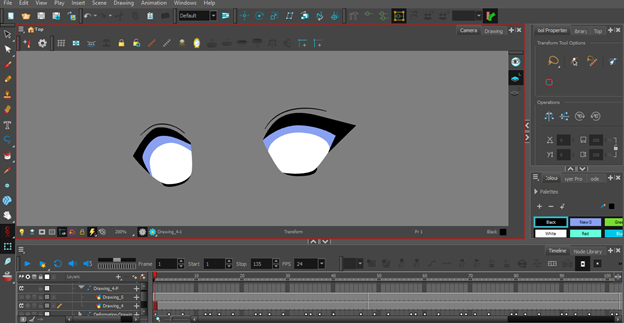
Then we move on to drawing and coloring the whites of the eyes. It's also fine to add a light blue shading inside the eyes. The method is:
- We select the pen tool (Brush Tool).
- We draw on the corners of the eyes and close them.
- We select the filling tool (Paint Tool).
- We color it white and fill in the eye.
- We can add light blue shading if we want, using the tool (Paint Brush) or (Airbrush Tool).
Step three
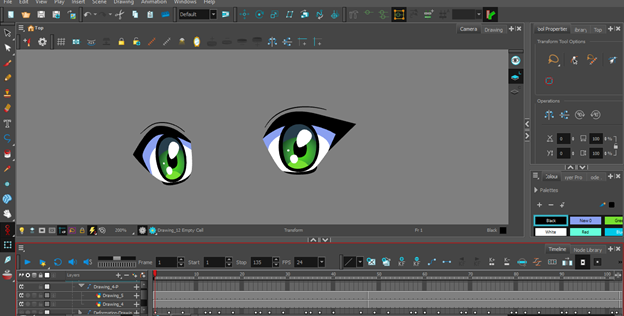
Then we move to a different layer, where we draw the pupil and color it with the color we want:
- We add a new layer via: Insert > Drawing > New Drawing From the menu bar.
- We select the circle drawing tool Ellipse Tool.
- We draw the pupil as a circle inside the eye.
- We select the filling tool (Paint Tool) We color it green.
- We select the pen tool (Brush Tool) We add a little sparkle inside the eyes, which is common in the anime world.
Step four
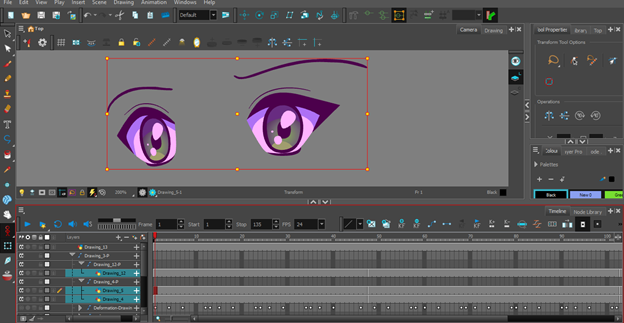
Then, in another separate layer, we draw the eyebrows, and add “big”, and as you can see, I have specified the layers and what they contain.
The eyebrow layer should be on top, and the eyes below it. The pupil layer should be included inside the eye layer, and a special “big” should be added to each of them. It is necessary that the “big” of the eyes contains the pupil and its own ”big”. .
Readiness
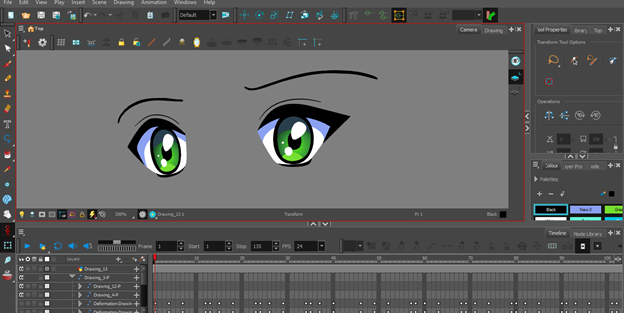
Everything is ready for movement!
- The eye in a layer
- The pupil in the layer
- Eyebrows in a layer
- With a "big" for each one of them
Step five
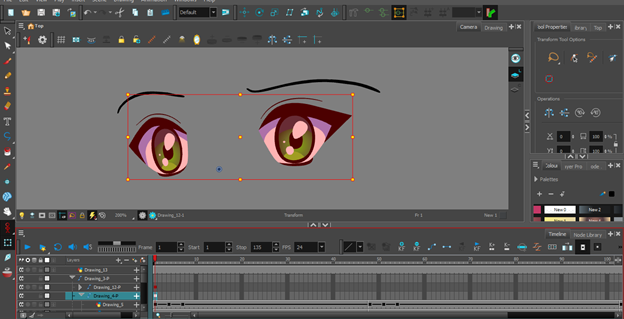
Click on the eyes layer, and select a tool Transform Tool.
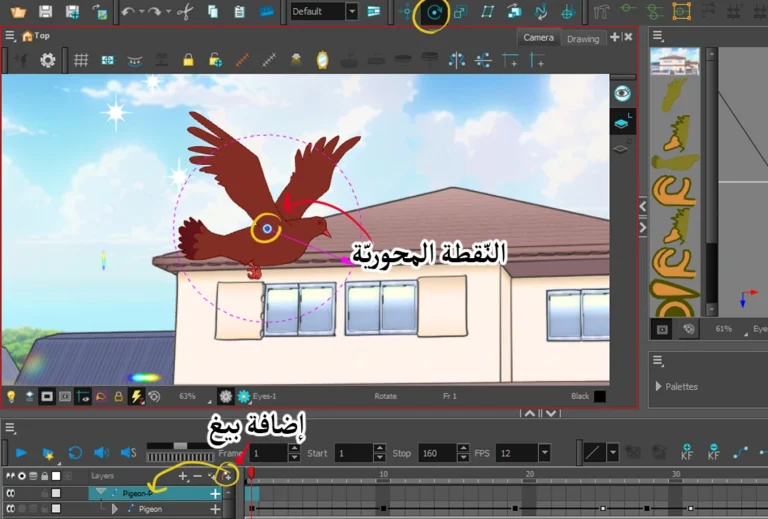
It is essential that you define a point Pivot PointIt is the blue spot that appears at the bottom of the eyes, because when the eyes are closed, it will remain there without moving to another side.
The tool that helps us with this is located in the sidebar; when we click on the layer and add the PegWe press on a letter BThen we select the desired tool, and from there we specify the center point, and add Key Frame.
Step six
Then we move on to the Timeline We add a move key (Key Frame).
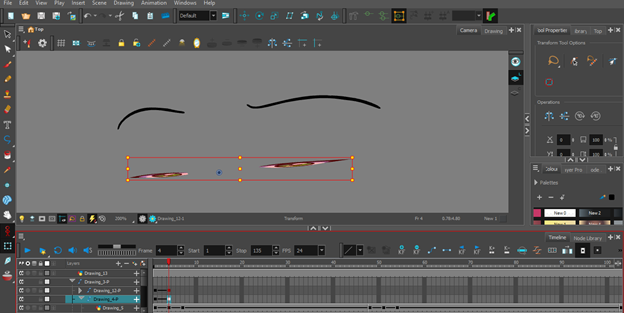
By pressing a letter B We define a tool Transform ToolWe lower the eyes and close them in the manner clearly shown in the picture.
The pupil layer will never move from its place, so we drew it separately so that only the eyes move.
How to make an anime girl's eyes blink in Toon Boom Harmony
Step seven
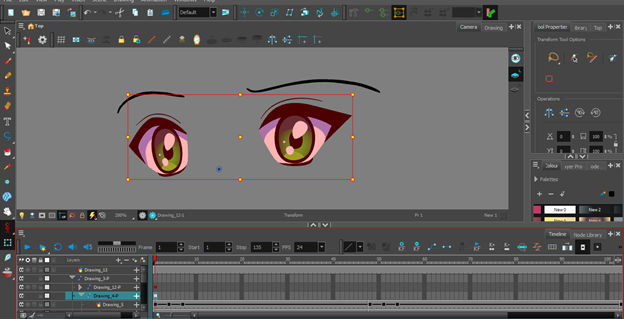
And we return to add key frame Finally, we open our eyes.
The process will be as follows:
- Frame number 1: The eye is open.
- Frame number 4: The eye is closed.
- Frame 7: The eye is open again (by copying the first frame and pasting it at the seventh frame).
And with that, we have finished today's lesson, so that we can make an anime character blink more easily and simply than any other animation technique.
This method is suitable for anime and cartoon animators, and even those who animate on mobile phones, especially those working in animation using the Rig Animation In Toon Boom Harmony.
If you find any difficulty, reread the lesson again, so that you can easily make an anime character blink. I tried to make the lesson simple for you, so that you can apply it with me.
Thank you for reading today’s lesson. I hope to meet you in other drawing and animation lessons. Until then, stay well, God willing.