Today I've brought you a new tutorial on animating anime cars, presented in a simple and organized way, so you can create animated scenes that add life and professionalism to your work. This tutorial is an update to a previous explanation I published years ago, but thanks to advancements in software and tools, and the experience I've gained over the years, I decided to re-present it to you in a simpler and more structured manner.
My online store has everything you need as artists
First step
The first step is to choose any car image from Google or any reference you prefer. It is preferable that the car is drawn from the side so that it is easier to move it on a straight line from left to right during the animation of the car.
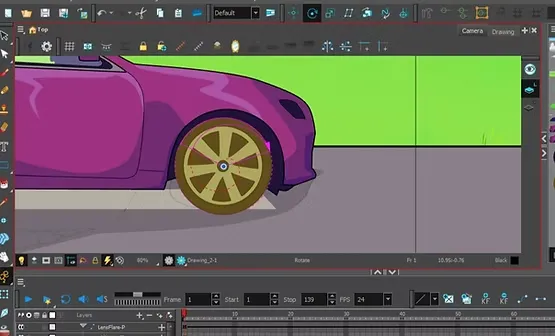
We then digitally draw the car using the Toon Boom Harmony software we're working with, separating the two wheels into two distinct layers to ensure they can be easily moved while rotating. Alternatively, we can draw and move a single wheel, then copy and drag it to the opposite location so both wheels appear to rotate in the same way without needing to redraw the image.
Step two
In this step, we Adding Peg For each element in the scene: the car, the wheels, the sky, the trees, the road, and so on, through: Right Click > Insert > Peg
Then we use a tool Transform Tool Which helps us control movement and rotation, and we start by rotating the wheels to simulate the movement of a car while walking.
We add Key Frame For all elements on the timeline, we define the first frame as the start of the movement and the last frame as the end of the movement. Then, using the animation tool... Transform Tool We pull all the components backward (to the right) while the car remains stationary, to give the illusion of movement as if the car is moving while the background is moving.
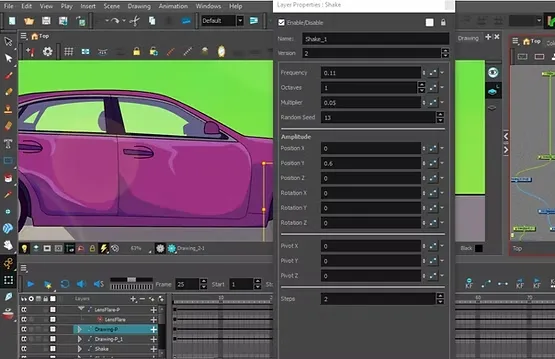
But to ensure the scene is realistic, we add to the car Quake effect From the list of effects, it gives the car a slight up-and-down vibration while driving, as if the car is actually driving on an uneven road.
Step three
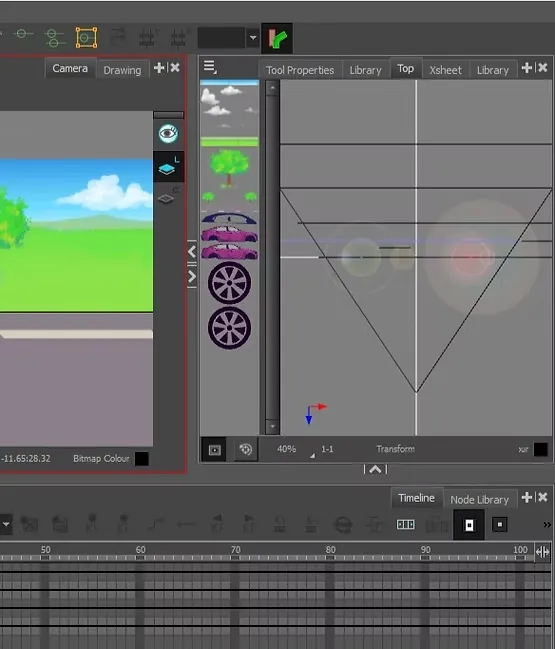
To professionally adjust the arrangement of the anime car animation elements, open the right-hand menu: Top View
You can see the elements from above and adjust the layer order in three dimensions. The background appears at the bottom, followed by the clouds, then the grass, then the road, then the car and wheels at the top, and so on.
Step four
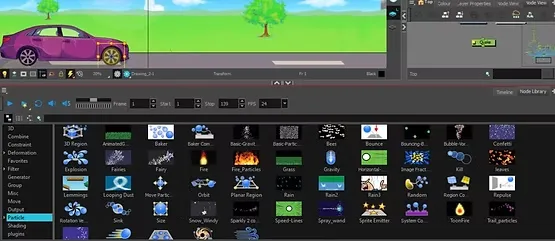
Once we finish the animation, we add a shadow to the car to complete the realism in the animation of the car, and this is done using Shadow effect found in the effects section At the bottom of the program, near the timeline, this step is necessary so that the eye can see that the car is actually moving on the road, with a shadow following its natural movement.
All we did was simply copy the entire car and its movement on the timeline (except for the wheels), then add the shadow to it using the effect, after that We flipped the copy upside down using the Transform ToolWe then dragged the shadow directly beneath the original car, so that it appeared to be attached to the car and moving with it throughout, eliminating the need to manually draw the shadow for each frame. This method allows us to achieve a professional-looking scene quickly and accurately, while maintaining consistent shadows throughout the car's movement within the scene.
Step five
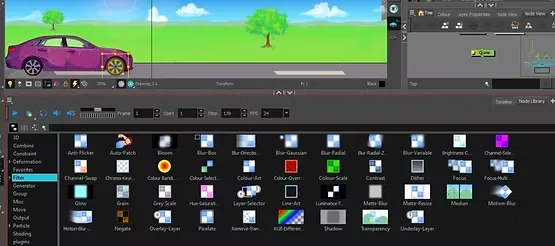
To add a professional touch to the scene, we add Flare effect (Sunlight) is from the same effects list, and we start by dragging it and placing it in the upper layer near the sky and clouds, with the option to move it using Transform Tool To match it with the movement of the lighting in the scene.
Animating the reflection of the view on the car window in an anime style
Final result
With these steps, you will get a complete animation scene of an anime car moving against a natural background of sky, trees and clouds in a smooth and attractive style, adding a professional touch to your projects and developing your animation skills in organized and practical steps.
Final scene: https://youtu.be/g80HYamxn3Q
With this, we have learned together how to animate an anime car in simple steps that both beginners and professionals can follow to add animated scenes to your work, whether it is a personal project or part of your team's anime and cartoon work.
Remember that the most important step is consistent practice. Don't hesitate to experiment with this method and add your own touches using shadows, effects, and colors to create a professional scene that elevates your work and gives you the confidence to produce more outstanding animated scenes. Keep learning and practicing until you become a professional anime creator.
Thank you, and I will see you soon, God willing. .