Hello my friends, I apologize for the length, as you know I am constantly busy between my anime and manga projects and preparing and writing lessons for you, but I am back today with a light and cute anime pigeon animation lesson suitable for beginners and gives you a fun creative boost.
My online store has everything you need as artists
Today we will learn together how to animate a bird or pigeon flying lightly using the Toon Boom Harmony program with practical steps and pictures to ensure easy application, whether you are a beginner or want to improve your skills in making anime.
Note: Today's anime pigeon animation lesson isn't just a routine exercise; it's an important step in developing your practical animation skills and creating smooth, professional anime scenes. This lesson will help you understand in-between frames and how to easily build repetitive flight movements using frame-by-frame animation, while maintaining the visual appeal of your upcoming scenes.
First step
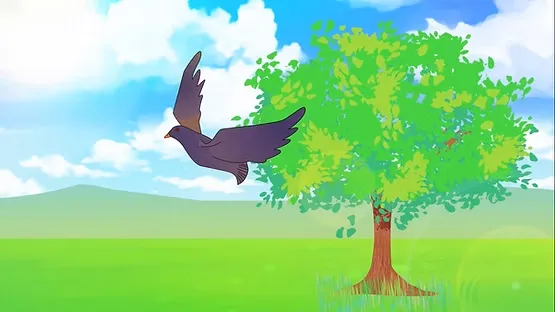
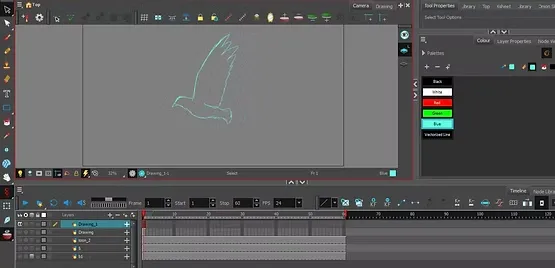
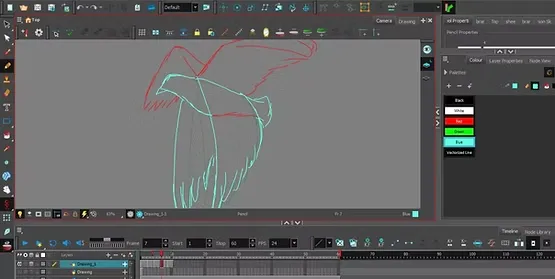
We begin by opening Toon Boom Harmony programThen we create a new project according to the size of the work you wish to display, then we open the drawing board and start drawing the dove in any shape you prefer. I have drawn it here from the side so that the left wing appears clearly in front of us while the other wing is in the back.
Step two
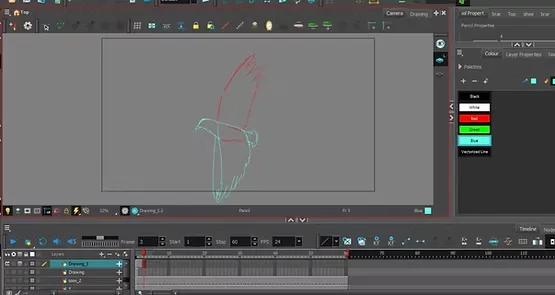
After drawing the first movement of the pigeon, and as I have accustomed you to in animation lessons, we move directly to drawing the last movement in a new frame immediately, to determine the beginning and end of the movement in the flight path.
Step three
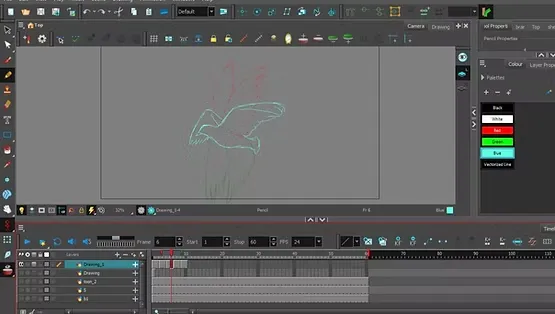
The next step is to add In-Between frames In which we will draw the movement gradually in the middle of the path to ensure the smooth movement of the anime pigeon without interruption or shaking.
It is very important to activate the Onion Skin feature, as it allows us to see the previous and subsequent drawings while working, in order to accurately adjust the movement of the wings and tail during the animation of the anime pigeon.
Step four
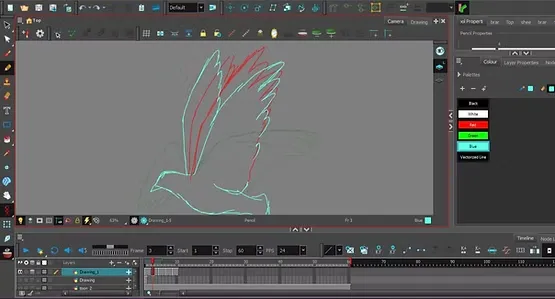
After activating “Onion Skin”, we draw the movement of the dove as it spreads its wings upwards, so that the front and back wings appear as well.
Step five
We continue these steps sequentially until we complete the entire motion cycle, and I used them in this lesson. Eight frames To ensure natural and smooth flight movement, you can adjust the number of frames according to the required speed of the scene.
How to animate birds in an easy style without drawing, like anime.
Arrange the frames with the graphics:
First: The basic movement: the wings are open upwards in a straight line in preparation for landing.
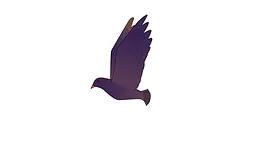
Second: Start lowering the wing with a slight bend.
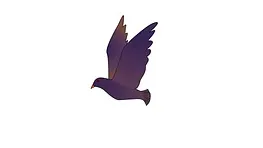
Third: Spread the wings to both ends while raising the wing tip upwards in preparation for pushing downwards.
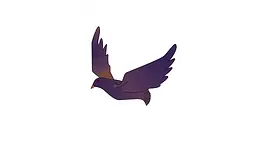
Fourth: The wings gradually descend downwards.
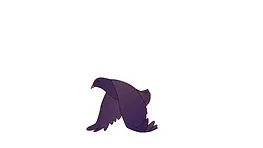
Fifth: The wings are at the bottom in a straight line (end of descent).
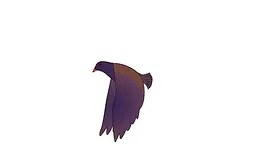
Sixth: Start raising the wings upwards again (reverse movement).
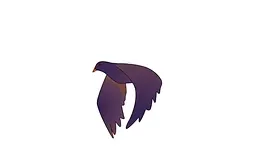
Seventh: The wings rise slightly at a gentle angle.
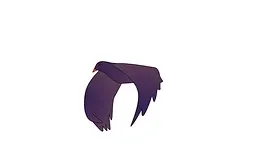
Eighth, final movement: Returning to the position of the wings open upwards to complete the flight cycle.
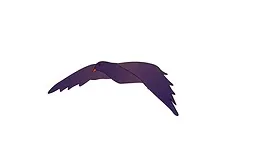
After completing the drawing of these frames, we copy the frames and bring them closer together inside Timeline For a smooth, endless, repetitive flight motion, this makes the pigeon appear to be constantly flying in your anime scene.
You can add a blue sky background or a beautiful sunset to add detail to the scene and make the animation of the anime pigeon more appealing to the viewer.
If you want to adjust the movement speed, you can adjust the frame rate in Timeline easily:
- If you want Slow and quiet flightIncrease the distance between the tires.
- If you want Fast flight movementMove the frames closer together.
It can be added Simple Blur Motion effect On the wings in the lower frames to enhance the sense of fast and realistic movement during animation.
The full scene: https://youtu.be/CdriapUlZec
The lesson in which we learned how to animate an anime pigeon flying in the distance has ended. Open the program and repeat with me the same steps as in the animation lesson, and I guarantee that you will learn it in just one day.
Moving an anime pigeon flying in the air is extremely important for all anime viewers, as it gives an atmosphere of realism and movement in outdoor scenes. Having a pigeon or bird ready in the Toon Boom Harmony library helps you to use it in any scene of the sky, nature, or street.
After you have finished moving the pigeon, immediately save it to the program's library, so that it is ready for use.
Thank you, and I hope to see you again soon.