Welcome everyone! Today in this lesson, we will learn how to animate an anime character walking from the front. The character is a man wearing old or traditional Arabic clothing, and since he is wearing a long robe, the walking animation will be different from characters wearing trousers.
To get ready-made characters to animate and apply the lesson, click here.
There are animation tutorials for anime characters walking on my blog, and they all revolve around characters wearing pants, which are easier to animate. But here it was necessary to learn how to animate a character walking while wearing a long dress, because the style may differ slightly.
Don't worry, it's not difficult, we will just follow an easy strategy, which is very similar to the previous method, but here there will be a small difference, while moving the walking motion in Ton Boom Harmony,
First step
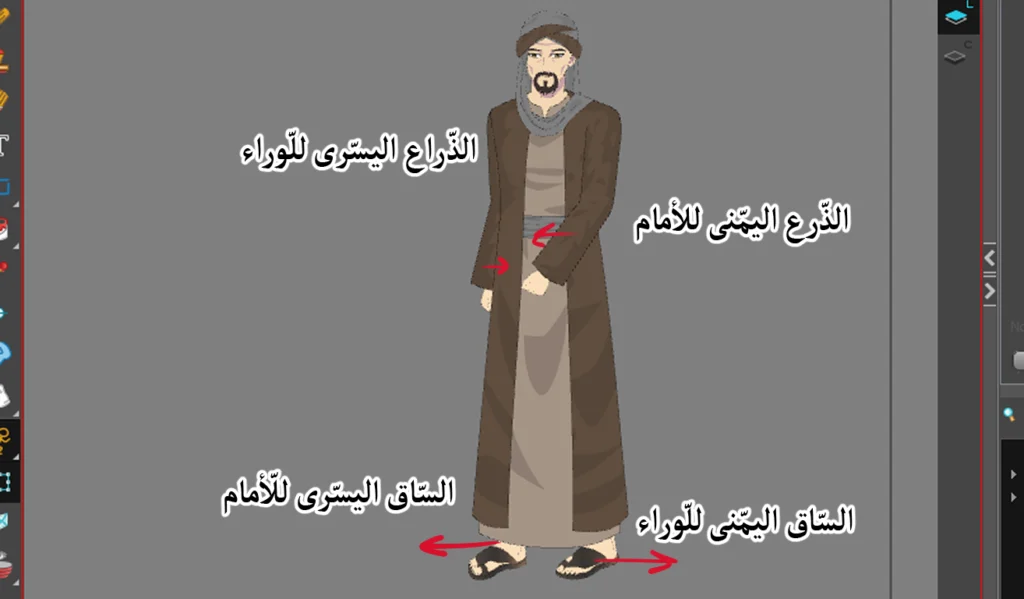
Here we define the first basic movement of a man wearing Arab dress, then we proceed with the following steps:
- We insert the character into the scene from the anime character library within the program. Toon Boom Harmony Through a window Library.
- We select a tool Transform Tool From the toolbar.
- We define the character completely, then add Keyframe (Keyframe) by pressing on F6.
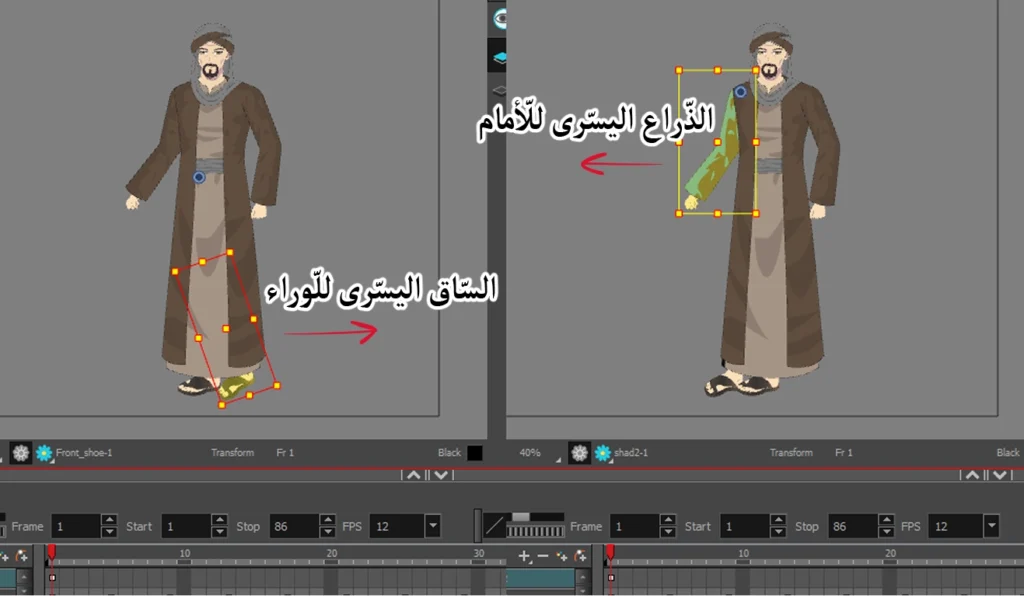
- In the first frame, we move the left leg backwards.
- We pull the right arm forward.
- Right leg forward.
- Left arm backward.
noteThe left leg referred to here is the one visible on the screen to us, not the left leg as perceived by the character. If the leg begins to extend beyond the edge of the garment, pause the movement at the edge of the garment. This also applies to characters wearing dresses or skirts.
Step two
Now it's time to add the second key move, which will be the opposite of the first move, meaning we have to switch the movement of the legs and arms as follows:
- We remain a tool Transform Tool.
- We move the left arm backwards.
- Right leg backwards.
- Left leg forward.
- Right arm forward.
Step three
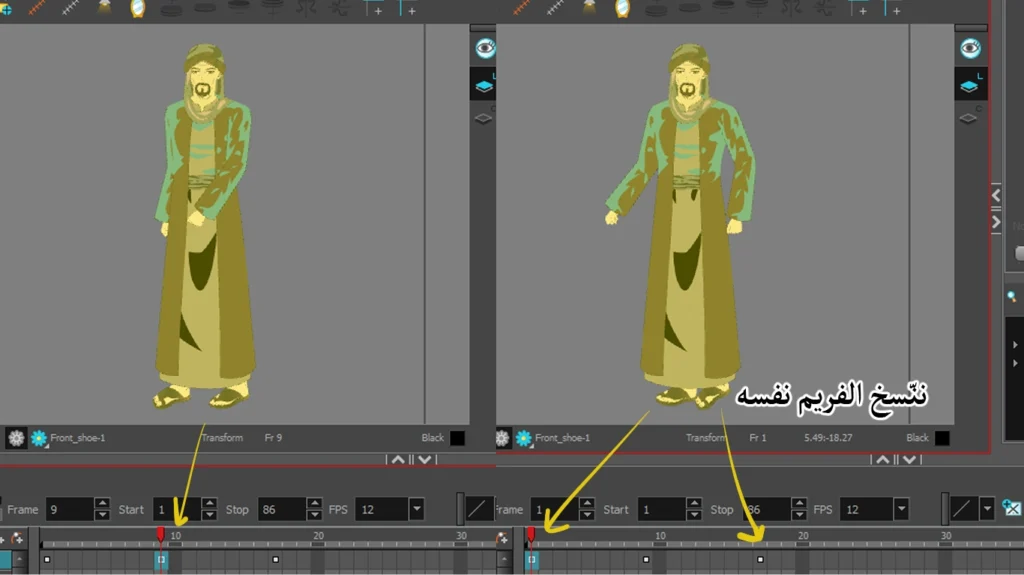
After adding the basic movements, it's time to copy them once:
- We click on the character in the Timeline.
- We define the first frame (first movement) in frame 1.
- We move to frame number 17 and paste the movement there.
Now you will notice that the first basic movement is now in frame 1 and in frame 17, and the second basic movement is still in frame 9.
Step four
Now we will add in-betweens animation to improve walking motion:
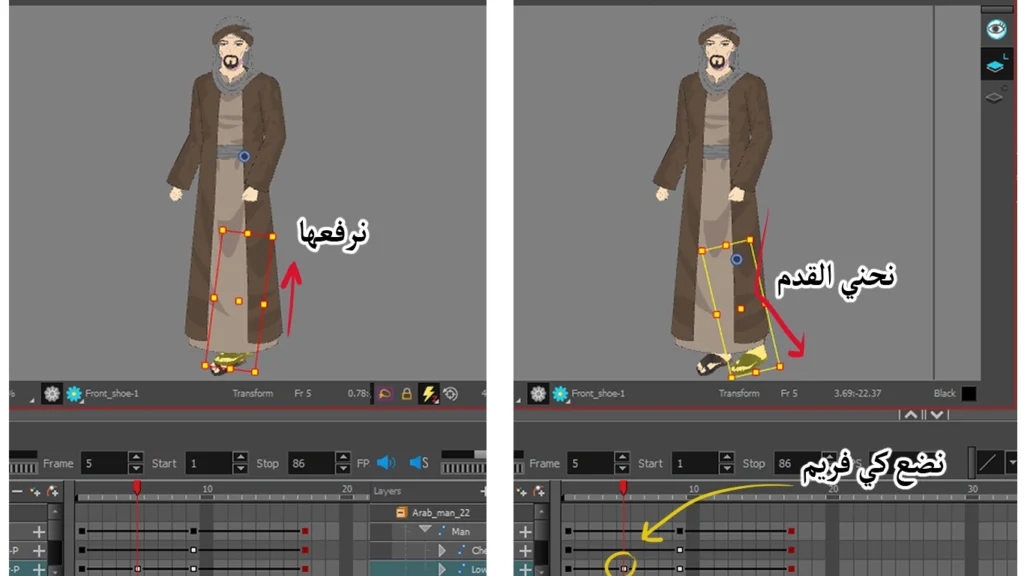
- We move to frame 5 in Timeline.
- We add Keyframe New (F6).
- We identify the right leg.
- Bend it slightly.
- Then we lift it up slightly.
We repeat the same process in frame number 13, but this time we select the left leg, bend it, and raise it slightly, just as we did with the right leg.
Step 1Fifth
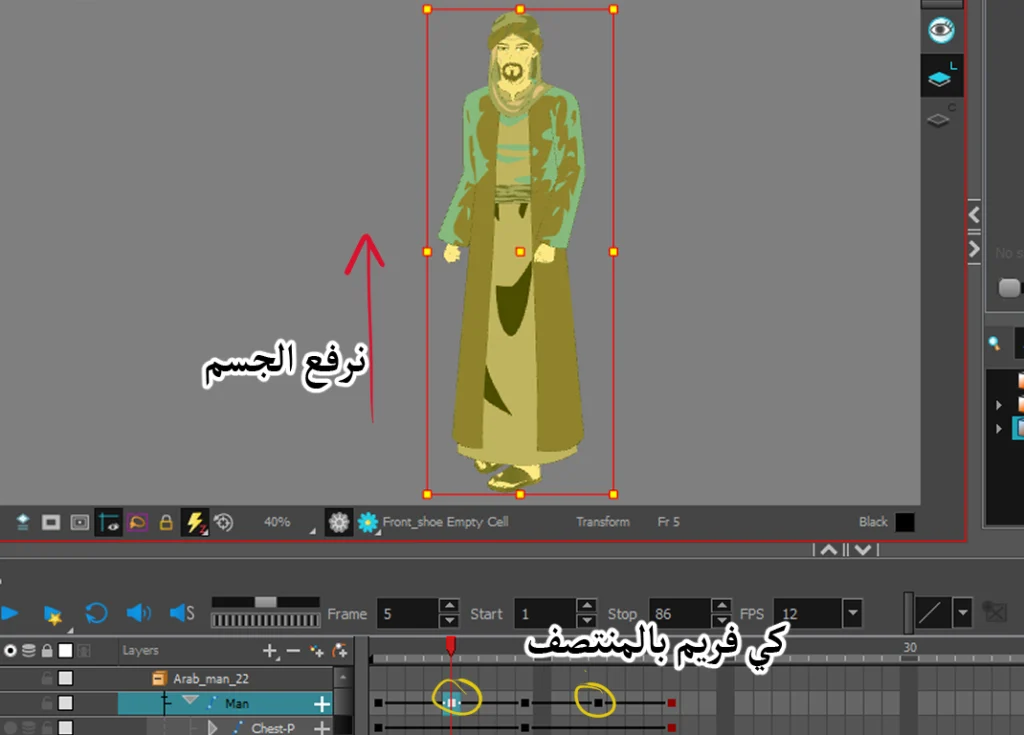
Now we will raise the character slightly in the inset frames, in order to give the man an up-and-down movement as he walks, which is very easy:
- We go to frame number 5.
- We define the character completely (or the Peg (Main).
- We select a tool Transform Tool.
- We press the up arrow key on the keyboard only twice.
- We repeat the process in frame number 13.
Note: Do not press the upward-pointing arrow more than twice, otherwise the character will appear to be climbing or jumping.
Step six
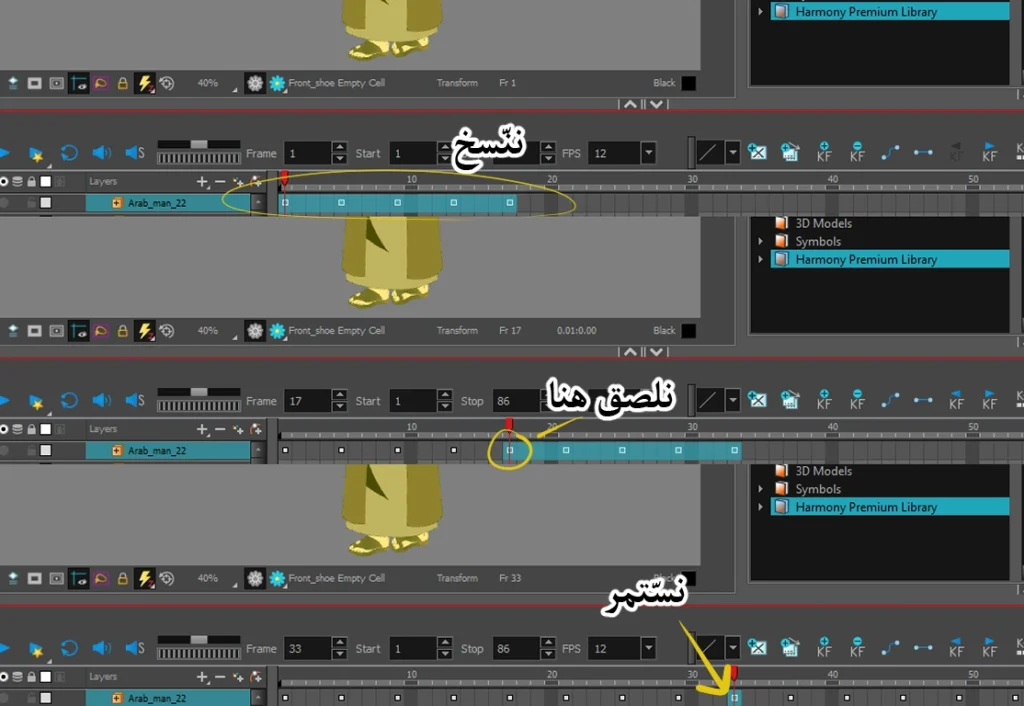
After completing the animation of the Arab man's character, we move to an important step, through which we will distribute the movement across the length of the... Timeline So that the man continues walking for the desired duration, which is as follows:
- We determine theKeyframes (Frames) from 1 to 17 and copy them (Ctrl+C).
- We go to frame number 17 and paste what we copied (Ctrl+V).
- We continue going to the last frame and pasting until we reach the desired duration.
Anime production: How to animate a character between two poses
Note: There is no need to select and copy the frames again every time we want to paste the animation; it is enough to select and copy them only the first time, then continue pasting in the last frame as we mentioned.
Final video
Here is the final video showing the man in his distinctive Arab attire walking through the markets, after we added the background, of course.
I hope you enjoyed the lesson, and I want you to apply it meticulously to achieve smooth walking motion, as many anime animators struggle with making characters wearing long robes walk correctly. Thank you for following along with the lesson, and I'll see you in future lessons, God willing.