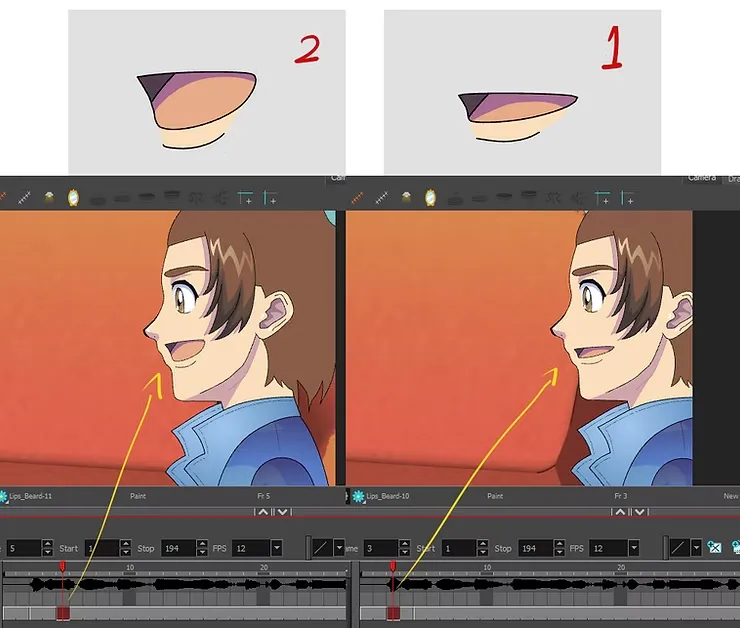
Welcome everyone to a special animation lesson on how to master the technique Symmetry (Symmetry / Mirroring) In the program Toon Boom Harmony.
When we move the hand, foot, or eye, the opposite side is automatically affected, without the need to adjust it manually, which saves us a lot of effort and time, and we know very well the value of time for us as movers.
My Patreon account where you can find a detailed screenshot of the animation
The method is very simple and doesn't require complicated settings; it relies on a basic option within the program. I'll guide you through it and how to apply it to any element of an anime character's body. Get your computer ready, and let's begin.
First step
First, we design the anime character we want (this can be done using the brush tool). Brush Tool or the pen Pencil Tool Inside the drawing layers Drawing Layers).
After completing the character design, we move on to the arm, because we will create a replica of it so that it is automatically affected when the original version is modified.
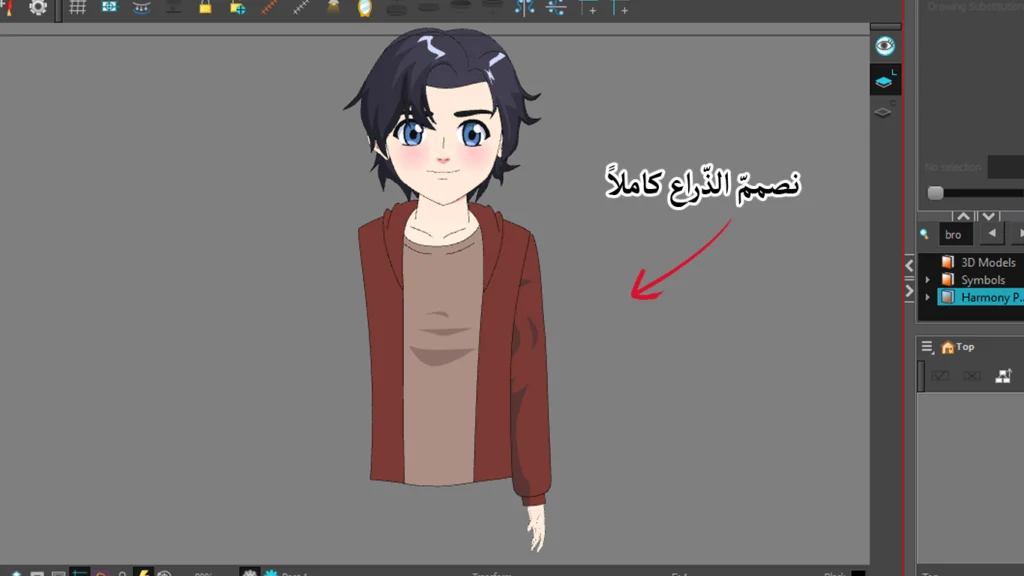
Step two
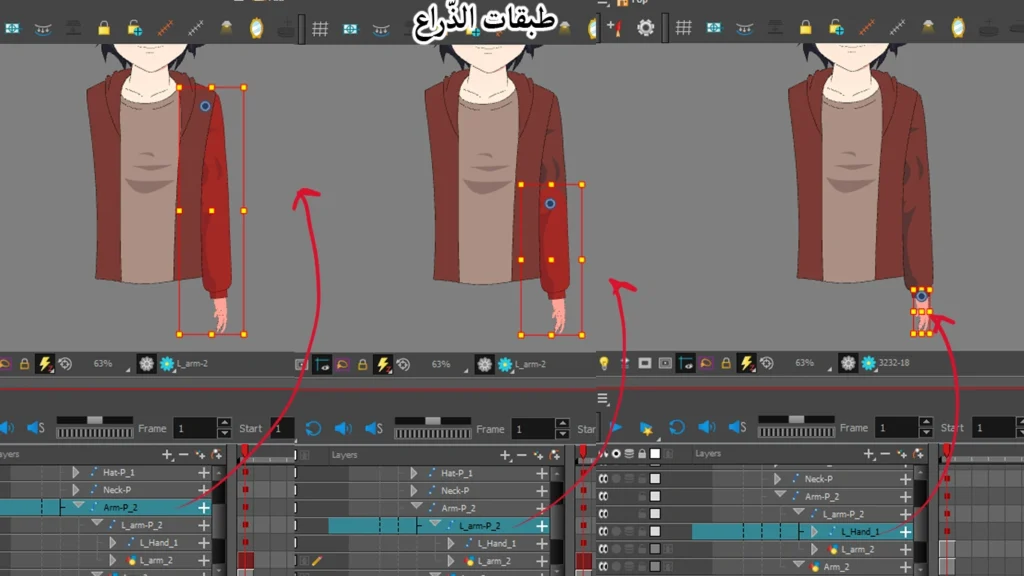
We ensure that the arm is correctly assembled before starting the symmetry process, and the layer arrangement is as follows inside Timeline:
- We add a drawing layer from the shoulder to the elbow.
- Another layer from the elbow to the wrist.
- Third layer for the hand only.
It is preferable to ensure that all layers are added inside Node View Also, if you are working on a Nodes System.
Step three
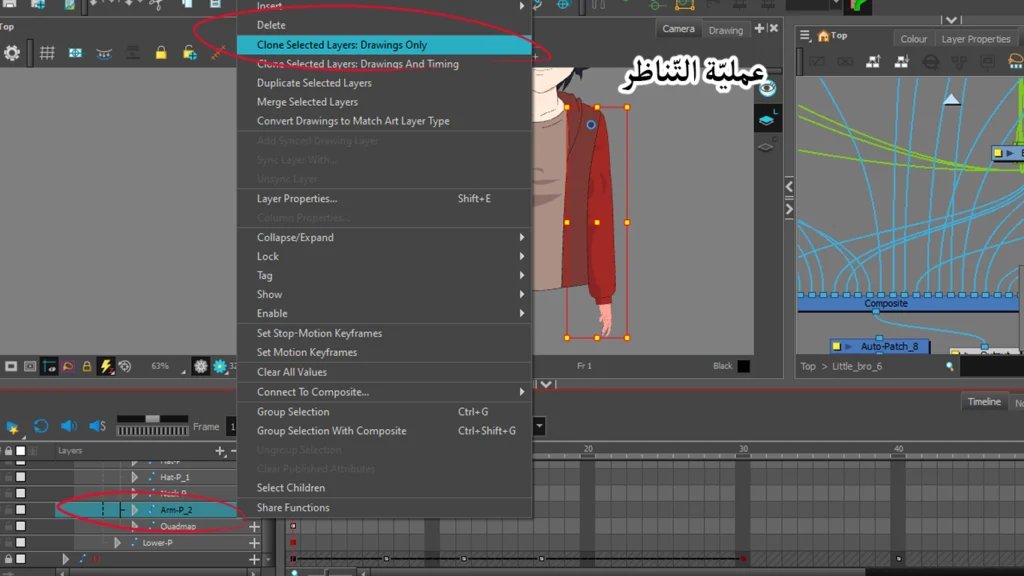
We go to select the arm layer of the Timeline, then:
- Right-click on the layer.
We select the option: Clone Selected Layers (Drawing Only) This option creates a duplicate copy of the drawing layers only, without copying the motion or effects, and so we get a new copy of the arm with the same properties.
Step four
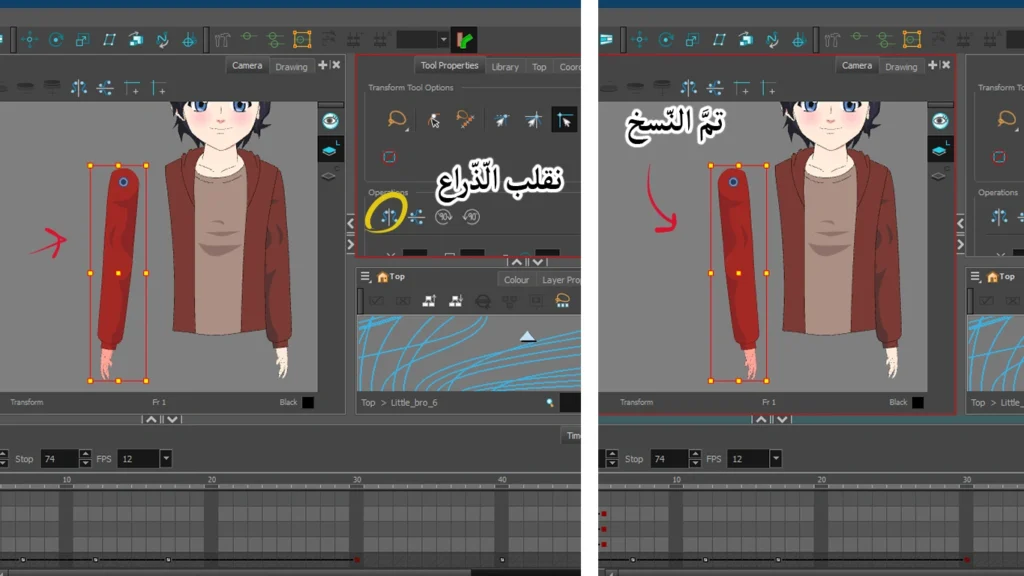
After completing the mirroring process and creating the copy, we need to flip it horizontally:
- We identify the new arm.
- We use the conversion tool Transform Tool (Shortcut: Shift + T).
- From the properties bar Tool Properties We choose the horizontal heart option Flip Horizontal.
The arm will be reversed directly, then we pull it out and place it in the other shoulder position using the shift tool.
Important note regarding the offer:
Occasionally, the new arm layers may detach from the assembly node responsible for displaying the elements, which is called: Composite Node (Assembly/Display Node)
Therefore:
- We move on to Node View.
- We make sure that the new arm layers are connected with a knot. Composite.
- If it is not connected, we pull the connection line from the bottom layer (Port) and connect it to a node. Composite Node Until the arm appears in the scene.
- Make sure that all layers of the arm (shoulder - elbow - hand) are tied.
Step five
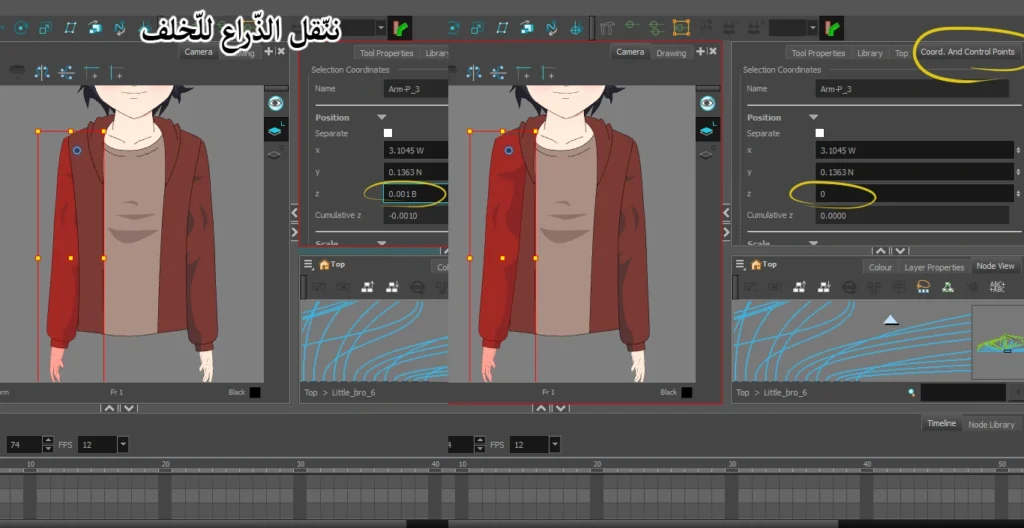
If the arm is in front of the chest and we want to send it backward, we do the following:
- We determine the arm using Transform Tool.
- From the Properties panel, we select:
Tool Properties → Advanced Controls
- We are looking for the depth property: Z Value (Z-axis value)
- We adjust the value to a smaller number such as -0.001 or any simple negative value.
Thus, the arm moves backwards in the depth arrangement within the three-dimensional scene.
Note: The Z value can be further adjusted if the arm does not move as required.
Step six
After obtaining an exact replica of the arm thanks to symmetry, we can begin modifying or coloring it.
When you modify the drawing in the original arm (if using the same Drawing Reference), you will notice that the modifications are reflected in the copy.
The same method can be applied to:
- eyes
- legs
- ears
This is done using the option Clone Selected Layers (Drawing Only) Then flip the element horizontally.
Toon Boom improves anime animation using Breakdown.
Explanatory video
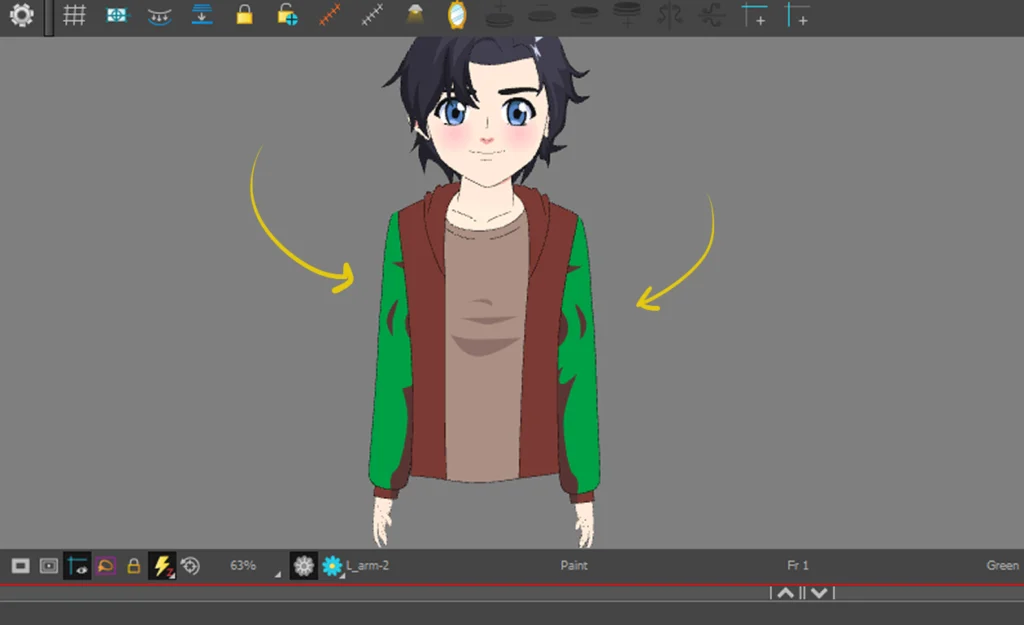
In the attached video, you will see in practice how the analog technology works.
When I modify the shape on the left side, the right side is directly affected, which saves time and makes the rigging process more professional.
It is very important to adopt this approach during the process Reg (Rigging)Because the symmetry technique used with the hands, legs, eyes, and even ears simplifies the adjustment process without the need for traditional copying or manual adjustment of each part individually. Personally, I would never do without this technique.
This concludes our lesson on mastering the symmetry technique for anime character body elements in the program. Toon Boom Harmony.
Apply all the steps as mentioned in today's lesson, and you will get professional results, God willing. I will see you in a new lesson soon, God willing.