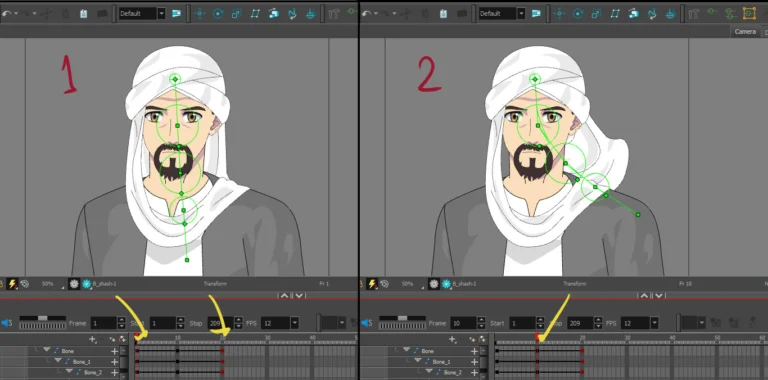
Welcome to a special lesson where I'll show you how to animate a character using animation bones in Toon Boom Harmony in a simple and straightforward way for beginners. This method allows you to animate an entire character easily and flexibly, without having to draw each frame manually, saving you time and effort when creating your own anime scenes at home.
My Patreon account where you can find a detailed screenshot of the animation
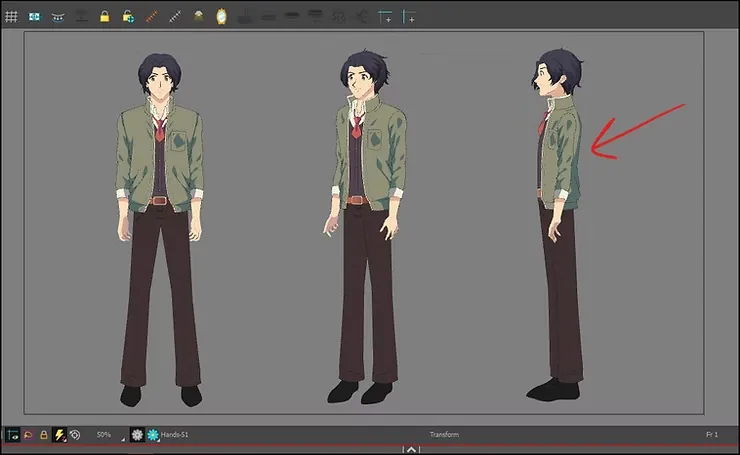
This is an anime character that appeared in a clip about Eid. I designed it from several perspectives and saved it in the library until I used it in animation. In today's lesson, I will choose to move it from the side, as shown in the picture, and delete the rest of the unnecessary frames.
First step
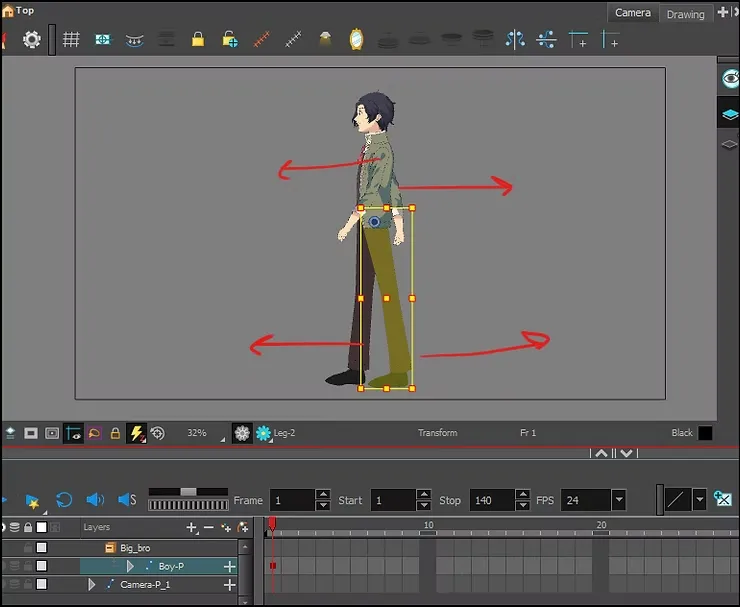
The first thing we must do is activate the animation feature, then we go to the "Transform" tool in the program, and the animation method is as follows:
- We move the right leg forward.
- Left leg backwards.
- Right arm backwards.
- Left arm forward.
We press on the leg and press the letter B, and it will be determined for us, and it is necessary that the keyboard be in English.
Step two
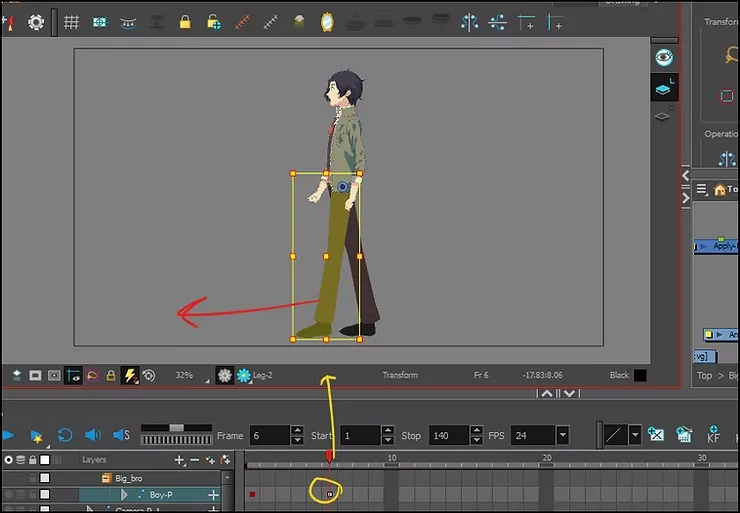
Then we add a keyframe, after we have moved the number of frames we want, and moved it, but this time in reverse:
- We move the right leg backwards.
- Left leg forward.
- Right arm forward.
- Left arm backwards.
The walking speed of an anime character depends on the number of frames; the higher the number, the slower the movement.
Step three
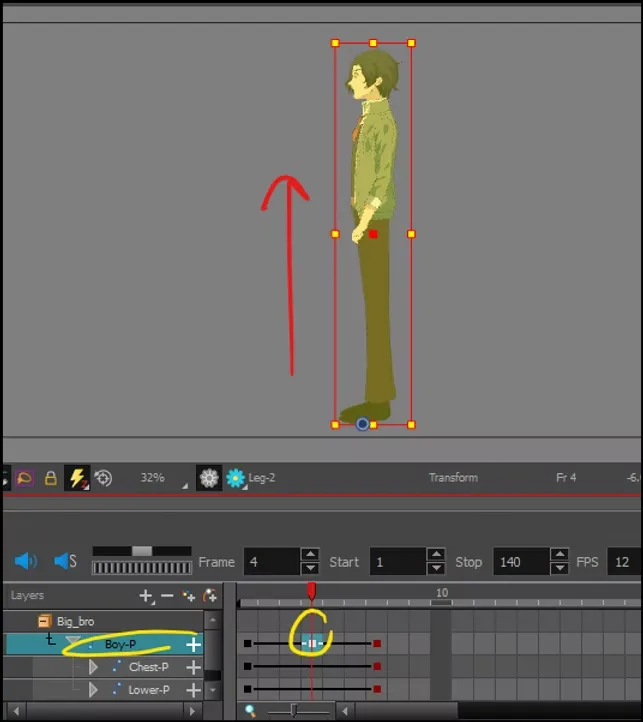
And now, between the two movements, after we have finished the first stage, now comes the rhythm stage, which is the young man’s rise and fall upwards, but very slightly without exaggeration.
All we have to do is add a keyframe to the entire body “peg”, in the middle between the two movements and add a keyframe, and raise the character slightly upwards.
Step four
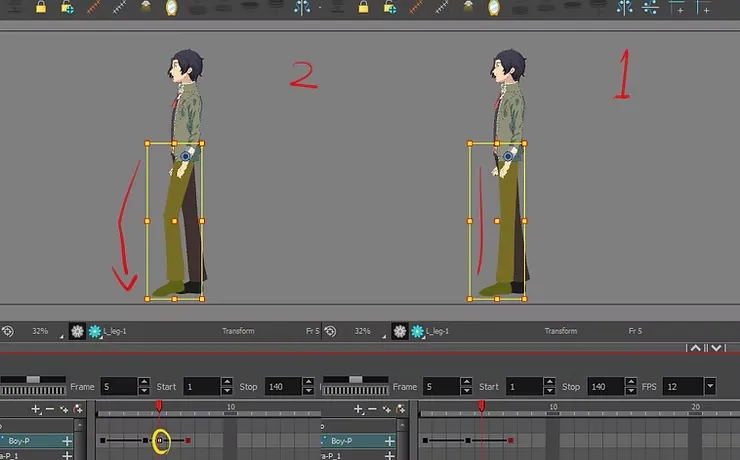
Here we move towards the leg, and we are in the frame beyond the middle, and we press the letter B, then we bend the knee slightly, and raise it upwards, and raise the foot slightly.
This will help us improve the young man's gait.
This technique can work better than any other program that uses bone-based animation.
Step five
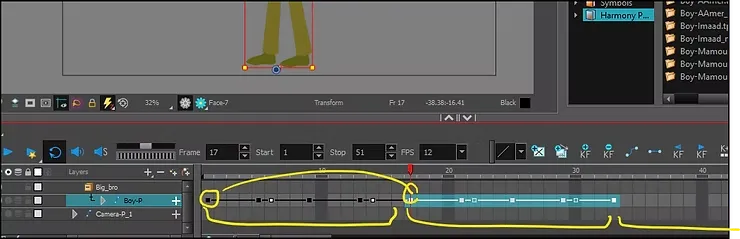
We have finished the animation, and all we have to do now is copy the animation, without needing to move it along the timeline. .
- We define the frames from the first one up to the frame where the movement ends.
- We copy.
- We press on the last frame of the motion.
- We stick it on top.
We repeat this process along the timetable, for as long as we want the animation to go, in order to move an anime character walking.
Step six
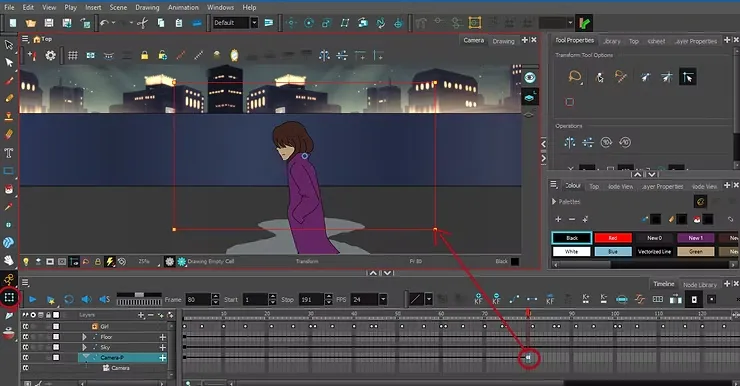
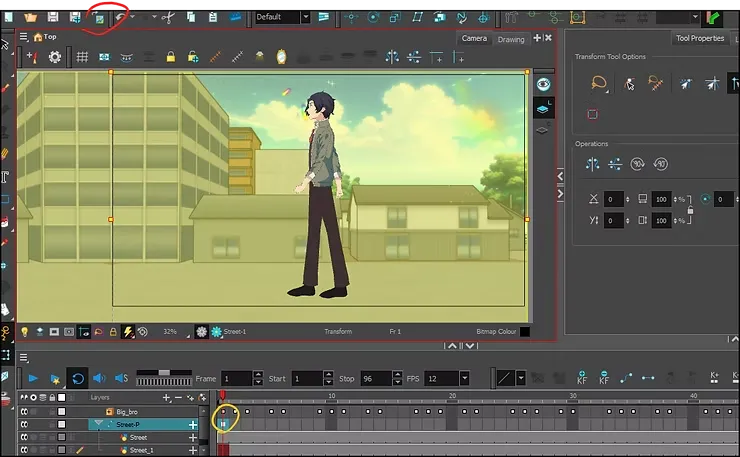
We go to the menu File > Import > ImagesThen we select any anime image from the computer, and it will then appear directly inside the program. I have indicated the location for you in the image below.
We add a “peg” to it, and we add a keyframe.
Step seven
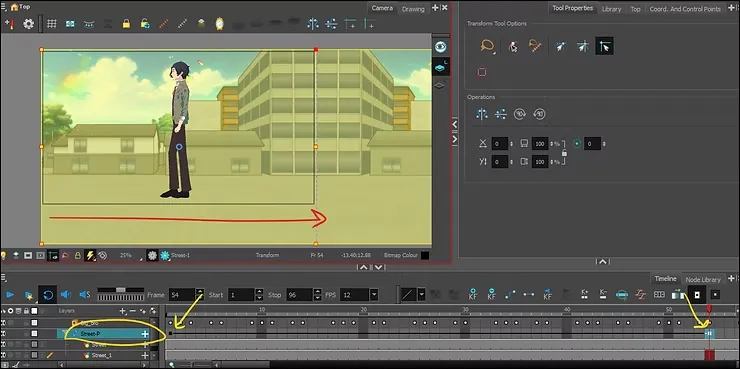
We walk several frames, select the “Transform” tool, and drag the background from the left of the screen, all the way to the right, so that it looks as if it is moving when the young man walks.
The issue of movement speed is up to you; if you reduce the frame rate, the anime's background movement will be faster, and vice versa.
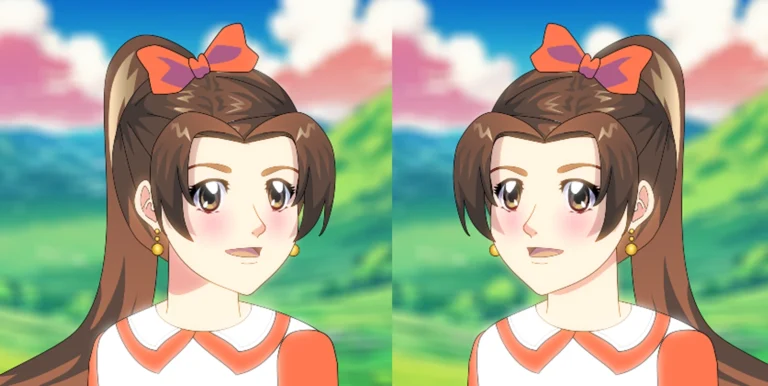
Animating an anime character walking from the front
Final result
This is the final result of ”Animating a Walking Anime Character”. We animated a walking anime boy with ease, without the need for drawing. All we did was add him from the library, ready-made and drawn, and animate him in a very simple way, without complications. .
The final video for the lesson on animating a character using animation bones: https://youtu.be/6KetnA0B9Es
That concludes today's lesson, which focused on animating a character using animation bones in Toon Boom Harmony. Be sure to review the lesson several times to master animating a walking character.
. Wait for me in the upcoming lessons, God willing. If you have any questions about the program, write a comment or message me.