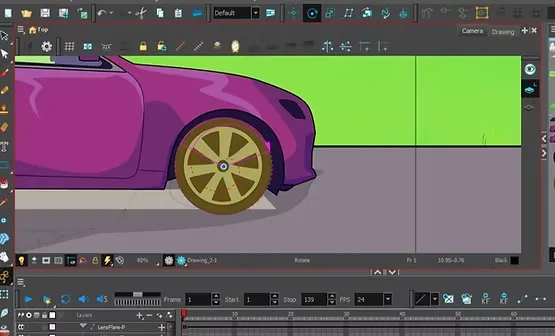
Welcome everyone, wherever you are. In this lesson, I will give you a practical explanation of the easiest ways to create animation using motion twins, or in Arabic, Toon Boom Harmony animation, where you can animate a complete character using only two drawings in a professional style suitable for beginners and those who want to produce anime clips quickly and with high quality.
First step
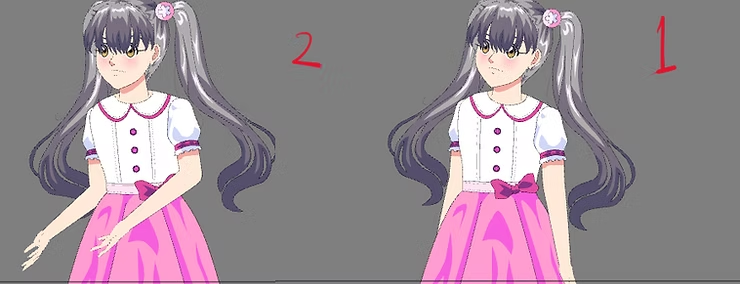
The first step is to draw just two poses for the character: one for movement 1 and one for movement 2. Place each pose in a separate frame on the same layer. You will ink and color as usual; there's no need to draw complex details, as animating with two poses saves time.
If you want a richer animation, you can add other drawings, but the same steps will apply. This makes this technique ideal for scenes of repetitive movements in anime such as jumping or swinging.
Step two
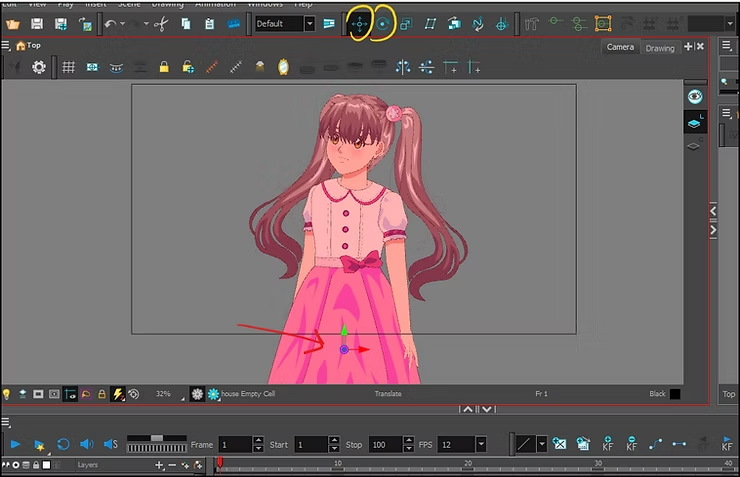
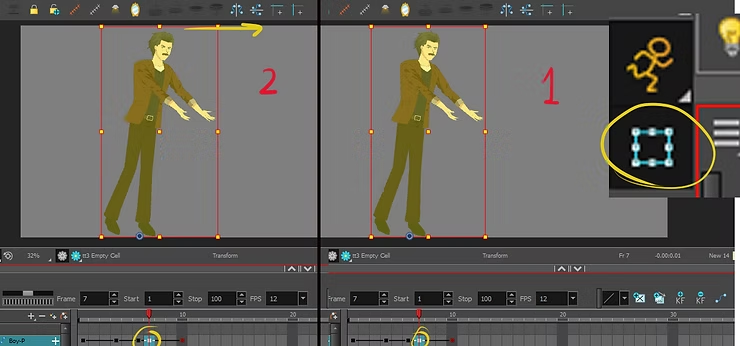
After finishing the drawing, we add Peg For drawings within Toon Boom Harmony, use the tool shown in the image and select the focal point. Pivot Point At the bottom of the character (preferably at the feet) to ensure natural and balanced movement during animation.
Step three
Now it's time to use Motion Twin technology in Toon Boom Harmony:
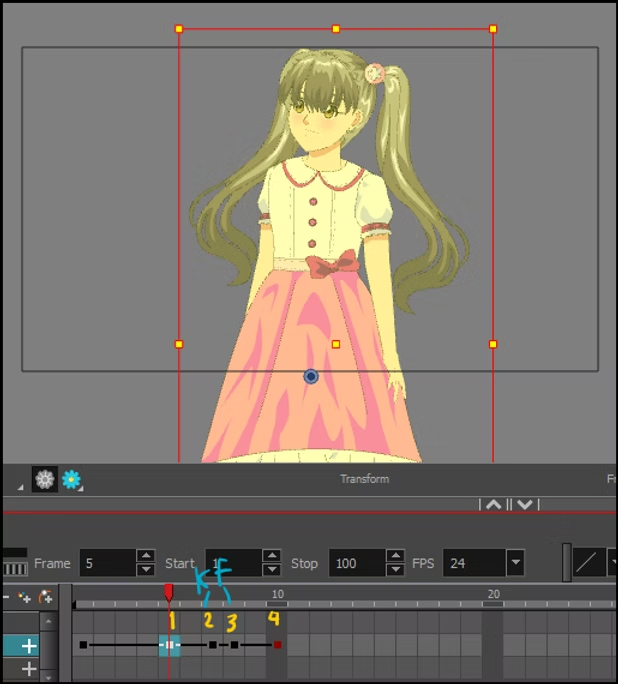
- We define the drawing using a letter B.
- We add Keyframe For the second frame (starting movement) and the third frame (ending movement).
- The movement begins from Keyframe 2 And it ends at Keyframe 3.
Step four
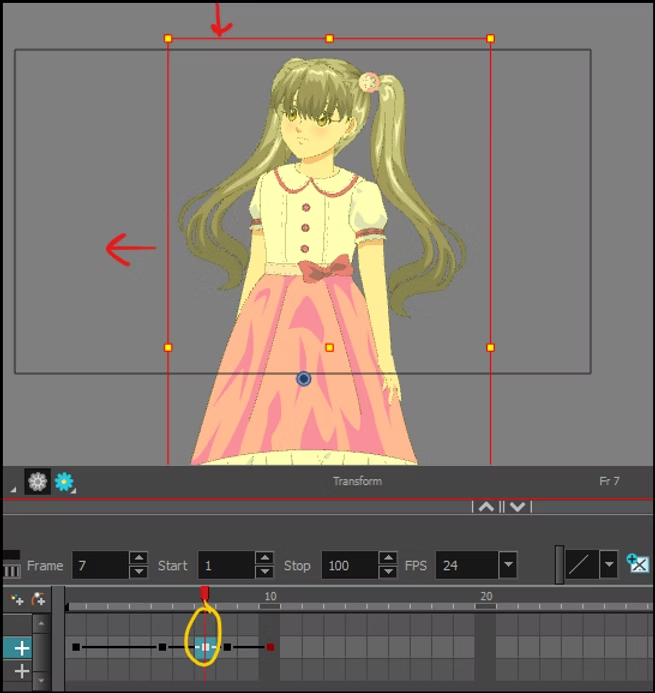
We choose The last keyframe for the first drawing Using Transform Tool We pull the figure downwards and then slightly outwards, and this gives a sense of weight before launching.
Step five
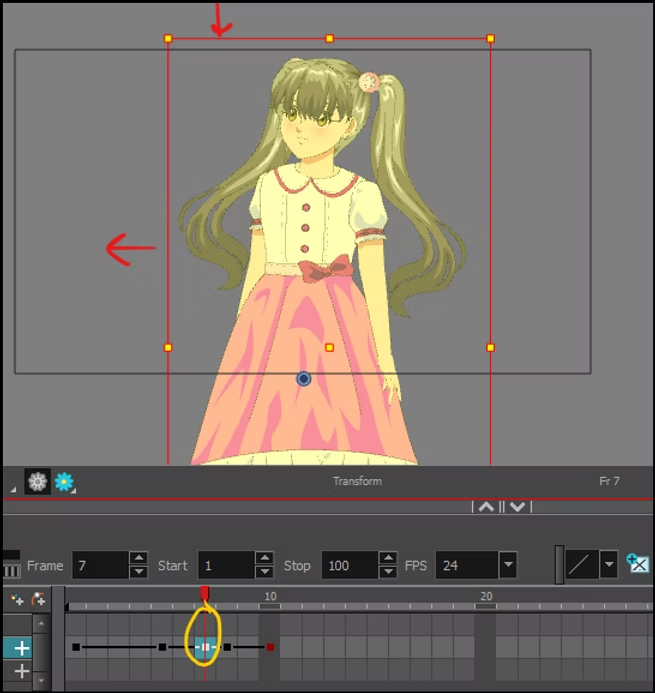
We then move to the next frame and select the same tools, and this time we pull the character upwards and then inwards to simulate the natural recoil of the movement.
Step six
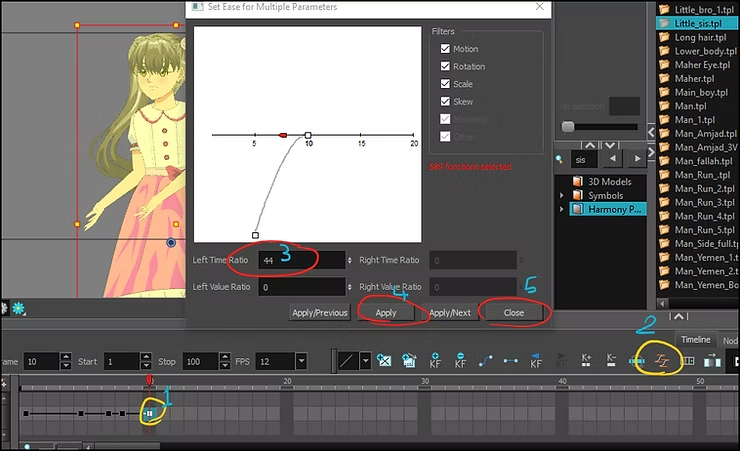
in Last Keyframe We select the specified option (Ease In/Out) within Toon Boom Harmony to add a smooth motion relief between frames, which gives us natural motion as used in anime.
Step seven
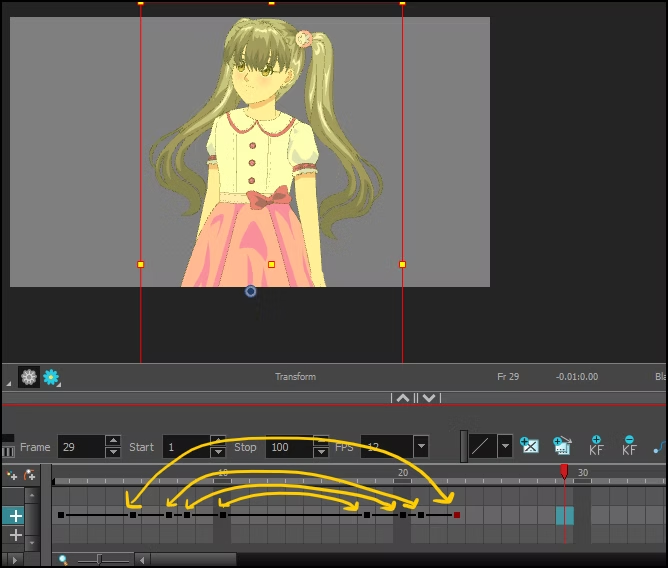
Once finished, you can copy and paste the animation via Timeline By repeatedly using the order shown in the images, you will find that the character returns to the initial position, creating a recurring loop. .
video
A quick video showing you animation with two drawings in an anime style.
Final result
Final result of animating the anime girl
The two-draw animation technique, or motion twin, is also suitable for the entire body.
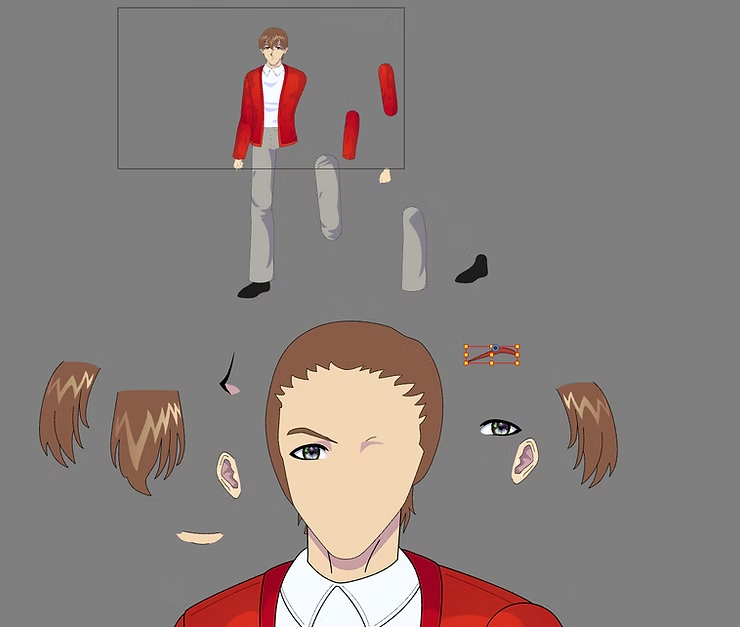
You can apply the two-draw animation technique using Motion Twin to the entire body, not just the head or hands, provided that Locate the pivot point at the lowest point of the body, which is the feet. To ensure that the movement remains balanced during expansion and contraction.
inside Toon Boom HarmonyThis can be easily done by adding Peg is the main component for the entire body and connects all body parts to it.Then you determine the pivot point at the feet using a tool Rotate Tool و Pivot Tool To ensure that the movement will take into account the natural weight of the body.
A video explaining the matter
After that, you can use Transform Tool with Motion Twin To create a slight upward extension of the character when jumping or moving upwards, then returning downwards to simulate the effect of gravity when landing.
It is also possible to add Ease In/Out movement From the Motion Twin list to make the ascent and descent motion as smooth as professional anime scenes.
Illustrative image
Since the character during animation may extend its hands forward or move forward and backward in the scene, add arm or hair movement using the same motion twin technique to get a distinctive result.
Animating the anime protagonist and his accessories without drawing frames
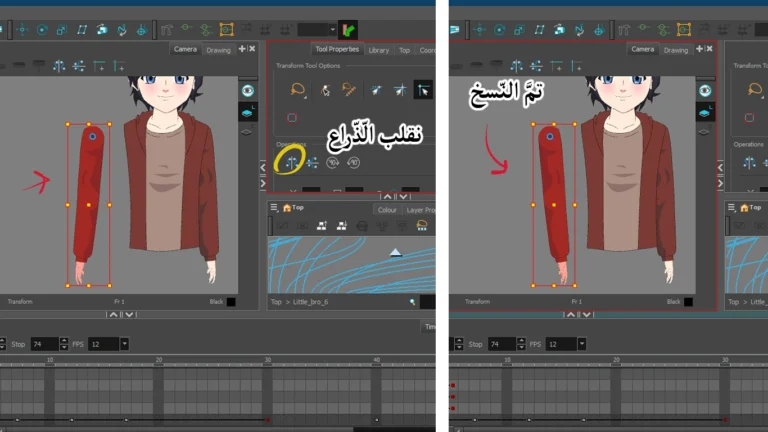
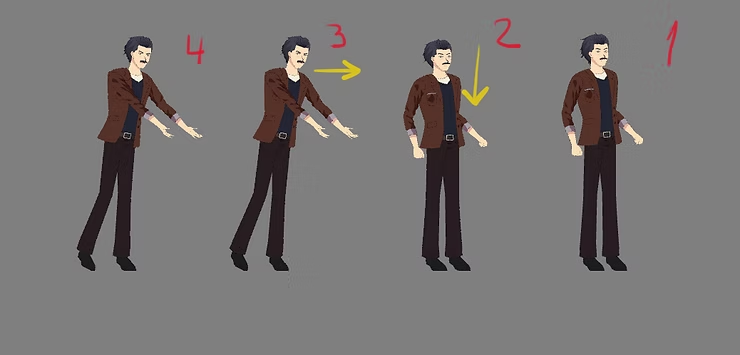
For example, draw only two hand positions: hands forward, and hands down or backward, then link the layer for the arms to Peg Separate Inside Toon Boom Harmony, you can move your arms independently from the rest of your body using Transform Tool And the advantage Motion Tween easily.
video
Add a layer of hair and attach it with a separate Peg and determine the pivot point at the base of the hair, then use Motion Twin to move the hair forwards and backwards during the movement to simulate the effect of wind or speed.
The final result is here: https://youtu.be/mpklKtyTXlQ
This was an easy and practical way to learn motion twinning and animation with two drawings using Toon Boom Harmony, and it is suitable for any anime animator who wants to produce scenes quickly and creatively.
Learning this method will not only save you time, but will also make animating difficult scenes more fun and easier than you can imagine. Thank you and see you, God willing.