Welcome everyone to the anime hero animation lesson. I am very excited to resume the projects I started, one of which is this animation, in which we will learn how to animate an anime character, along with its accompanying accessories, whether it is a hat, bracelet, pocket, decoration, etc. It is known that animating a character full of details is very difficult, so I came to help you animate the anime hero with the Toon Boom Harmony program, so you can see how I animate the characters with their additions with ease.
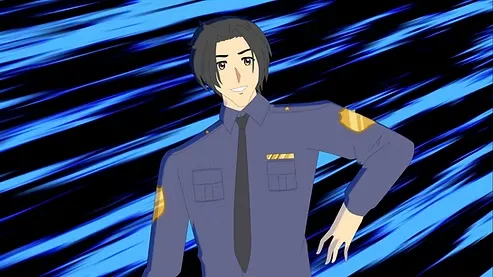
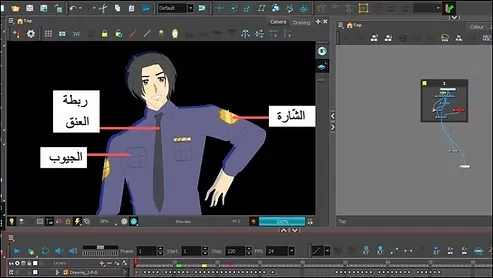
Before I begin explaining, I would like to inform you that some parts of the character’s clothing are a drawing made up of a single frame, and I did not need to move them. I just drew them on a different layer and stuck them in the required places, so that they would appear to be the same as the character, such as the pockets, the badge on the arms, and the tie.
First step
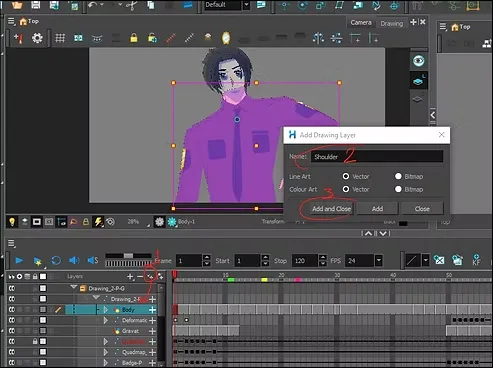
We open Ton Boom Harmony, and presumably we have already animated the character, now all we have to do is add accessories to it.
We add a new layer, and name it whatever we want. It must be above the hero's drawing layer, so that it is visible.
Step two
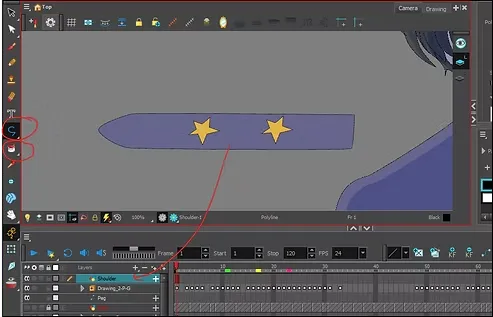
We draw the desired shape, and since I am drawing a policeman, I will draw with what is known as the policeman's "shoulder", and I will add to it the number of stars I want. "I was supposed to add one star to the hero instead of two, but I corrected that later."”
Step three
Then we extend the frame to the end of the scene, and I have colored the option red for you.

Step four
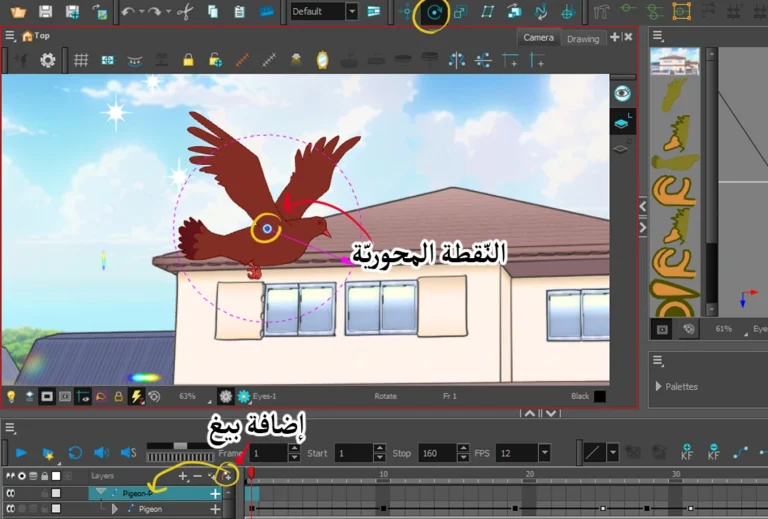
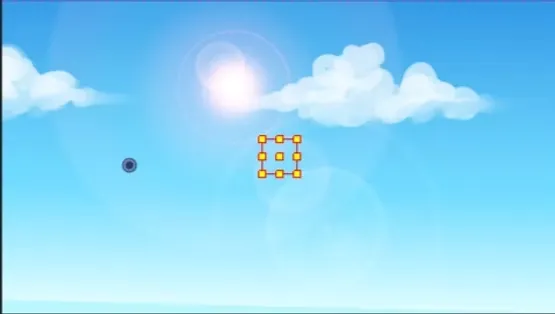
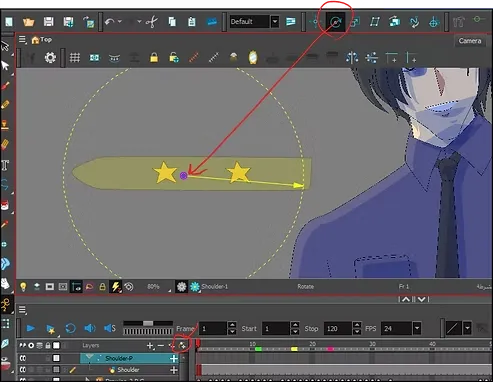
We add the ”peg” to the layer, and from the tool at the top called “Rotate”, we select the pivot point of the shape, and I chose it to be in the middle, which is the “blue dot”.
Step five
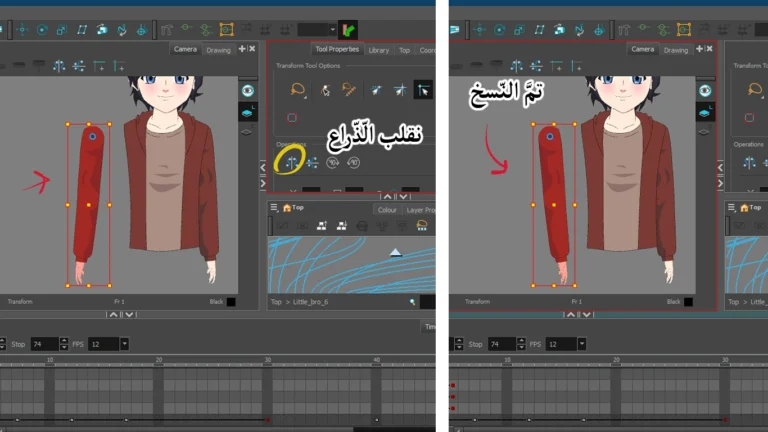
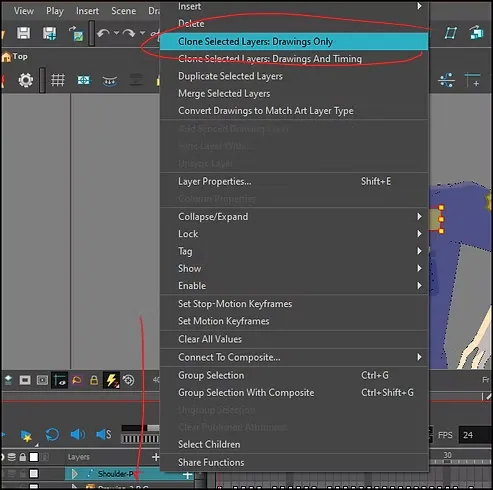
We drew one shoulder, right? So instead of repeating the drawing when moving the anime character, we just need to duplicate the drawing itself by right-clicking on the layer and then clicking on the option shown. Clone selected layers: drawings only
Step six
We now have two identical copies, and the great thing is that if we want to change the shape or color, the same thing will be applied to the other one, without needing to repeat the same process.
Now we determine Drawing Layer Regarding the shoulder.
Then we right-click and select:
Flip Horizontal (To reverse the direction horizontally) or Flip Vertical (To reverse the direction vertically),
As needed.
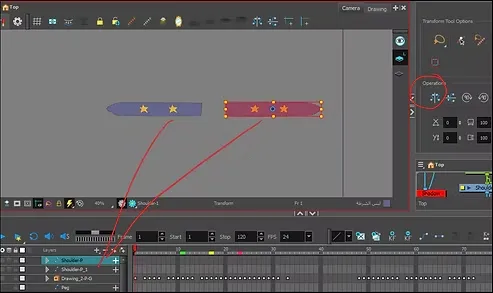
This video explains how to flip the character when moving the anime character in the program.
Step seven
We now add the animation tool called Rigging Tool (Bone Deform Tool). This will save us time when animating the anime character.
When activated, it will cover the entire length of the element and distribute control points along its length.
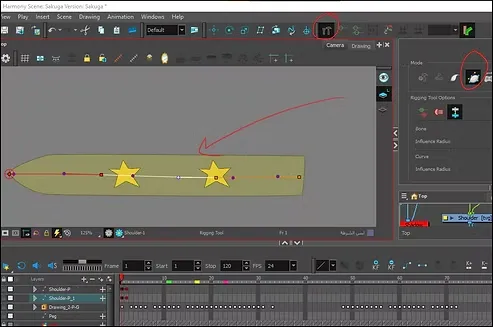
This video explains the difference between a pneumatic tool and pneumatic bones.
A closer look
Before moving the anime protagonist:
Make sure to disable the Animate Mode option before arranging their positions, so that it is not counted as animation, as we only want to arrange the shape so that the shoulders are on the hero’s shoulders and that’s it.
While moving the anime protagonist:
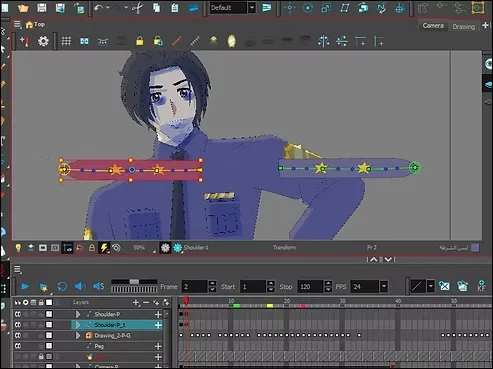
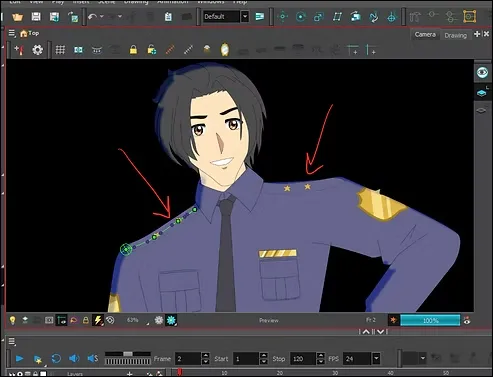
The accessory is now ready to be moved. All we have to do now is add them to the shoulders using the “Transform Tool”.
We use the mobilization bones that we added previously in order to gain greater freedom of shaping, such as tightening the shoulders.
trick
We have now added the accessory to the character's shoulders, and it appears as if we drew them all in one layer.
Note: This is the first frame of the hero's movement.
This is the trick I rely on when moving the anime hero who wears complicated clothes with many details. The viewer will think that I moved all those things “frame by frame,” but in reality, I only drew them once, and I move them with the animation tool.
This video explains how to animate clothing accessories using the two tools I mentioned earlier.
Step eight
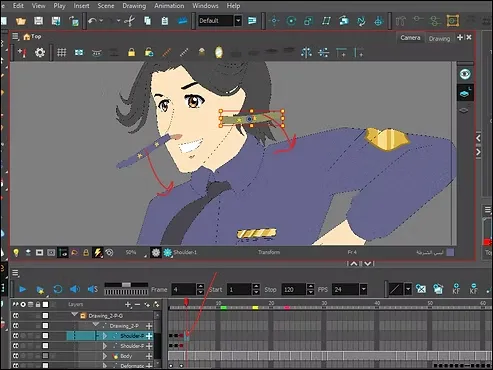
This is the second frame of the hero's movement, and note that the shoulders remained in the same position as the first movement. In the table or "timeline" there are key frames for the movement.
We add another keyframe, in order to re-animate the shoulders again to match the hero's movement via the "Transform Tool". .
Don't forget that you are moving while you are pressing on the "peg" and the movement bones as well.
A closer look
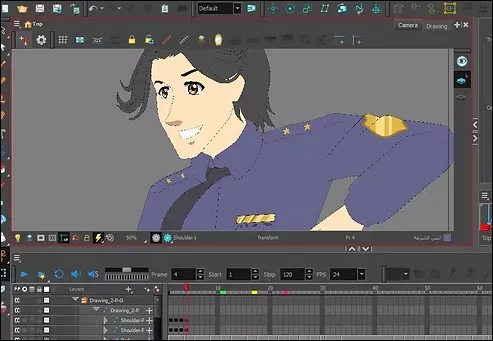
They have now become attached to the character's shoulders, in harmony with his movement.
Step nine
We repeat the same thing with every movement the character makes while moving the anime hero.
Rig Toon Boom Harmony Anime Character for Animation
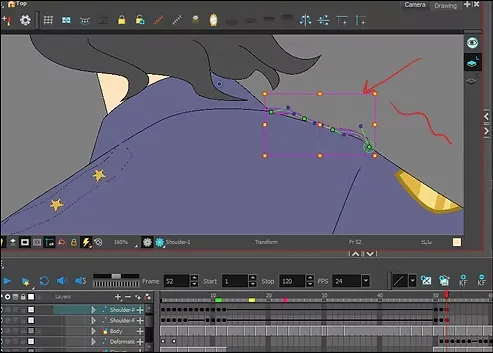
thin shoulders
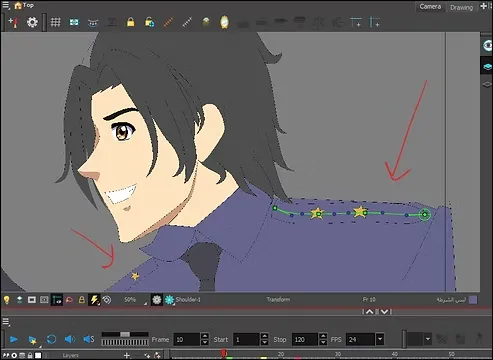
Up to this point, this shoulder appears thin, and the osteophytes, along with the osteophyte, will help us to get a side view of it.
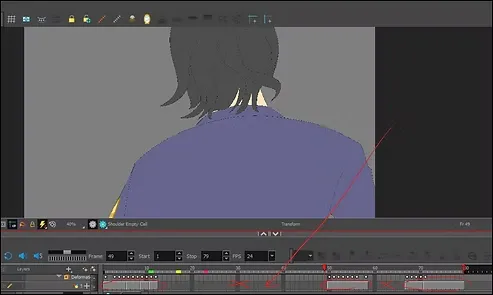
Disappearance of the shoulder
As for the frames where the accessories do not appear, we will delete them from the timeline, just like that. Look at the attached image, where the places where the shoulder does not appear look empty.
This video shows you the accessories, each of which I drew individually, and I used the same animation style. If I had animated them using traditional methods, I wouldn't have finished so quickly.
Video: https://youtu.be/n5hcQvHEw6M
That concludes today's lesson on animating the anime protagonist step-by-step using the correct tools and proper layering. Try my method and you'll be amazed. See you soon, God willing.