Welcome back to a unique and special lesson, which focuses on Rigging Or building animals. Today we will start building an anime sheep from scratch with the bones in order to prepare it for animation later, because animating animals has its own specificities and animation methods that are different from animating humans in the world of animation.
My online store has everything you need as artists
We won't rely on using a human figure to transform into an anime sheep; instead, we'll start from the sketch down to the bones. As we all know, the structure and composition of the human body differ from that of an animal, so we must be very precise when it comes to building or creating it. Rig For non-human beings. Let's begin together!
First step
- We open the program Toon Boom Harmony On a computer or laptop.
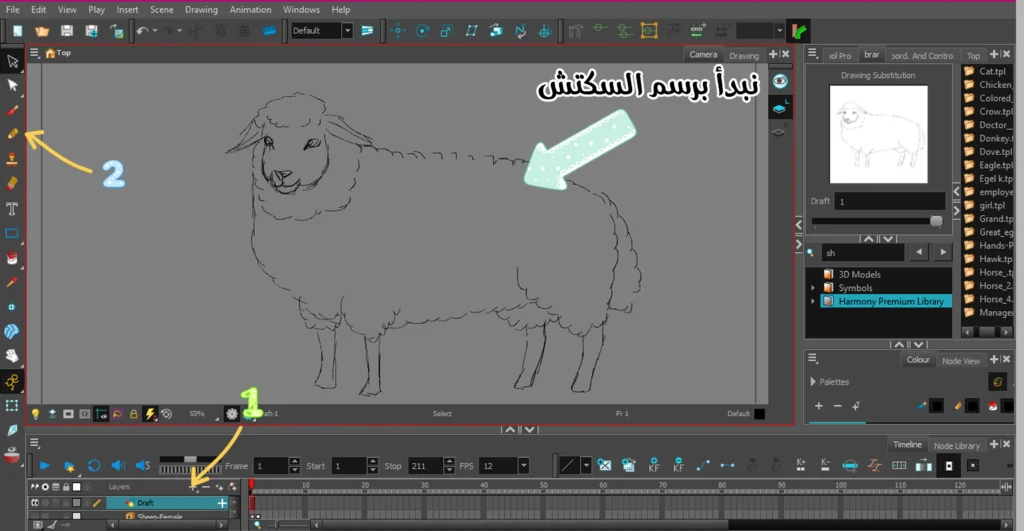
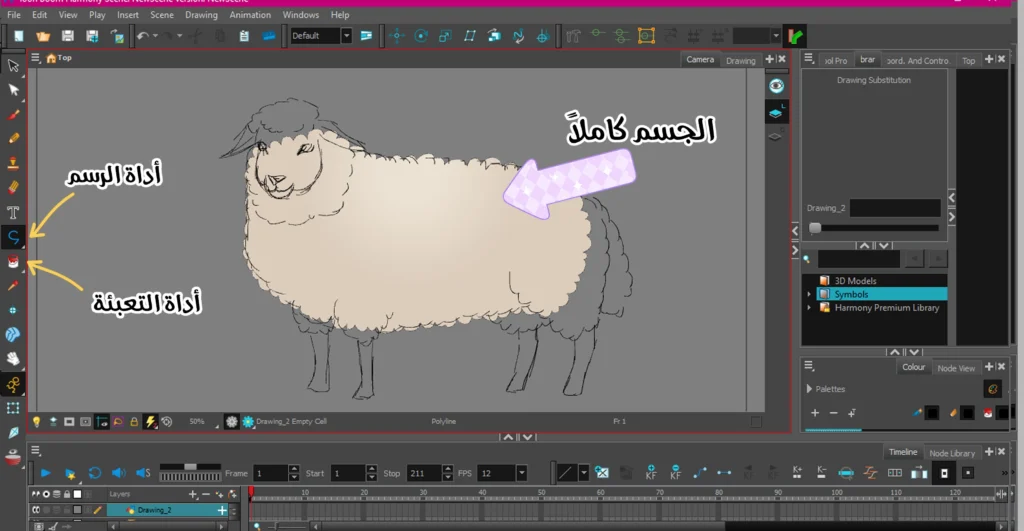
- We add layer (Drawing Layer) New, and I have identified its location for you in the pictures below.
- We choose pen tool (Pencil Tool)We then specify the desired color.
- We begin the drawing process by drawing the animal in front of us from a frontal and side angle, as shown in front of you.
Step two
- We add a new layer.
- We select the drawing tool and choose the color black.
- We draw the entire body using the previous sketch to facilitate the drawing process.
note: Here we must pay attention to the fact that the sheep’s body is made of wool, and we must take into account the pattern of the wool as you see in the picture.
Step three
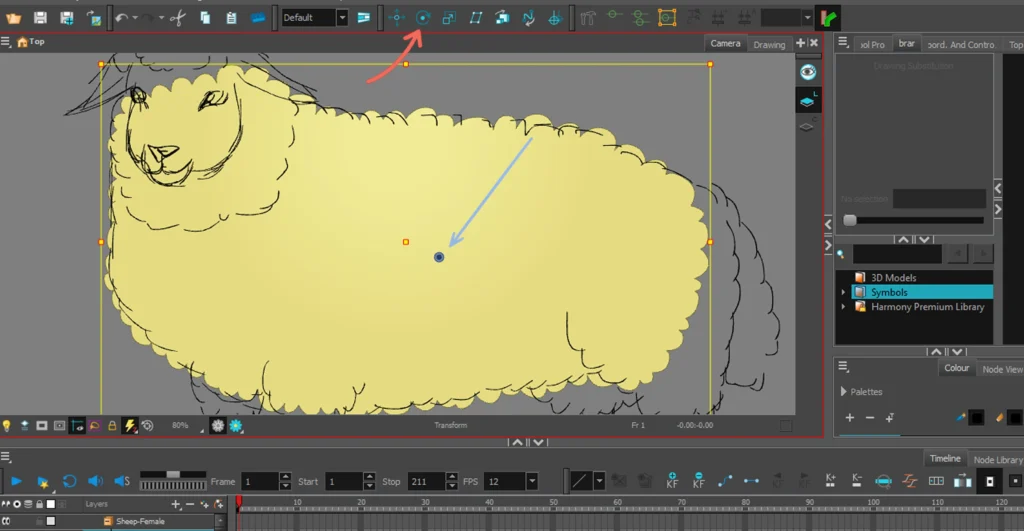
After we finish drawing the body, we add Big (Peg) Or the stand used for movement.
It is essential that we define Pivot Point In the middle, so that the stirring process can be done correctly later.
A helpful article about body "reg," from the official Ton Boom website. here
Step four
Now comes the stage of adding the head and face.
- We add a new layer between The Peg And what is between the body.
- We draw the face as we drew it in the sketch.
- We add Peg Specifically for the face.
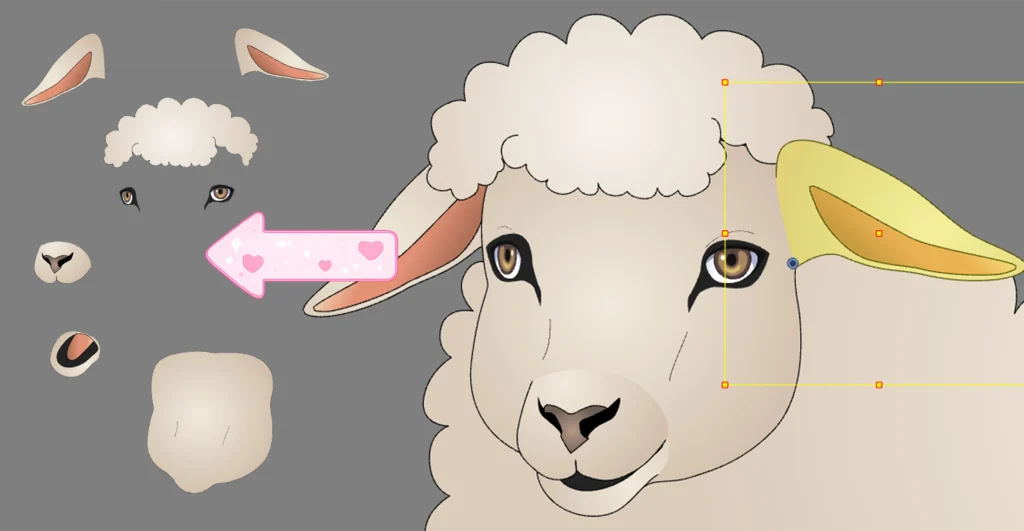
We draw all of this in separate layers, and we place on each one Peg Independently:
- The eyes: each eye is in a layer, and inside it is the pupil.
- The mouth and nose: the upper and lower sections are each in a separate layer.
- The ears: each ear is in a separate layer.
- Hair: We draw the wool on top of the sheep's head.
Explanatory video of the head and face of an anime sheep
In this video you will see firsthand my correct method for building or Reg (Rigging) The face of the anime sheep we're designing. As I mentioned in the previous step, the layer arrangement is exactly what you see in the video.
Each part of the face has its own layer, with a support. Peg It is also specific to her, and it allows us to move it later, and it acts as the control point for each part of the face.
Step five
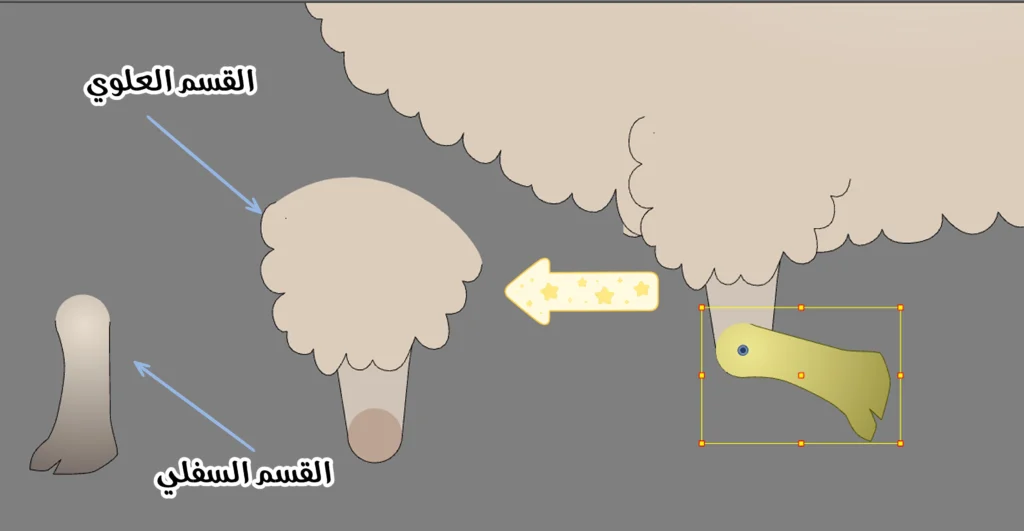
We will now move on to the stage of building the limbs, and since animals have four limbs, it will not be as complicated as in human characters, because the hands and feet have a style. Reg Different, while animals have a similar structure between their arms and legs.
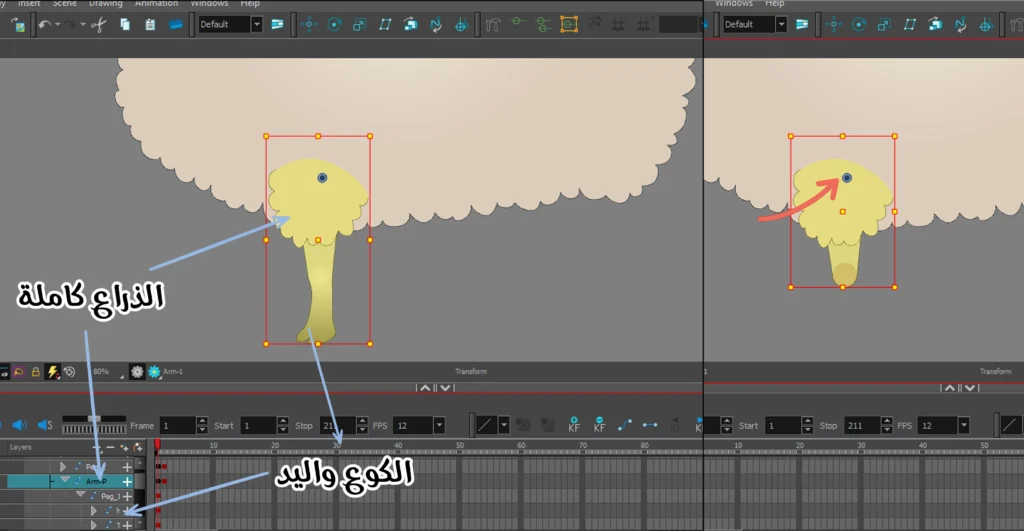
- We add a new layer, and it will be for the upper part of the arm.
- We add to it Peg.
- We determine focal point Pivot Point So that it is at the highest point at the end of the arm, which I have indicated with the red arrow.
A look at a sheep's leg
- We add another layer between the upper part of the arm andThe Peg It belongs to her, and will be for the lower section.
- We add to it Peg like that.
- We determine the pivot point, and it is essential that you note its position in the lower section, as it directly affects the movement of the leg.
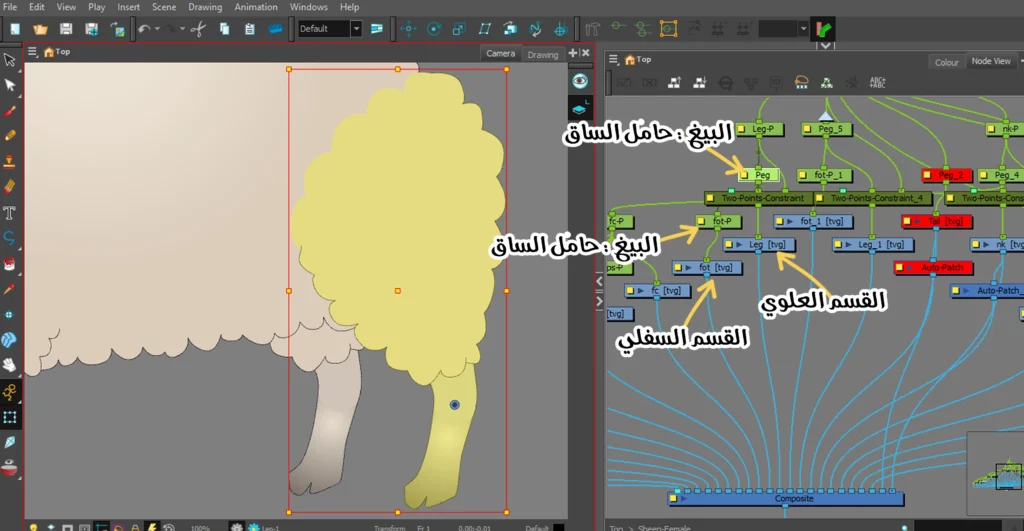
Explanation of the class hierarchy
In order to understand the order of the list layers, we turn to Node ViewWhere all the elements we have built will appear in an orderly fashion.
Observe how the top layer is first connected to a node CompositeNext comes the lower layer, and the leg support appears before us. Peg The one specific to each layer, which is responsible for controlling its movement.
Step six
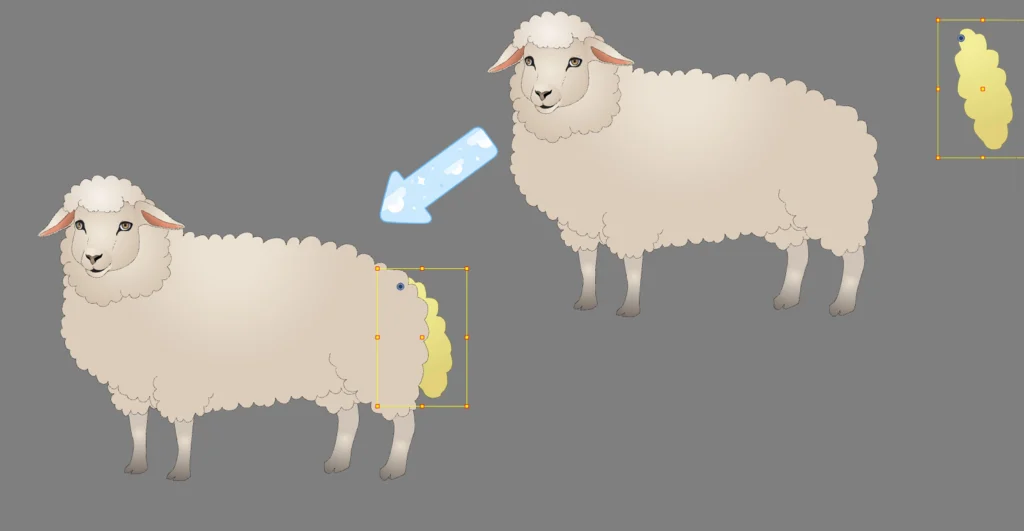
This is one of the easiest steps, because we will be adding the tail, and the method is as follows:
- We add a new layer.
- We draw using the drawing tool.
- We add a holder Peg.
- We determine the focal point to be at the top.
Video of the final result after building the anime sheep
In the video, I'll show you the final result of the sheep's entire body. Watch how we can move the limbs, head, and facial features using a stand. Peg Each element has its own characteristics, giving us complete control over the character during movement.
A guide to animate an anime pigeon to fly in the easiest way with pictures
The good news here is that we will not have to build another animal from scratch, but we can rely on this ready-made body, then modify it and turn it into another animal, and this is what I will show you in the next lesson.
Thank you for reading the lesson carefully. If there is a step you didn't understand, please reread the lesson or refer to other lessons that explain the tools in more detail. I look forward to seeing you in the next lesson, God willing.