Hello everyone, I'm happy to see you again in this animation lesson, where we will learn how to animate fabric using animation bones on a computer program. Toon Boom HarmonyWe will use the same tool but in two different ways. We will move the head covering or shemagh as it is called, the front and back pieces, and we will move each piece in a different way.
My online store has everything you need as artists
One of the basics of animation in the world of anime is the movement of clothes and fabrics, and this is important, why? Because it is part of the character, it may be a quilt, a back robe, a necktie, etc. Moving those elements in harmony with the movement of the anime character gives the scene the required realism and professionalism, as clothes cannot move apart from the character itself.
First step
- We open the animation program Toon Boom HarmonyWe insert the character from the program's library. Library PanelWe determine the element that we will move, which will be the head fabric.
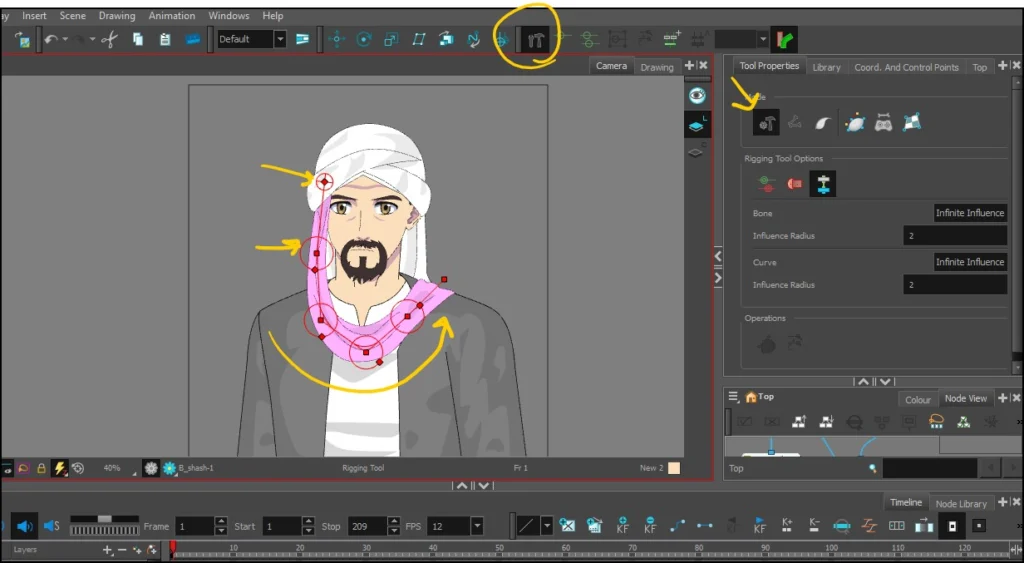
- We locate the bone tool at the top right of the tools. Rigging Tools.
- We select a tool Bone Tool.
- After selecting the front piece of the head covering, we press on it, and a letter can be pressed. B From the keyboard.
- We add the bones starting from the top down, and we will have a series of red circles.
Note: Each circle represents a single bone that can be moved on its own.
video
This is a tutorial video showing you how to insert animation bones onto the item you want to animate.
Step two
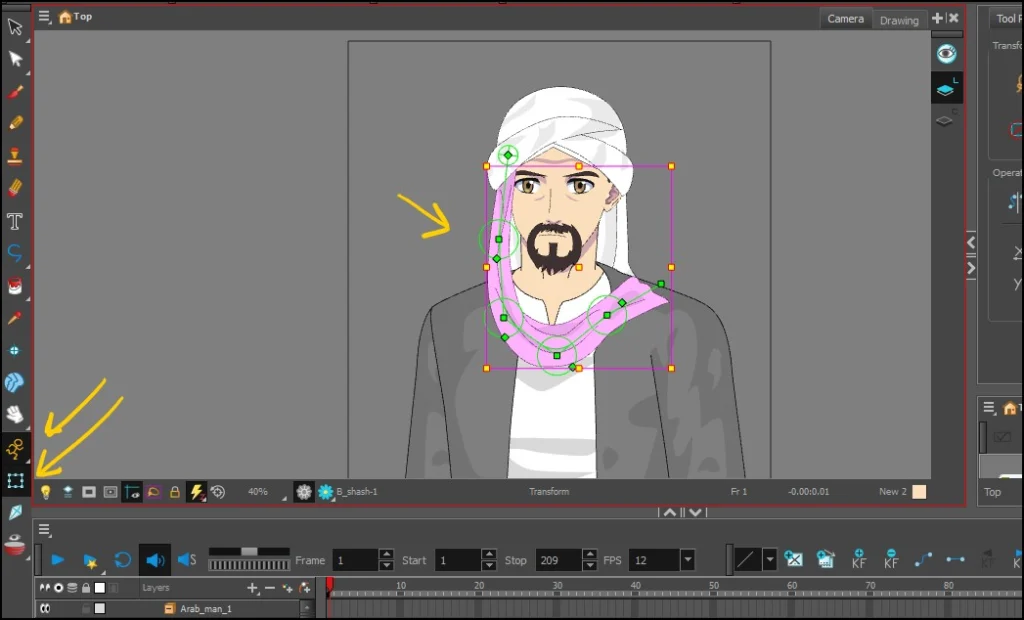
- We activate the animation feature by enabling Animate Mode.
- We now select the image's specific animation tool, which is the Transform Tool.
- We go to the bones and begin to identify the first bone that we will start moving.
Step three
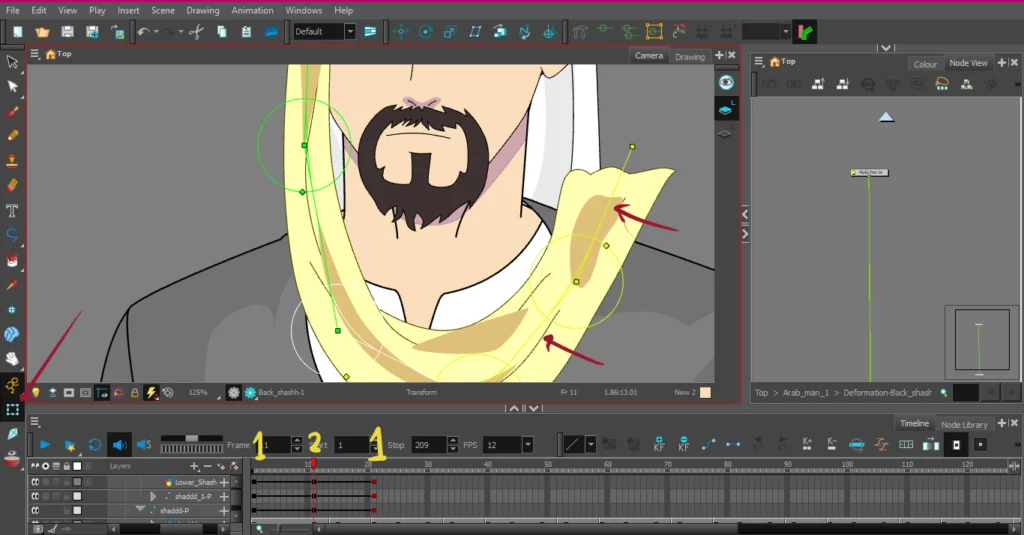
- We add a keyframe Keyframe In the first frame on the timeline Timeline.
- We go to frame 11 or any frame we want, and return to the moving bones and move them one by one by dragging in different directions, either up or down.
- Copy the first frame Copy FrameWe go to frame 18, for example, and stick it there. Paste Frame.
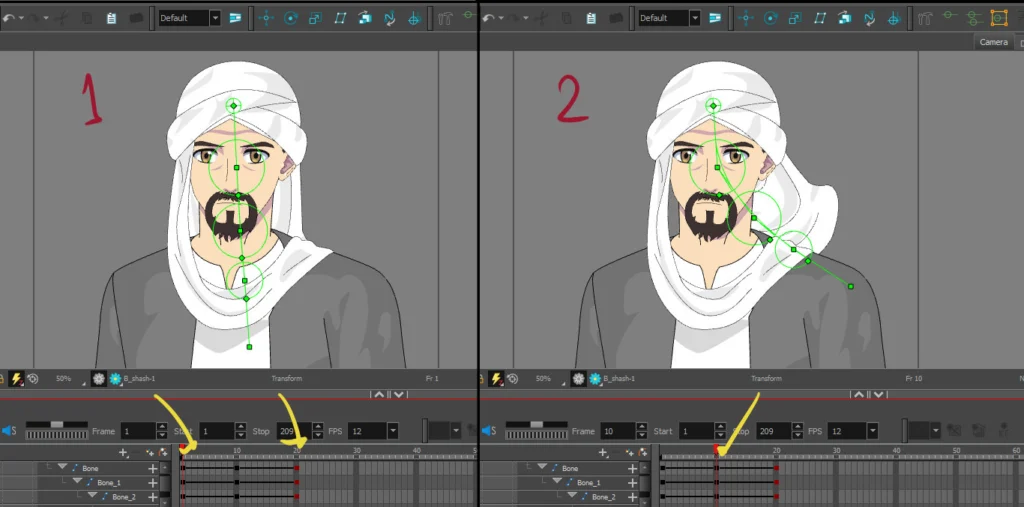
Note: In the picture, I have identified the first move with number 1, the second move with number 2, and the same move with number 1 that is similar to the first frame.
Looking at what we have achieved
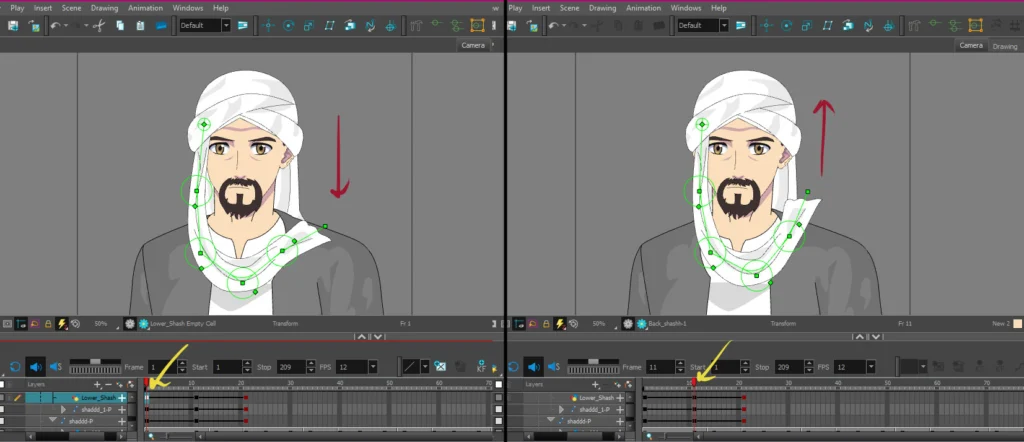
Here, look at the image to see how it illustrates the idea; on the left, you see the first keyframe. Keyframe The first movement of the head covering and how it looks raised upwards, and on the right you see the second key frame, and how we lowered the fabric slightly downwards, so that it looks as if it is moving with the wind.
Step four
Here we move on to moving the back piece of the head covering, and the method will be the same, and I will briefly explain it again:
- We identify that back piece.
- We insert the movable bones via a tool Bone Tool From the section Rigging.
Step five
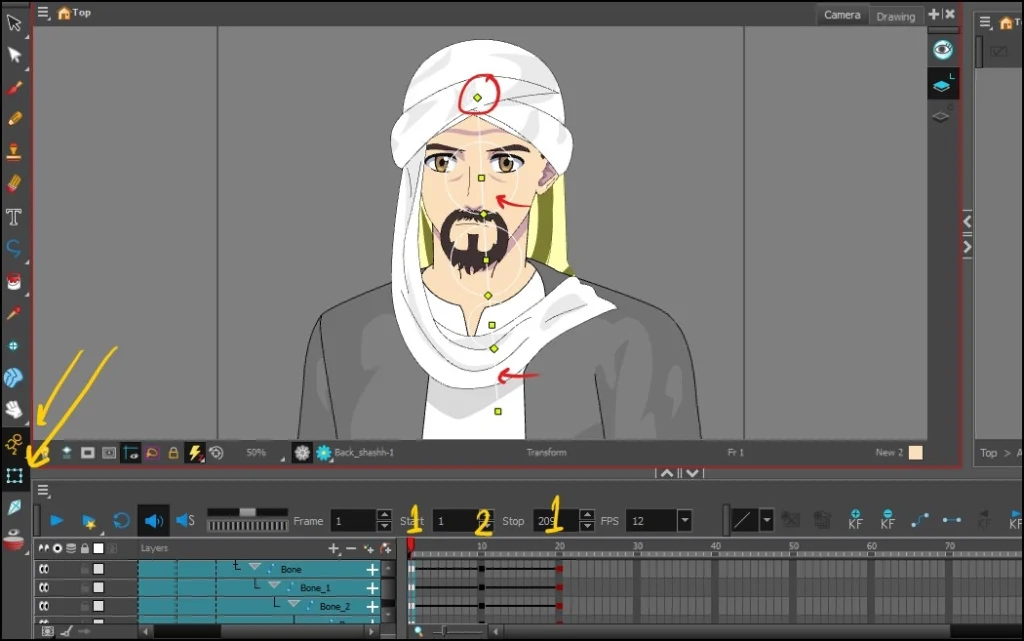
- We add the bones one by one, according to the length of the piece of cloth.
- We add keyframes Keyframes In the first, middle, and last frames required on Timeline.
- We use the motion tool Transform ToolWe start by moving it upwards or to the right.
Step six
So far, we have finished animating the headdress of the anime character we are working on. Now we will move on to an optional step that will improve the quality of the animation and give it more flexibility, which is to apply time shifts to the keyframes. Offset KeyframesSo that the movement appears to follow through naturally.
The method is by going to Timeline ViewThen we go to the second frame, select the second frame, and press the button. + On the keyboard, one additional frame will be added.
Then we go to the line below it and press + Twice and we will get two new frames, and on the third line we add three frames, and so on. The picture shows you the result.
Note: If you want to delete a frame, press the - button.

Final result
In the following video, see the final result we achieved, where we see the shemagh moving gently with the air, without us having to move it manually. Frame by Frame Animation.
Rig Toon Boom Harmony Anime Character for Animation
In conclusion, thank you for reading this lesson carefully. Remember that animating fabric and clothing is essential in the world of animation, and we must understand when to animate them. It depends on the scene itself, the location of the anime characters, and the type of clothing. Practice this lesson thoroughly, and I look forward to seeing you in future lessons, God willing.