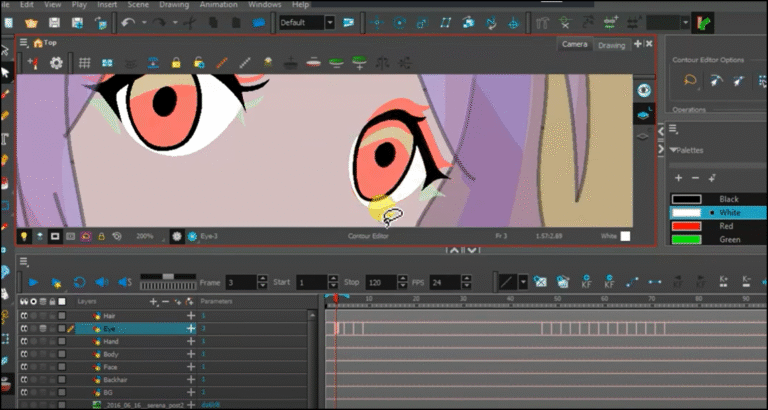
Welcome to the hand animation lesson, which will be done using the classic frame-by-frame animation technique, with the use of the Onion Skin tool, which is available in the Toon Boom program on the computer, and through which it will make it easier for us to understand the frame that we are animating.
My online store has everything you need as artists
You've probably heard of the term "onion skin," the pre- and post-motion tool, or "onion skin" in the world of animation. You've likely encountered it repeatedly while watching animation tutorials or reading about anime programs. So, what exactly is an "onion skin," and why is it so essential during animation? We'll explore this and how to transform it from a tedious and exhausting tool into a secret weapon in animation.
What is the "Anion Skin" used for?
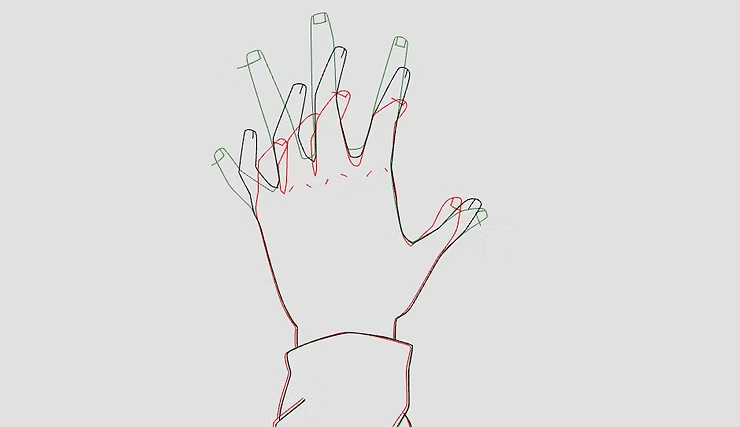
This term refers to the layers through which we can see the previous and subsequent drawings. It's a tool found in animation programs like Toon Boom and Anime Studio, and it's used to see the animation we've previously drawn. Instead of navigating through the drawing's pages, we can simply activate the feature. It also allows us to see the subsequent drawing as we draw the inset frames. In between It is a quality that I absolutely cannot do without.
Anion Skin tool“ Onion skin I have highlighted them in red for you. .
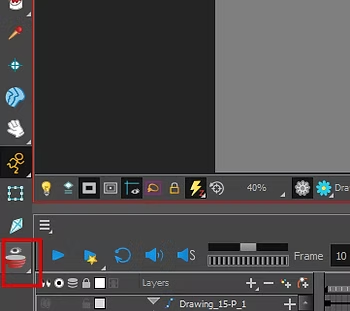
First step
First and foremost, we draw the movement that we will animate, whether it is a combat movement or otherwise. It makes no difference whether you are going to animate a complex or simple movement; this tool will do the job and will help us see everything we do.
- We add a new layer (Add Drawing Layer)
- We select the pen tool (Pencil Tool)
- We draw the hand completely with its first movement using (Pencil Tool)
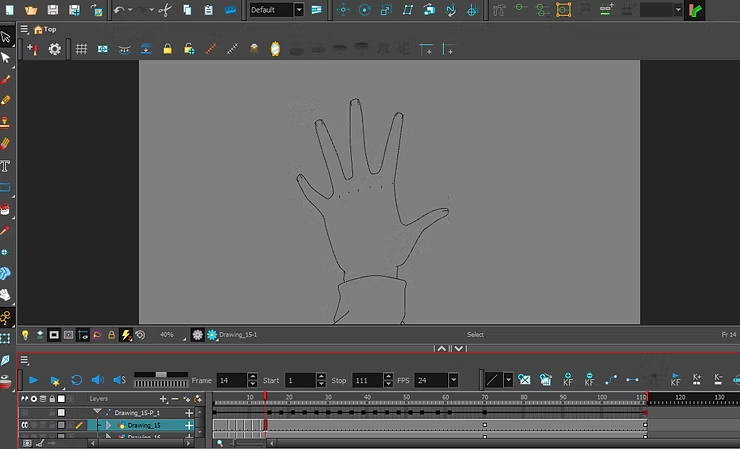
Step two
Here we will continue in the same style, as we will draw the final movement of the hand.
- We move to the next frame, or several frames after it.Next Frame / Timeline Navigation).
- We add a new layer (Add Drawing Layer).
- We select the pen tool (Pencil Tool).
- We draw the final hand movement using (Pencil Tool).
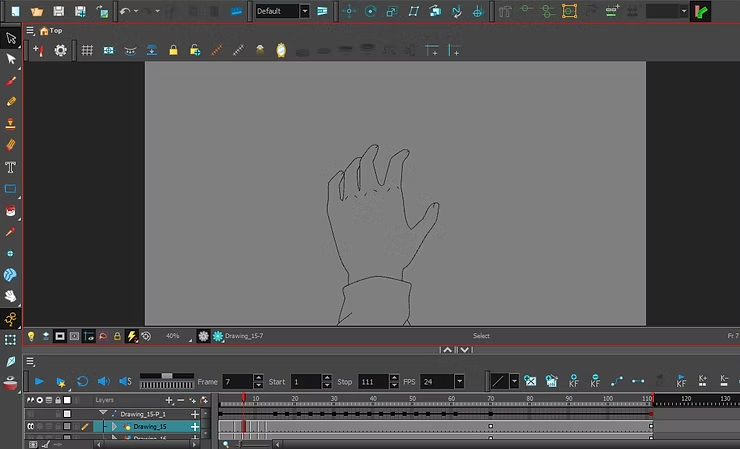
Step three
At this stage, we will move to the interfaith framework (Inbetween FrameThat is, we add a frame in the middle between the first and last moves, and activate the Oneo Skin feature (Onion Skin), and we will be able to see the two basic movements.
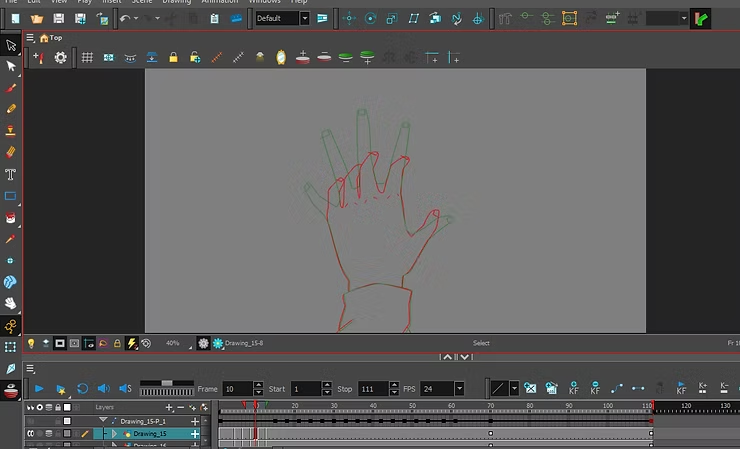
Step four
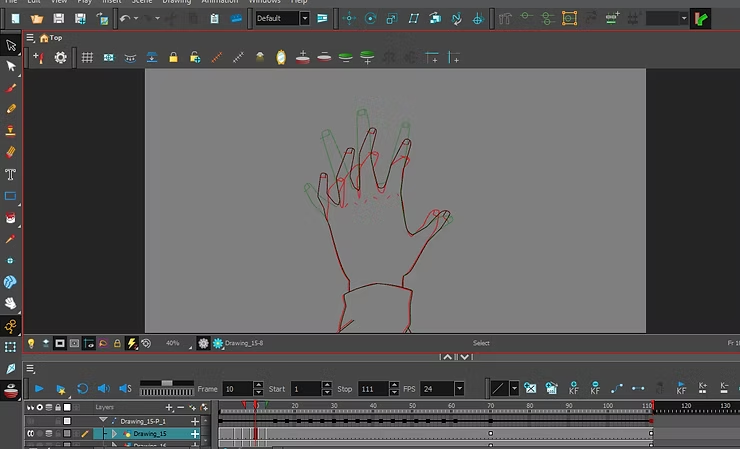
Now what we need to do is select the pen tool (Pencil ToolAnd we begin by drawing the border (Inbetween FrameThat is, the movement in the middle of the first and second movements, and through the Onion Skin (Onion SkinThis will make it easier for us to choose the appropriate drawing distance.
Then we have two options: either we walk and draw in the middle between the two movements, or we favor one movement over another; that is, if we want our next movement to be the most prominent, we draw near the green line (Next Frame IndicatorIf we prefer the first movement, we draw near the red line (Previous Frame Indicator), but not too soon.
Step five
We continue drawing until we reach the appropriate frames and the desired animation, and we keep the tool active.Onion SkinUntil we finish animating the anime.
Always drawing in the middle of the two drawings will make the animation look robotic and fake. Sometimes it's better to draw near one of the lines using the... onion skin.
Explanation of the tools of the Toon Boom Harmony anime program
This tool, called Onion Skin, will greatly facilitate our work. Usually, in manual animation, animators have to open the previous drawing repeatedly to make sure they are on the right track. But with this tool available in the Toon Boom Harmony program, which is considered essential, your time will not be wasted, and we will complete the work faster.
We have finished the lesson on hand animation using the frame-by-frame technique, using the Onion Skin tool, which helped us to select the next frames. It is excellent for anyone who animates in the traditional hand-to-hand style, and we need this tool for all types of animation.
Thank you, and I will see you soon, God willing.