Hello everyone! In this new lesson, we'll learn how to add a pre-made manga protagonist's room and convert it into a background for your anime or manga without needing to draw it by hand. This room could belong to the heroine or hero of your story, and instead of wasting time and effort drawing the manga protagonist's room anew for every scene, you can add a pre-made room and convert it into a drawing with a single click. Let's learn how to do this step by step using ClipStudio software on your computer.
My online store has everything you need as artists
First step
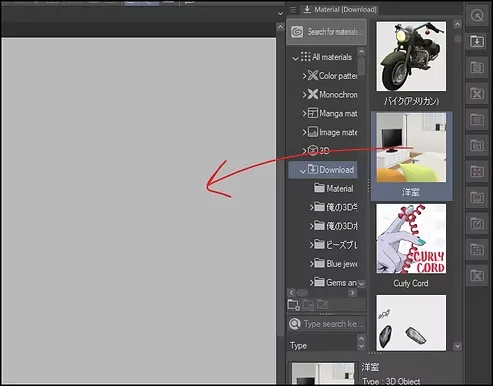
First we open Clip Studio Paint program And we head directly to Right menu.
In this list we will find many three-dimensional elements, such as rooms, kitchens, and bathrooms.
All that matters to us now is adding the manga hero's room to our drawing board.
Step two
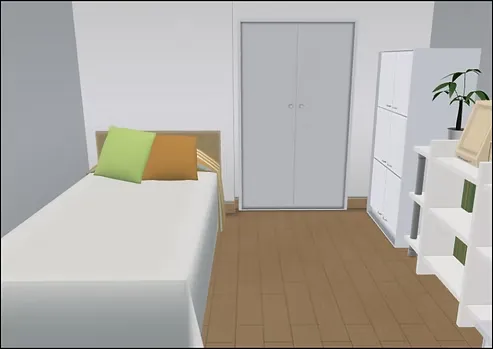
We choose a bedroom that contains a television, and this is what it looks like, and we add it to the board by dragging it.
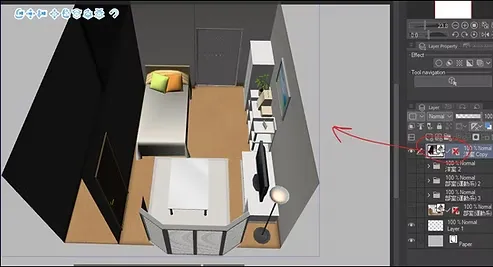
Step three
Now we select the appropriate camera angle or perspective for the scene we want, using the tool Object From the toolbar, we move the arrows or circles on the object to change the camera angle.
As you can see here, this is the angle we chose to use in our scene.
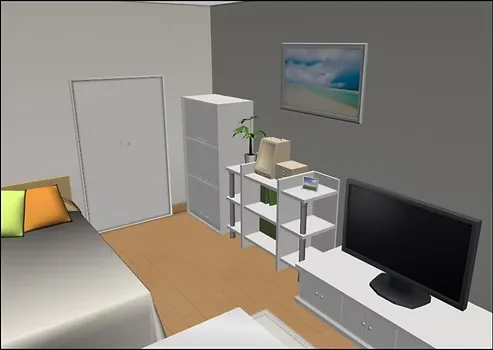
Step four
We can remove the shadows from the 3D element by disabling them in the option. Tool Property > Shadow This is done by removing the activation from Cast Shadows.
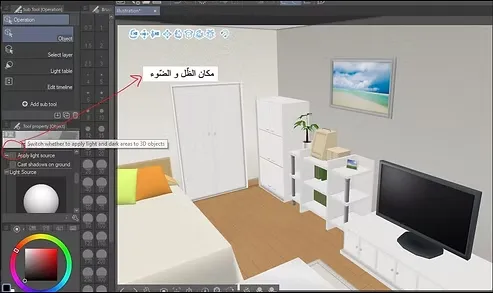
Step five
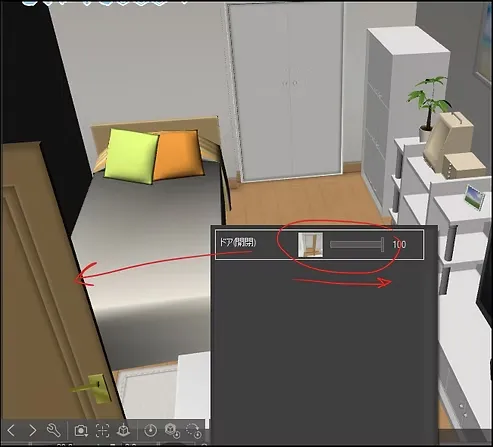
If you want to open or close the door inside the room, press the option Object Tool > Sub Tool Detail > Room > Open/Close Door Located in the room's toolbar.
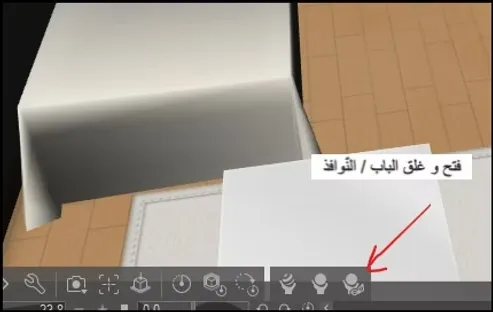
A closer look
A new window will open in front of us, through which we can easily control the opening or closing of the door according to the needs of the manga hero's room scene.
Step six
- Now, we right-click on the room, and a set of options will appear.
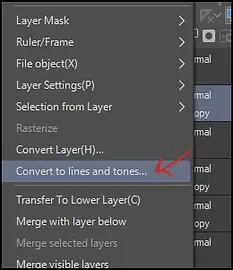
- We choose an option Convert to lines and tones Found in Clip Studio.
- A settings box will appear, through which you can specify the layer in which the line will be saved and the layer in which the tone will be saved, if you wish.
- Press OK, and the 3D room will instantly transform into Line Art Clean and ready to ink or color within your manga hero room project in Clip Studio with ease.
A closer look
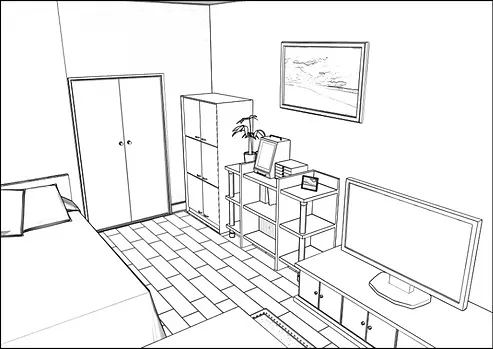
With this step, the room in front of us will be transformed into a drawing ready to be colored in just a few seconds.
Step seven
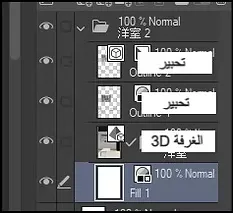
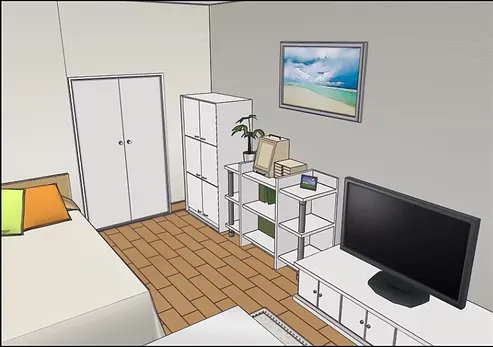
The layers should be arranged as shown in the picture to show the basic room colors without the need to repaint.
I have arranged the layers for you in this order:
- Vector ink“
- Ink.
- The room is three-dimensional.
A closer look
This is what the drawing will look like then, inked and colored at the same time.
Step eight
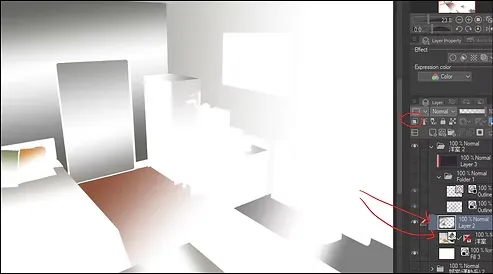
To add an aesthetic touch to the drawing, we add a new layer on top of the room layer to add some shadows to the drawing.
Next, we add Mask From the shadow layer to the room layer.
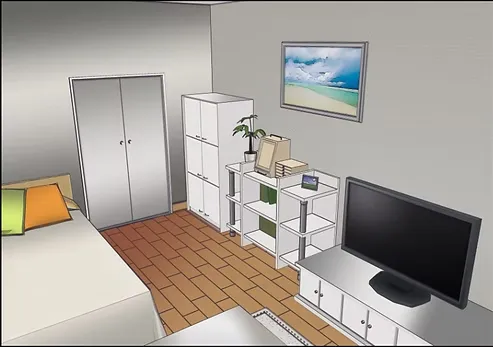
Current drawing
The drawing will look much better this way than the drawing without shading.
And let's not forget that we didn't even have to color it, because we used the actual colors of the element itself.
Step nine
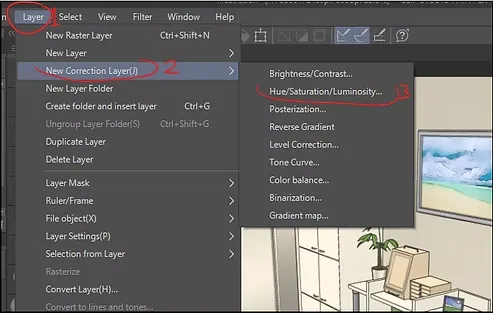
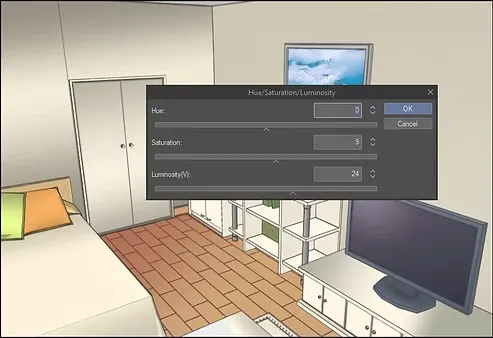
We can easily adjust color settings to add a professional touch to the artwork, using the available options. Layer > New Correction Layer > Hue/Saturation
Step ten
These settings will appear, and through them we will change the last two options as shown below.
You don't necessarily have to apply the same settings as me, just try to improve the color accuracy according to the 3D element.
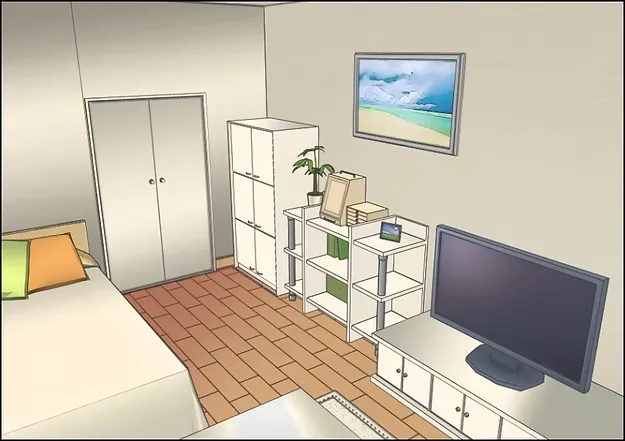
Final result
And this is the final result: the manga hero's room is ready to be used as a background in anime or manga projects in just a few minutes and with minimal effort.
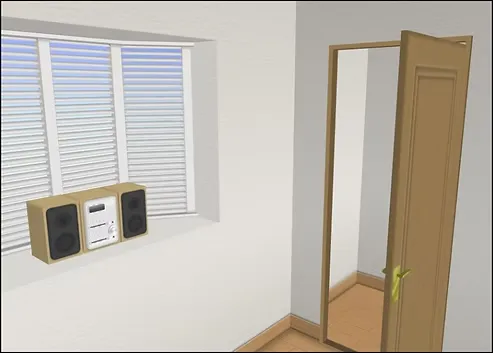
Before I finish the lesson, I will show you some parts of the room from different angles so that you are aware of how they are used in multiple scenes within the manga.
Convert a 3D train into a full anime background drawing
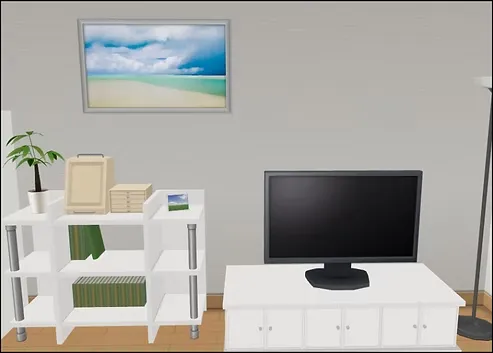
This concludes today's lesson on creating a manga protagonist's room using Clip Studio and easily and quickly transforming it into a professional background for your projects. This method will help you save time and effort when designing backgrounds for your manga projects, while maintaining the quality and style of the anime and manga in all your artwork.
Thank you for reading the lesson carefully. I hope it was helpful and that you learned something new today. I hope we meet again soon, God willing.