Welcome, dear friends, to this new explanation, in which we will discuss Vector linesAnd how to use it to modify our own manga drawings.
We know that manga artists don't have enough time to spend drawing, and they have to finish the chapters within the allotted time, so vector lines are the ideal solution to speed up the pace of work.
My online store has everything you need as artists
These lines operate as a system that does not depend on PixelThat is, you can draw without losing quality, and even when you enlarge the drawing, it will remain at the same resolution.
It is also very suitable for fine details, and its modifiability is higher, as we rely on editing points along the path. (Path) Without needing to redraw.
Now that I have briefly explained what vector lines are, let's start working on them.
First step
- We open the program Clip Studio Paint.
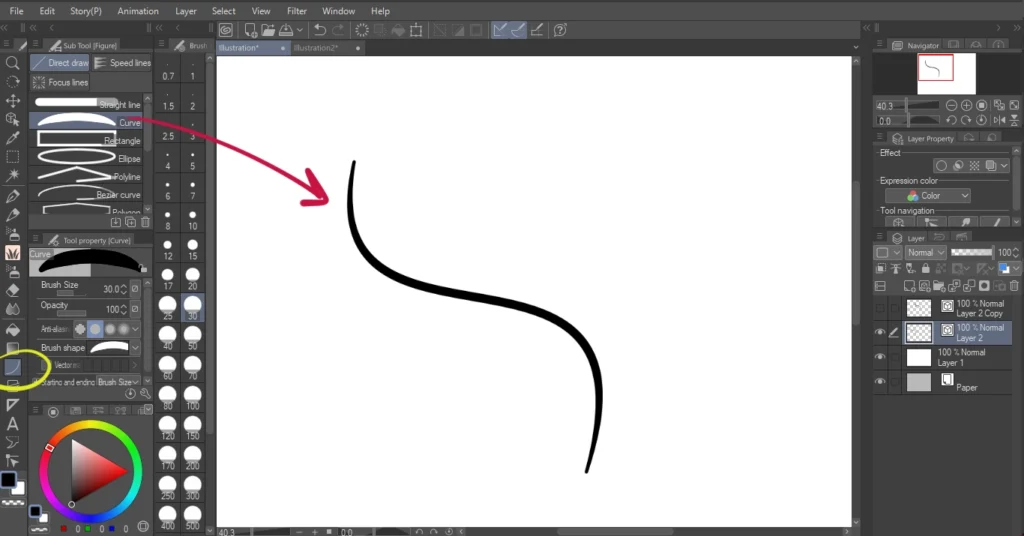
- We add a new vector layer via.
Layer → New Layer → Vector Layer. - We select the pen tool Pen Tool.
- We draw the desired shape on the board.
Step two
After finishing the drawing, we begin to change and modify the lines:
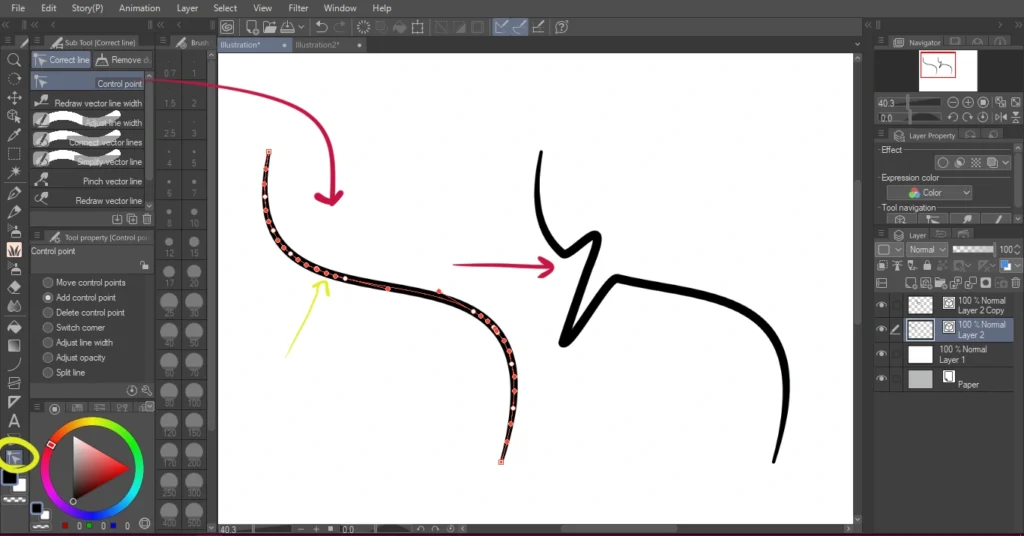
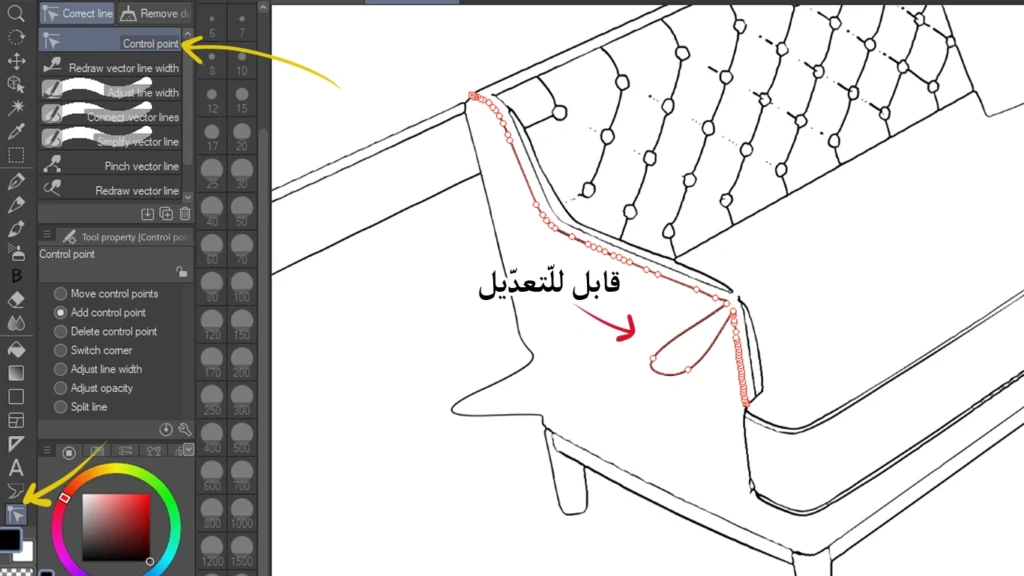
- We select a tool Correct Line Tool.
- From within, we select an option Control Point.
- We click on any point of the vector, then drag it to the place we want.
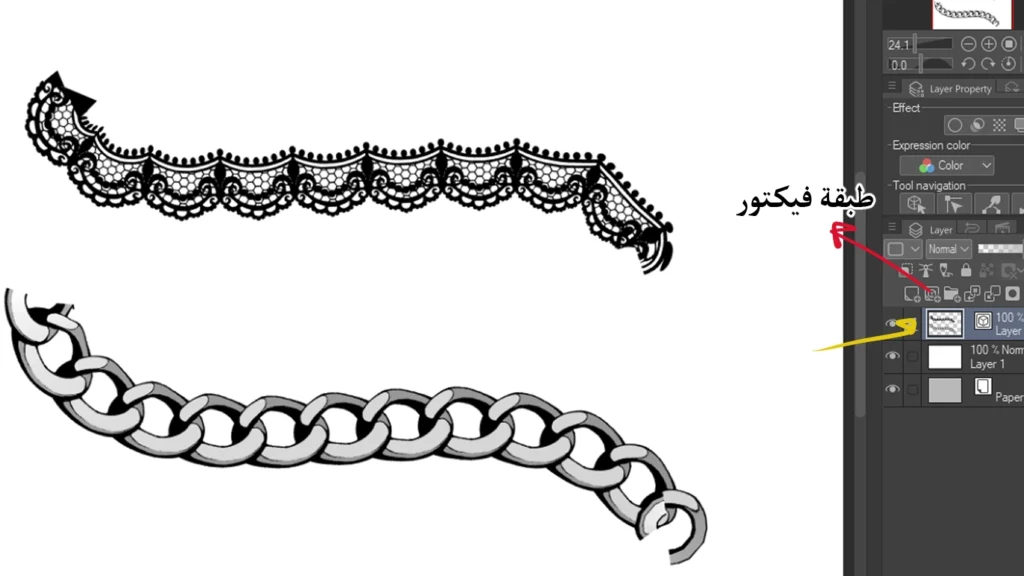
Step around the vector layer
Here, observe with me in the picture how it looks Vector Layer Slightly different from a regular pixel-based drawing layer Raster Layer،
We notice a distinctive icon next to the layer name, indicating that it is a vector layer, which means that the lines within it are editable via points and paths.
Step on adjustment points
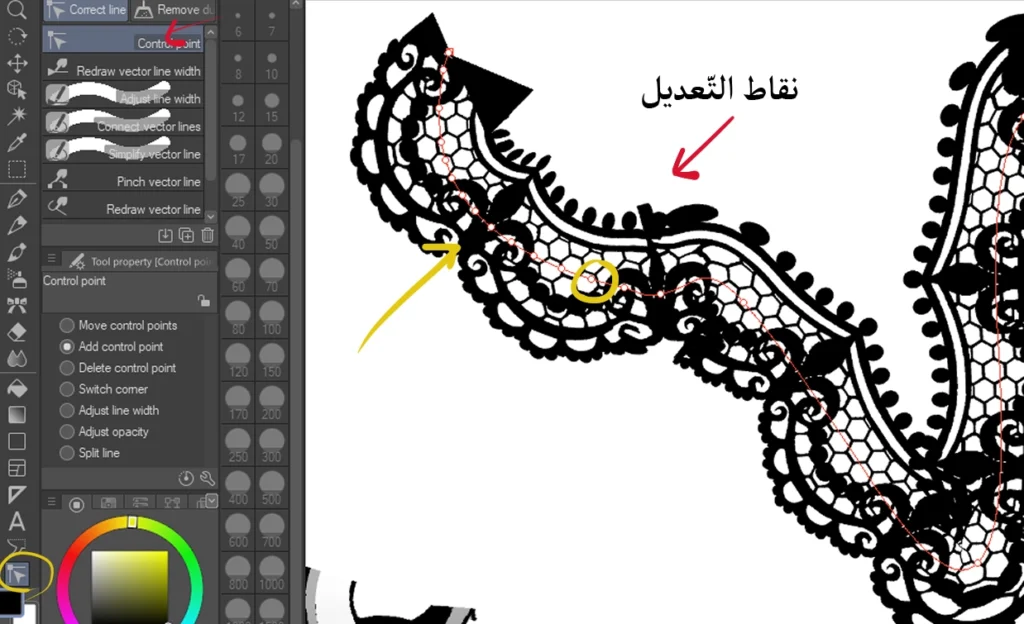
points of adjustment or Control Points It is the basis for working with vector lines,
Through it we can:
- Changing the curve of the line.
- Adjusting the direction.
- Correcting minor errors.
All of this is done without redrawing the line from the beginning, which saves a lot of time and effort.
A practical step when drawing a manga character
At this stage, when starting to draw a manga picture or a whole chapter, it is not necessary to use the vector for the entire drawing.
It is sufficient to use it only for certain elements within the paintings, such as:
- Accessories.
- Clothing decorations.
- Jewelry.
This is very common among manga artists and illustrators in general.
We will do the following:
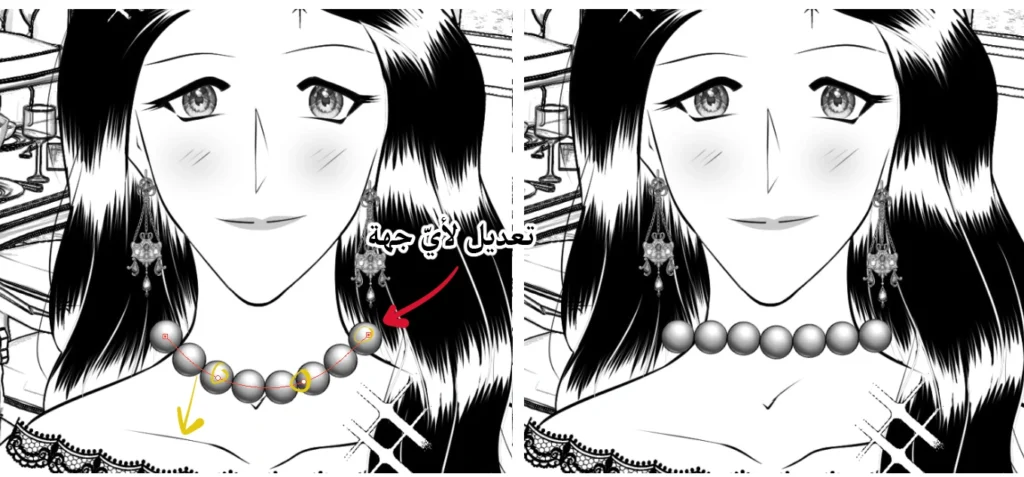
- We add a new vector layer on top of the character layer.
- We select the pen tool Pen Tool.
- We draw the necklace on the character's neck in a straight line.
- We begin by bending the knots downwards through the vector points using the tool Control Point.
Step to use vector lines on backgrounds
The editable vector fonts are not only for manga and webtoon characters, but can also be used in manga backgrounds, and the best part is that we can edit them later very easily.
We do the following:
- We include a 3D model from the library. 3D Material.
- Right-click on the model.
- We choose Convert to Lines and Tones.
- We get an adjustable vector inking layer.
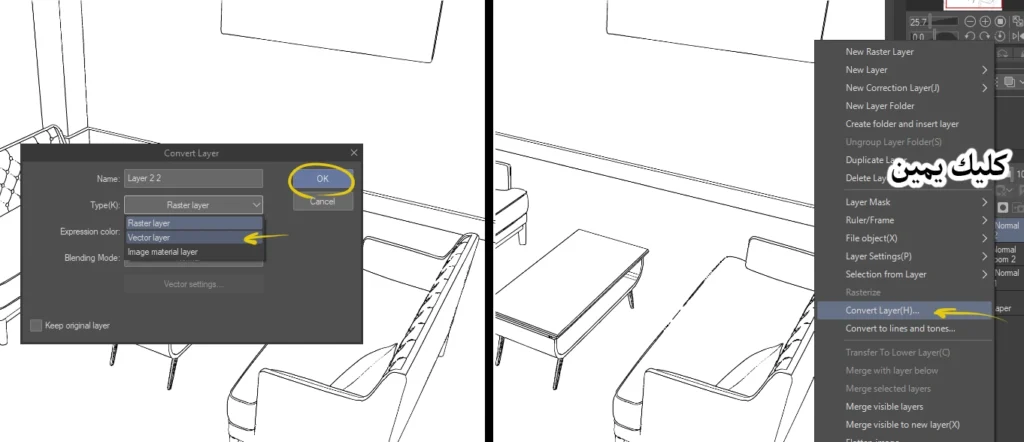
If we don't automatically get a vector layer:
- Right-click on the layer.
- We choose Convert Layer .
- A list appears, from which we select Vector Layer.
- We press OK.
Background editing step
Now we can modify the sofa shown in front of you, which is part of the manga background.
The editing tool used here is called Control Point ToolWhich allows us complete control over the curves and details of the lines.
How to draw manga scenes and add accessories to characters
And with this we have finished today’s lesson, which talked about the importance of practical vector lines, which greatly facilitate drawing for us, as I mentioned to you in the introduction to the explanation. I should also remind you again that we used Clip Studio, and this feature is available in it. I don’t know about other programs like Photoshop, but I know very well that Illustrator has the vector feature completely.
Therefore, my friends, do not do without it, especially if you are mangaka or anime artists who constantly modify their drawings, especially since we can use ready-made brushes with it, such as accessories and jewelry brushes, without having to draw them manually. This tool is specifically designed for you.
I hope you have benefited from today’s explanation. Try what I have presented to you, and we will meet in future lessons, God willing.