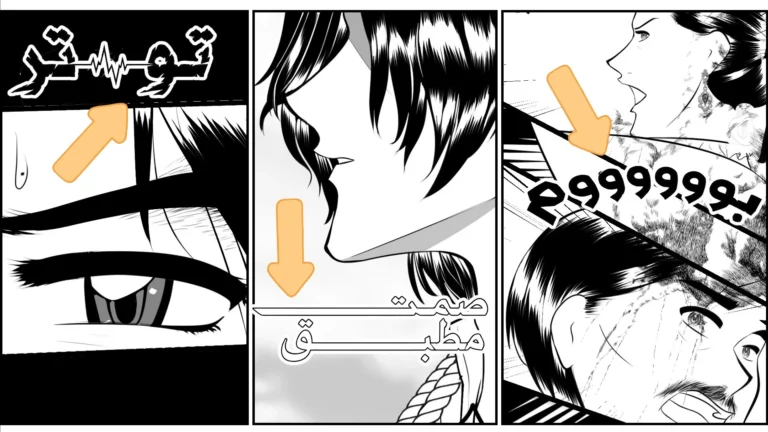
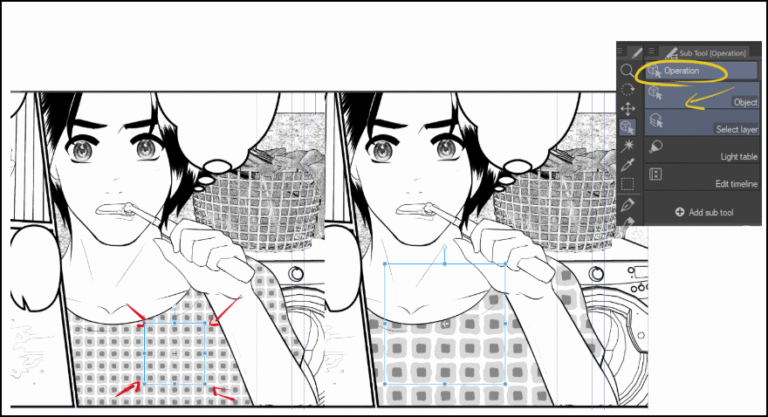
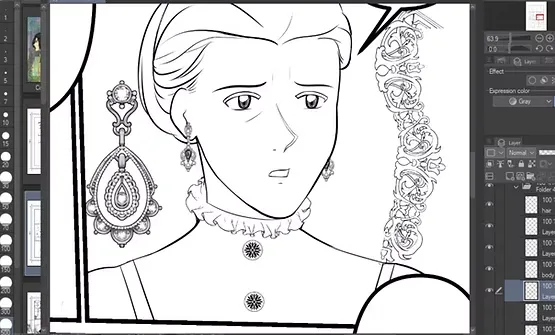
Welcome back to another easy and simple lesson about manga and webtoons: how to add ready-made eye lenses to characters without having to draw them by hand. Do you know why this is important? Because drawing manga and webtoon chapters consumes a lot of an artist's time, especially since we often draw multiple scenes and characters repeatedly. Therefore, adding eye lenses using a ready-made brush is the fastest and best solution.
My Patreon account where you can find a detailed screenshot of the animation
Today we will use the program Clip Studio PaintThrough it, we'll find ready-made brushes to speed up the drawing process, such as accessories, decorations, and tools, including eye lenses. And I haven't forgotten to include the download link in the lesson. So, get your computer ready and let's get started!
First step
We will begin by preparing the brush and downloading it to the program. The method is as follows:
- Open the desired drawing program (Clip Studio Paint) or even Photoshop.
- We go to the tools library Assets To download ready-made brushes.
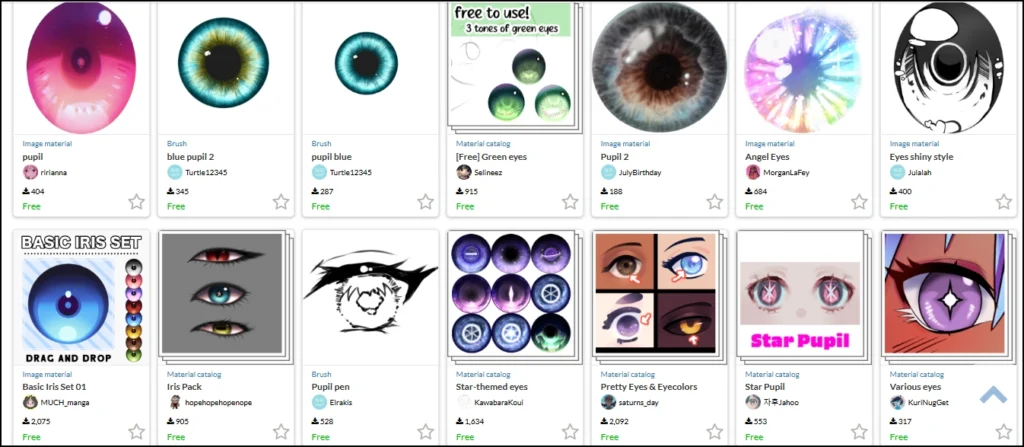
- We choose the appropriate type by searching for:
Eye Lens – Iris Brush – Anime Eyes Brush
Step two
Now we come to the stage of loading the brush into the program:
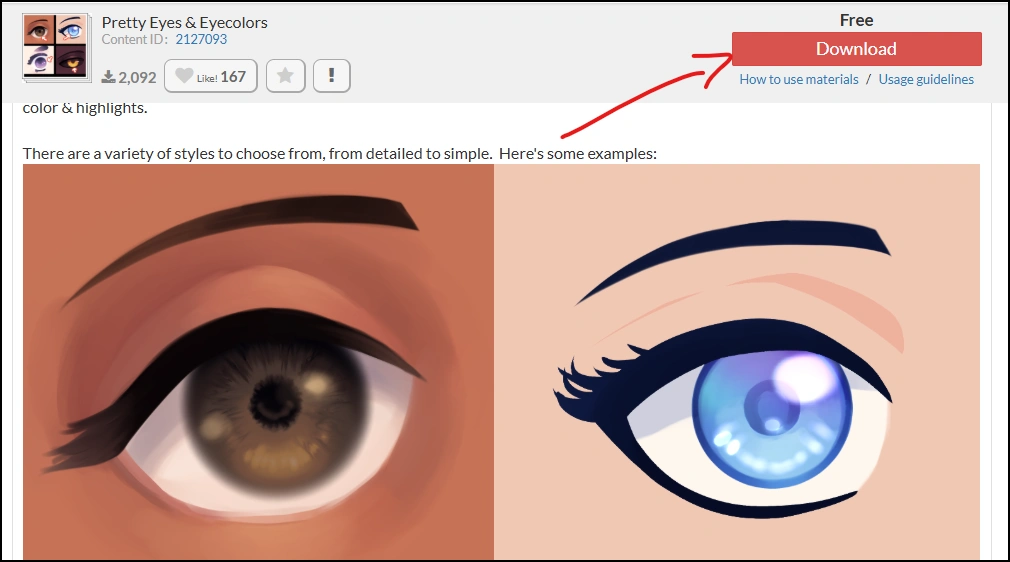
- We enter a page for each different lens inside Clip Studio Assets Store.
- We press the download button that appears on the screen Download.
- The brush will be automatically downloaded into the program's downloads section. Downloads.
Step three
Here we will move on to the Clip Studio program to complete the process:
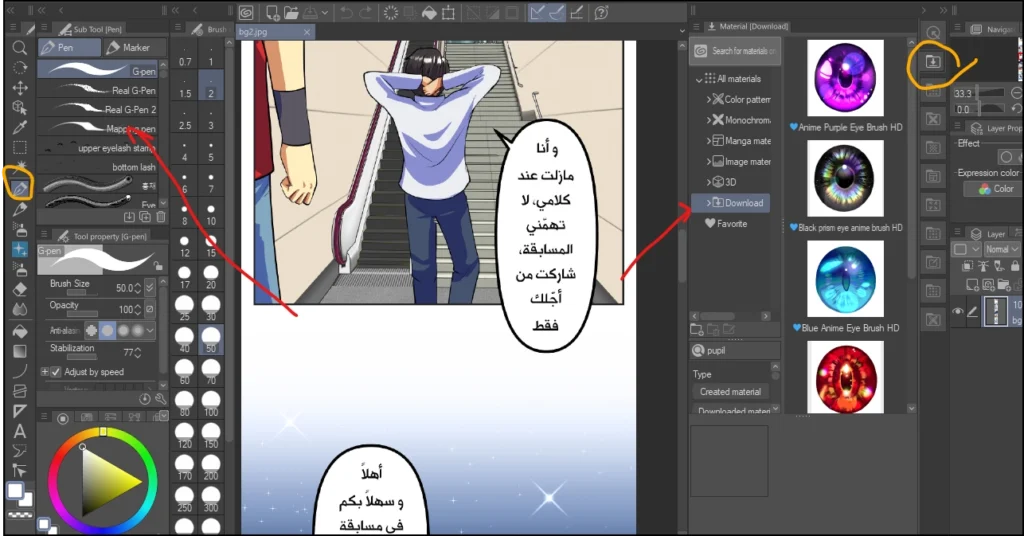
- We open the library menu within Clip Studio Paint through Window > Material.
- We go to the downloads section Material > Download.
- We begin by dragging each lens towards the pen tool in the window. Tool To become available for use within the section Sub Tool.
Step four
The application phase to the characters will begin now, so pay attention!.
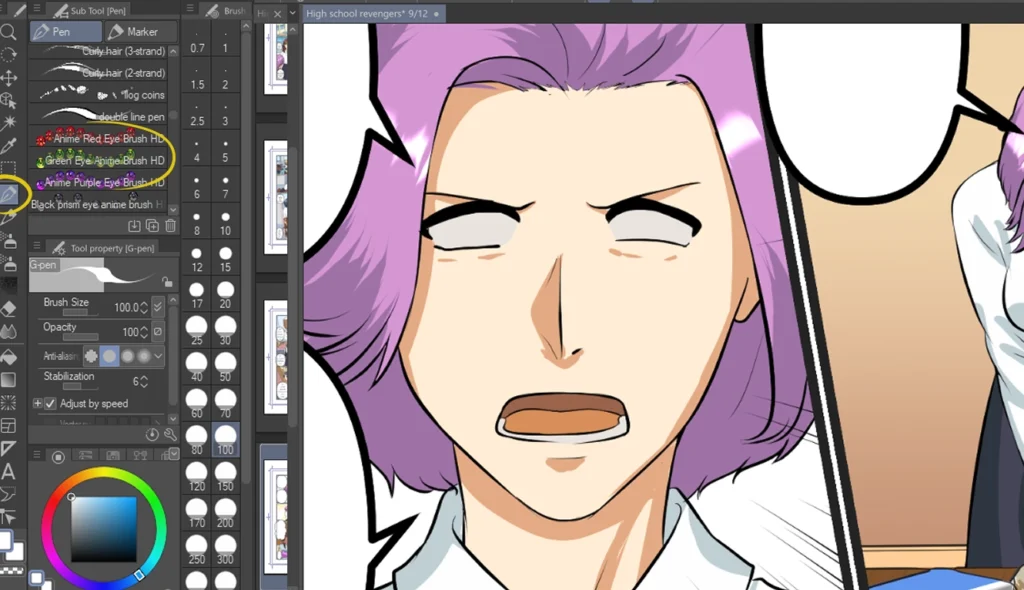
- We open the chapter we are working on, whether it is manga or webtoon.
- We move on to the character we are working on.
- We select the pen tool for eye lenses that we added within Sub Tool.
Step five
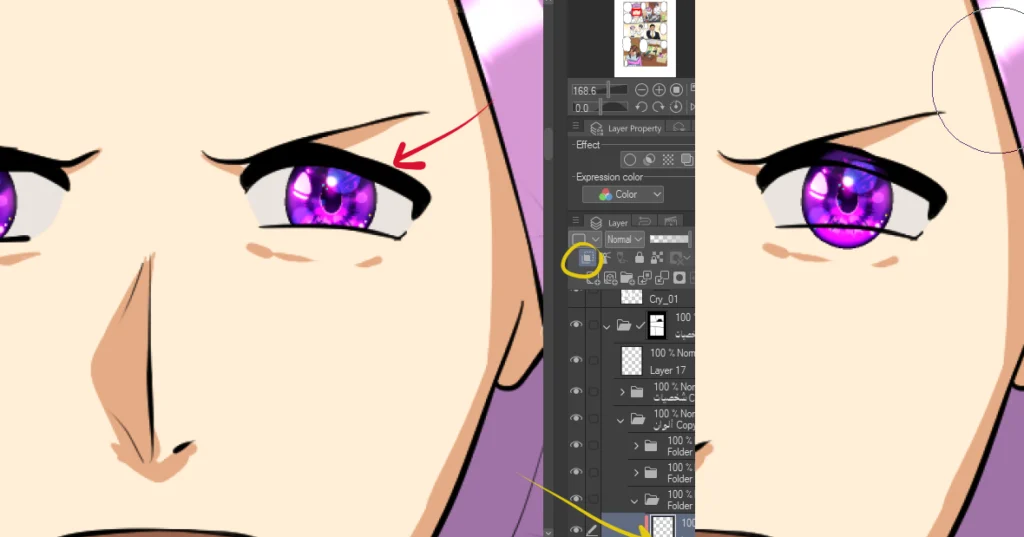
- In a separate layer New Raster Layer We draw the lens by pressing it only once, and the anime eye lens will appear directly inside the eye.
- We add Layer Mask To conceal excess skin outside the eye area using a tool Mask / Erase in Mask.
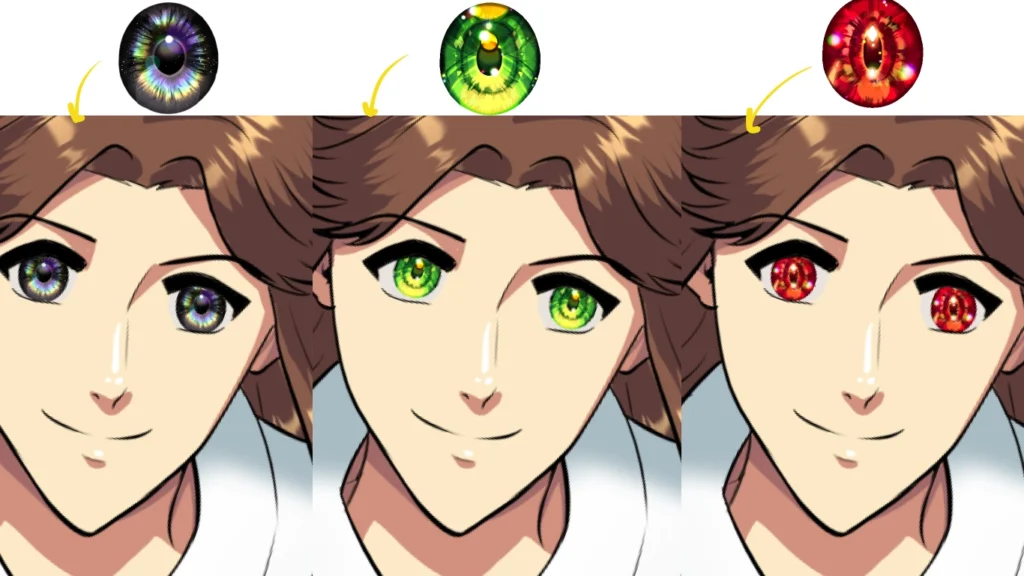
A step that illustrates the variety of eye lenses
In this picture, you can see with me the difference and variety of lenses in terms of color, drawing and detail. We can choose the appropriate color for each character individually, to give each one a distinction and difference from the rest of the characters in the story that we draw.
We can also choose a drawing style that matches our manga or webtoon style.
Coloring anime eyes in an attractive style for beginners and professionals
If our style is soft, for example, we choose soft lenses, and if our style is bright and sharp, we choose the appropriate lens for it, and so on.
It's all about the personal taste of each artist, and the download page I've prepared for you has a great variety to satisfy your tastes, so there's no need to worry!.
Step six (for monochrome pages – Manga)
For monochrome manga, the process is exactly the same as what was mentioned earlier in our lesson, but with a slight difference:
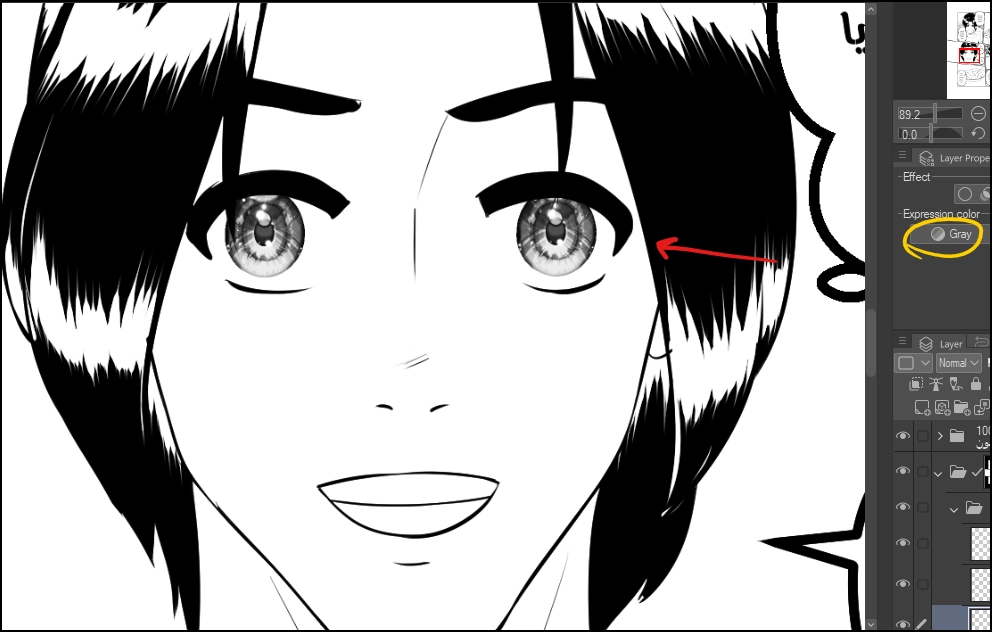
- After applying the same previous steps, we change the layer's nature from colored to gray by:
- Layer Property > Expression Color > Gray
Step seven (for monochrome)
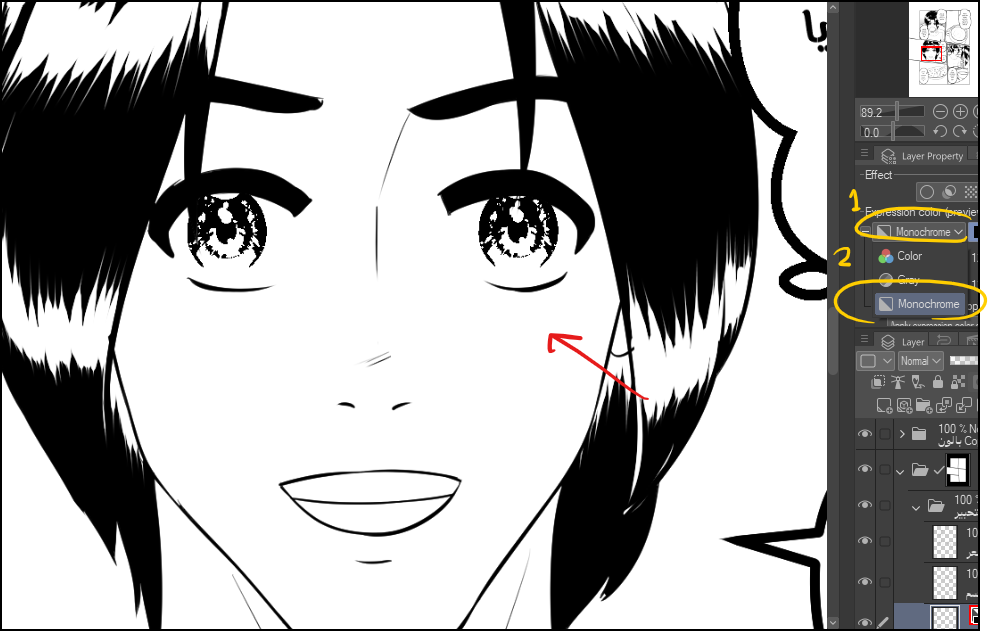
If we wanted another type:
- We change the nature of the layer from gray to Monochrome via:
Layer Property > Expression Color > Monochrome - We add a mask to keep the manga eye lens within the appropriate limits.
This was our method today for adding eye lenses to manga and webtoon chapters without wasting too much time. As anime artists, you and I know that drawing lenses is extremely difficult because they involve a lot of fine detail, and drawing them for every character who appears in manga and webtoon scenes is impractical.
Since we like to draw quickly and efficiently, there's no harm in using ready-made brushes, which have become commonplace in the art world. Don't think twice when you want to save your precious time.
And that concludes today's lesson. I haven't forgotten to share the download link as promised at the beginning of the lesson; you will find it there. here.
I hope you will follow my steps exactly and you will find impressive results.
I will meet you in future lessons, God willing.