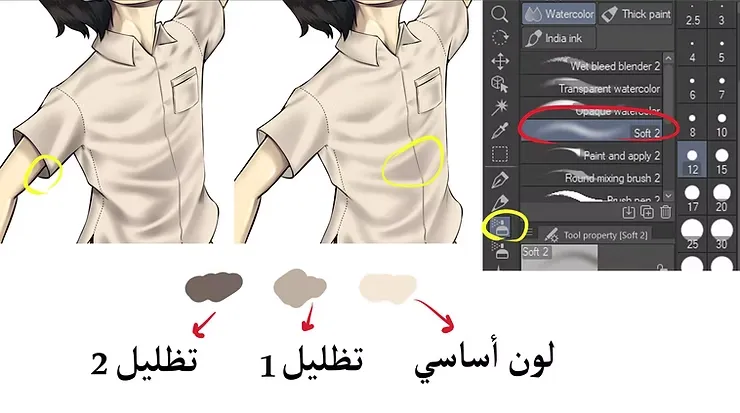
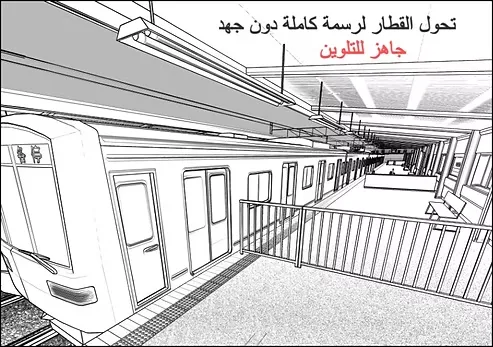
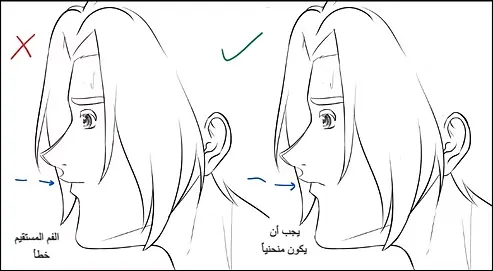
Welcome, my dear friends, to a new shading and background drawing lesson. Today we will learn how to shade anime backgrounds, because many people spend a lot of time and effort designing backgrounds, which makes the task difficult for them and sometimes makes completing the drawing a tiring thing.
Therefore, I must show you the method I use to shade and draw the background for anime and webtoons, through which I am able to shade anime backgrounds in distinctive ways that give the scene a high level of professionalism.
Today's lesson is dedicated to shading only, not coloring. There are several tutorials on the site for coloring anime backgrounds for those who want to learn the next step after shading. Are you ready to shade and draw an anime background like a pro? Let's begin.
My online store has everything you need as artists
First, draw an anime background and prepare the basic layers.
- We open the program Clip Studio Paint.
- We add a background layer, which is the village coloring layer.
- We add the inking layer on top of the coloring layer, so we have two layers.
- To create the shading layer, we add a new layer between the inking layer and the coloring layer.
- We add a layer mask using the option [Layer] → [Layer Mask].
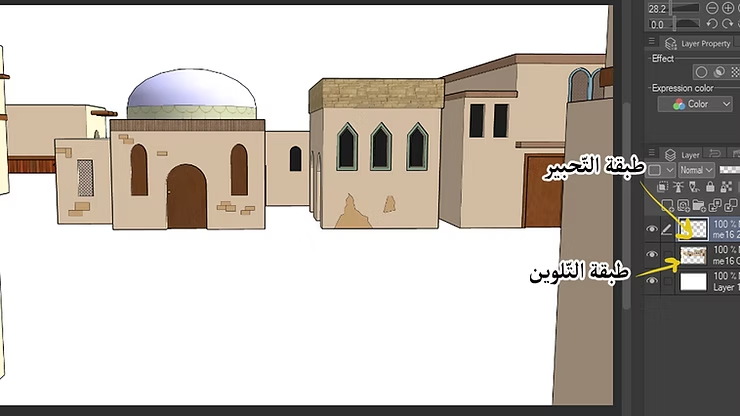
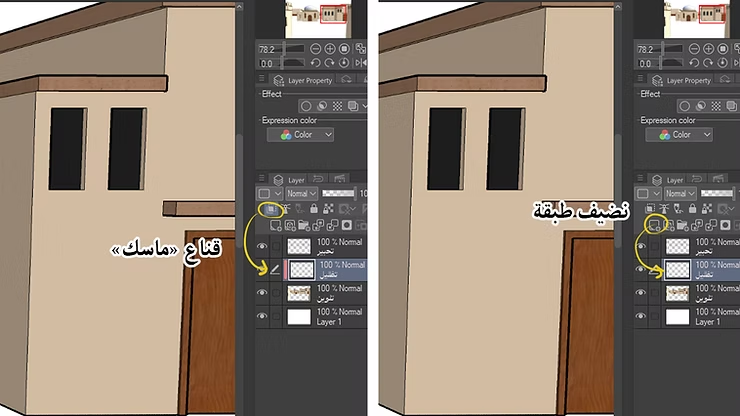
Second, add the layer and mask.
We add a new layer in order to use it for gradient shading, and then we add a “mask” to it.
Third, add gradual shading.
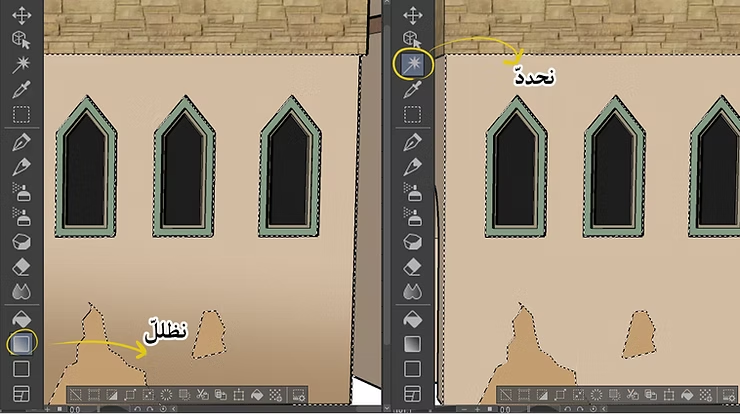
- We define the area we want to shade using Selection Tool Accurately according to the elements visible in the background, such as the walls or the floor.
- We use a tool Gradient To create a gradual shading on the wall visible in the background, we can adjust the angle of the gradient and the degree of opacity to achieve the desired effect, whether it is a soft or sharp shadow, depending on the light source in the painting.
Current score
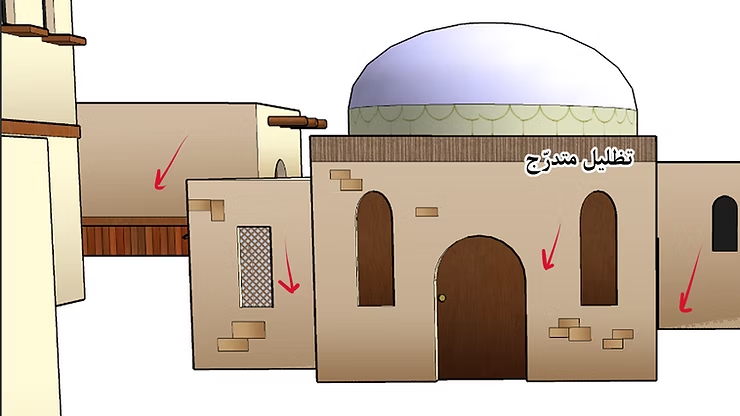
See how the buildings in the picture below have become shaded gradually, and this is closer to the style of Japanese anime, which is better than a uniform color. Apply these steps of mine and you will find satisfactory results.
We can adjust the angle and degree of the gradient to achieve the desired effect, whether it is a soft or sharp shadow, according to the light source in the scene.
Gradual shading using Gradient Tool It helps create a smooth transition between shadow and light, and adds a natural shadow to the background.
Fourth, adding lighting effects
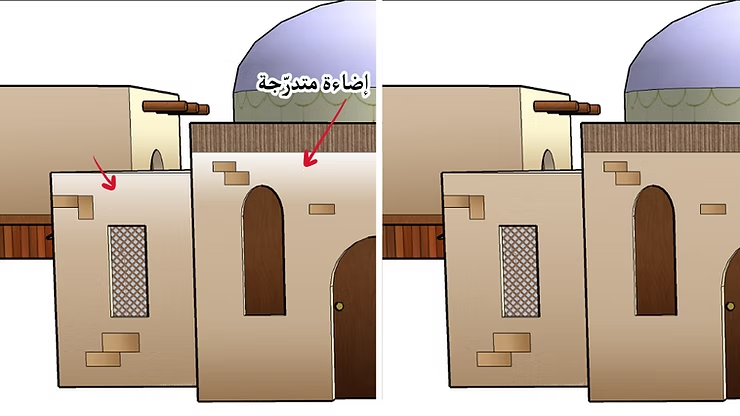
- We add New layer Above the shading.
- We use the lighting effect across [Layer] → [New Correction Layer] → [Brightness/Contrast].
- We select the wall again using the selection tool.
- We choose a lighter shade than the base color and use Gradient Tool To add soft lighting.
Fifth, adding the sky and background
How to draw a manga character on a pre-made background
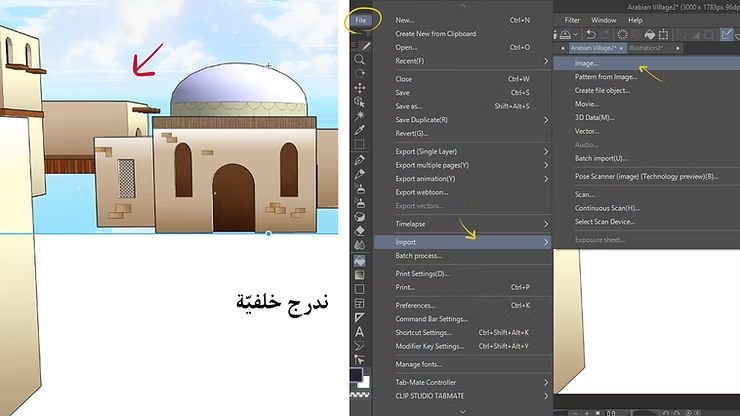
We add a new layer below the village coloring layer to draw the sky or distant background. We use the tool Fill Tool To color the ground with an earthy color that ranges from dark to light.
You can add simple elements like clouds using Airbrush Tool In a transparent white color, or by adding distant trees with a subtle color gradient to add depth without disturbing the eye.
Sixth, improving details and adjusting colors
- We choose Brush Tool We define a brush with the effect of cracked earth.
- We use a dark earthy color to paint the cracks and add depth to the floor.
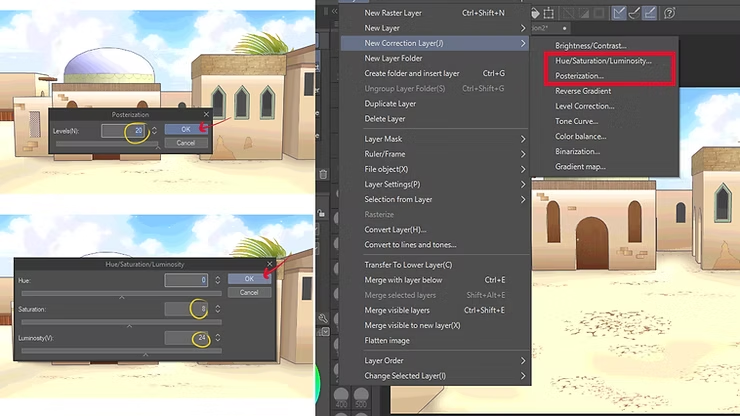
- We go to [Edit] → [Tonal Correction] → [Hue/Saturation/Luminosity] We adjust the brightness and contrast values.
- We repeat the same step, but this time we choose [Color Balance] From the same list, we then adjust the color values according to what appears in the image.
note: When drawing and shading an anime background, don't worry about making everything perfect from the start. The most important thing is to experiment freely with lighting and shadows until you find the balance you like. With practice, you'll notice an improvement in the speed at which you complete backgrounds without sacrificing quality, and you'll gradually develop your own unique style.
And so, the background is ready! Shading is a crucial step in enhancing backgrounds and making them more beautiful. Through gradients and clever lighting, we can transform any simple scene into a professional background suitable for anime scenes.
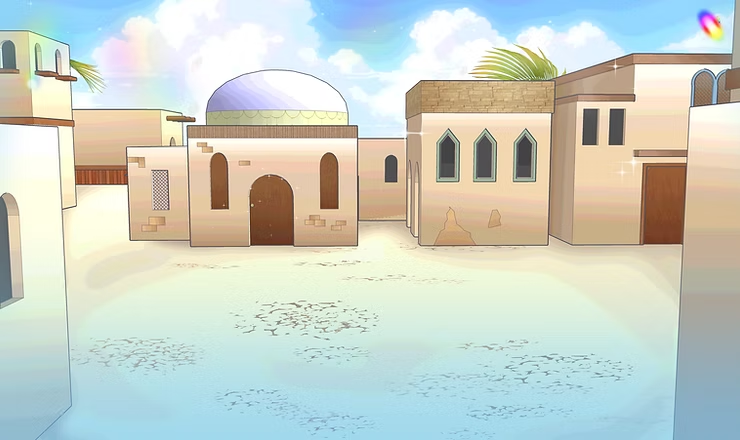
Start applying these steps when shading backgrounds or drawing your own anime background for your upcoming projects, just like I did, and keep practicing until shading becomes a fun and easy step. Over time, you will be able to develop your own style of drawing and shading quickly and professionally.
Do you have any other ideas for improving background shading? Share your experiences in the comments, and stay tuned for future lessons on drawing and coloring anime backgrounds to further develop your skills, God willing.