Welcome to a new lesson on webtoon making. In this lesson, we will learn together simple steps that will help you organize colors, quickly choose harmonious color palettes, and how to distribute colors intelligently across scenes and pages without wasting time on constant editing. The program is on the computer and is called Clip Studio.
My online store where you can find everything you need as an anime artist
First step
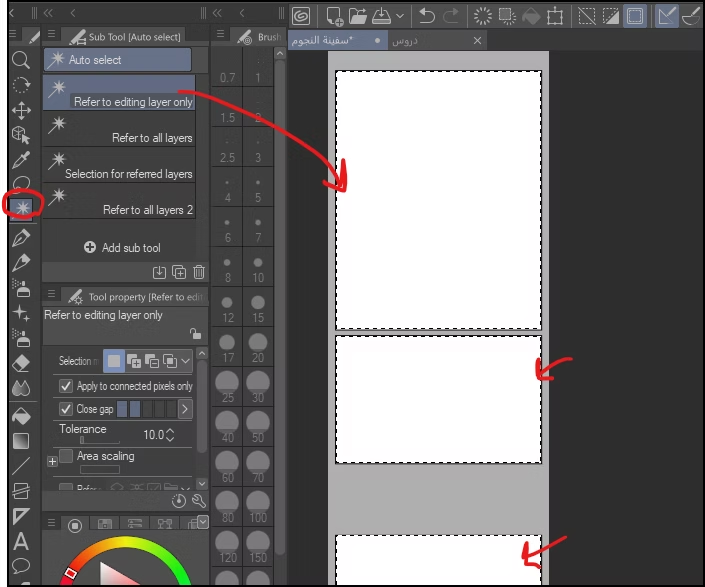
We begin by selecting frames using the selection tool. Frame Border (Create Frame)Which I pointed out in the picture, then we select all the frames of the webtoon, from top to bottom.
Step two
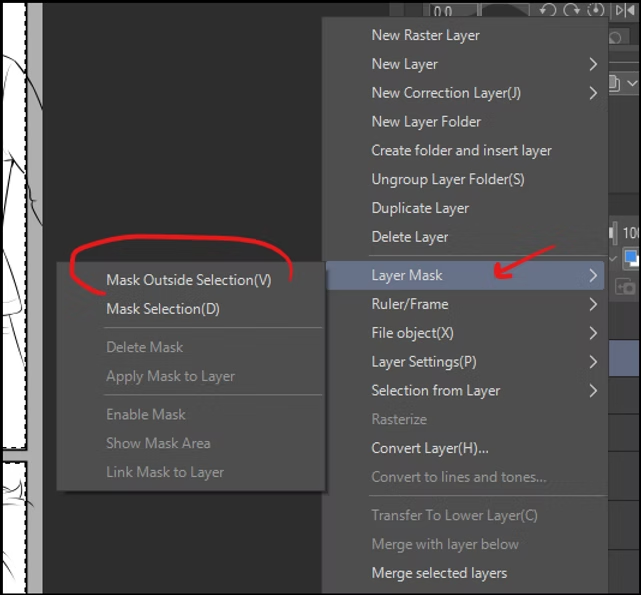
Then we add a “mask”, which makes the drawings never go outside the frame.
- We press the right mouse button.
- A list will appear before us.
- We choose: Layer Mask.
- Then we press: Mask Outside Selection.
And that's how we will have the "mask".
Step three
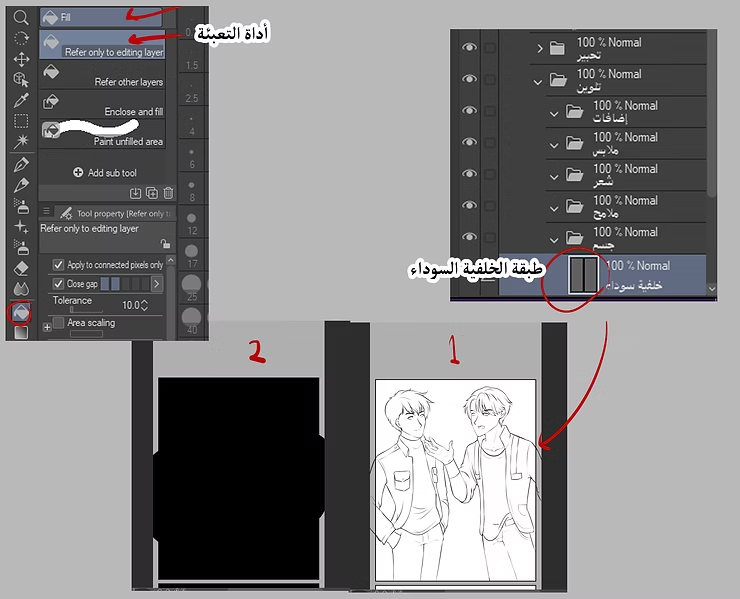
We add a layer, and we will fill it completely with black using the fill tool. It is essential that this layer is below all other layers.
- From the list: Layer → New Raster Layer.
- We define the new layer.
- We use a filling tool: Fill Tool (G).
- We fill the layer with black.
Notice in picture number 1 below how the background looks white, and how the background became black in picture 2.
Step four
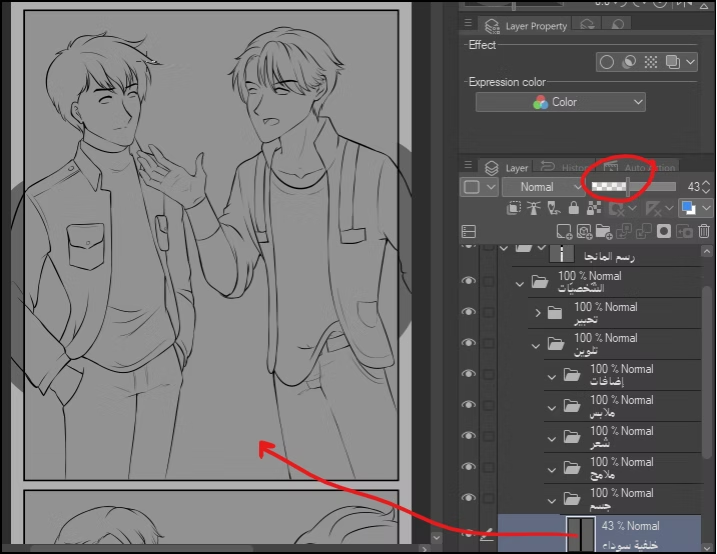
When coloring backgrounds during webtoon creation, we reduce the transparency of the white color using the option Opacity In the Layers window, which I have highlighted in red in the image below.
A look at where we've arrived
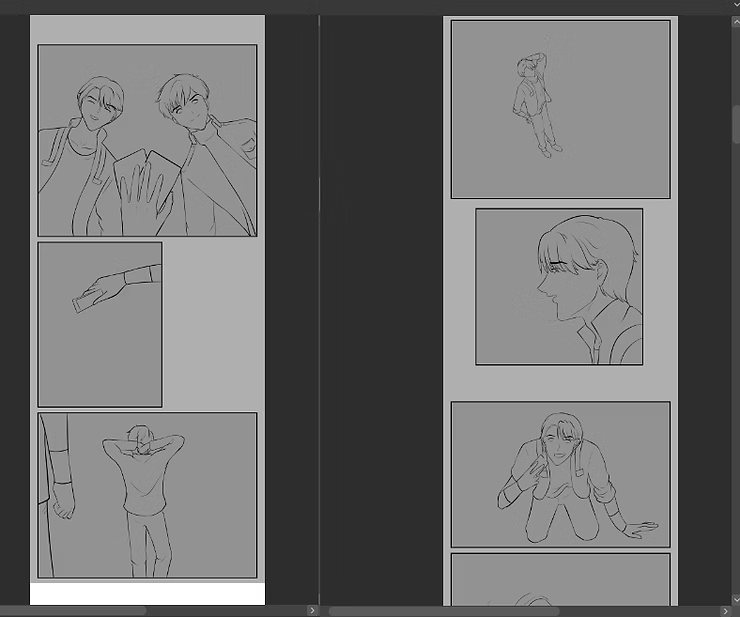
This is how all the frames will look in the black background color that we have lightened. This step is important because it will hide the flaws in the drawing and coloring.
Imagine with me that you forgot a small detail or that there is a slight mistake that you did not notice during the inking and making of the webtoon. This is where the black background comes in, which will hide the flaws of the drawing later when exporting your webtoon. It is a trick that I rely on in all my drawings.
Step five
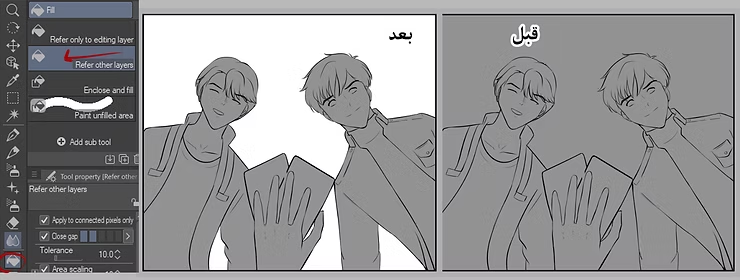
At this stage, it's essential to remove the background color from the frame, confining it to the characters only. To do this:
- We use a filling tool: Fill Tool (G).
- We select transparency mode: Refer Other Layers → Transparency.
- We go near the edges of the characters, and empty the frame of the black color.
Thus, the color will only be inside the characters.
Step six
We will now begin coloring the skin after adding a dedicated layer for it, which will be dedicated to coloring the skin of all the characters in order to color the webtoon easily.
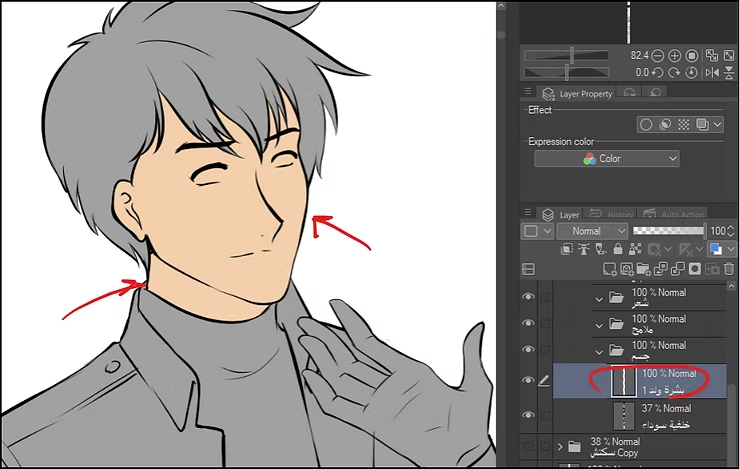
I will show you an easy trick to quickly color any part of the drawing.
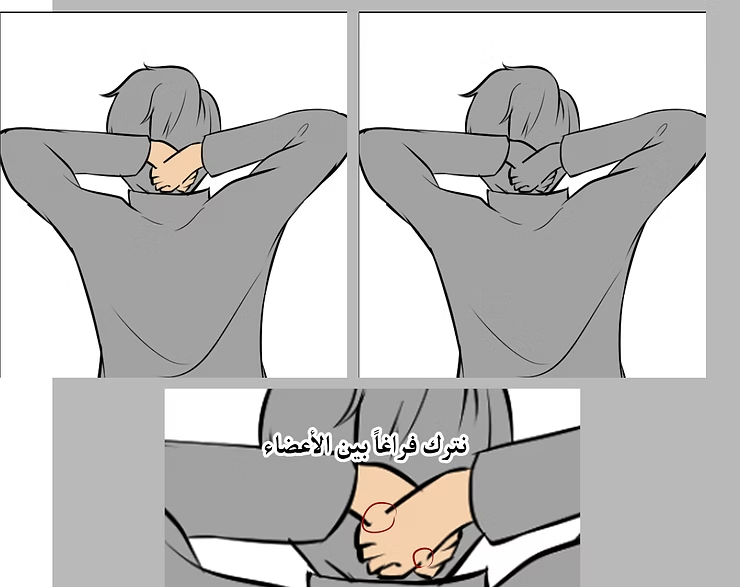
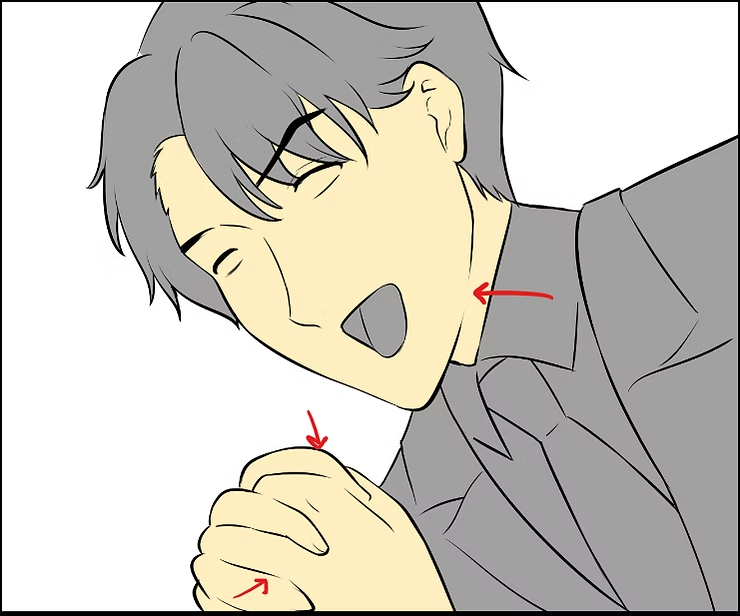
During the inking process, we leave a space at the line, whether it is for hair, body, or clothing. This way, we will be able to color the required part with the click of a button, and the color will flow to the other part, without the need to color one part separately.
A look at where we've arrived
A comprehensive and complete lesson on how to create a webtoon from scratch
Notice how we left a gap at the chin; when we color it, the face and neck color in at once. The same applies to the hands; we leave some space between them. We can apply this same method to clothing, hair, and any other aspect of the webtoon characters. This method works for me and saves me a lot of time.
Step seven
Now we move on to the shading stage. We add a layer dedicated solely to shading the skin, and we add a special "mask" to prevent the shading from extending beyond the skin layer's boundaries. It's worth noting that these steps speed up the webtoon creation process.
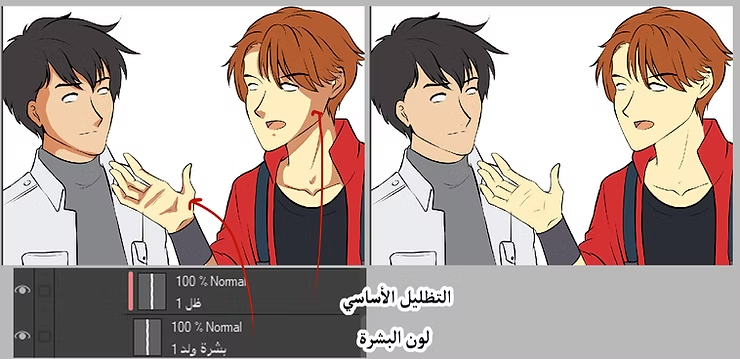
Step eight
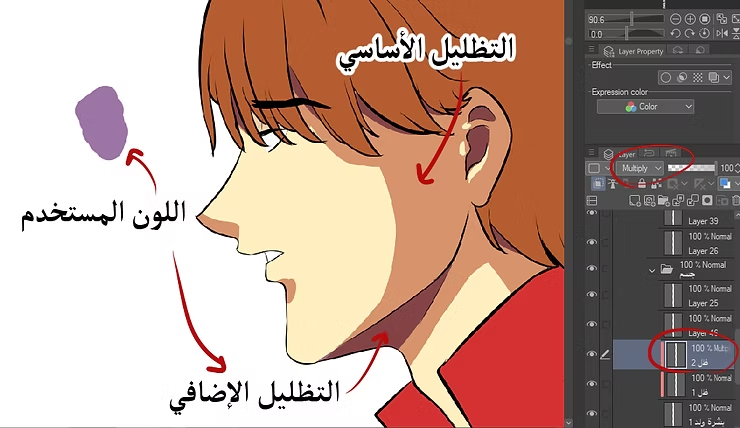
In order to achieve consistent shading for all the different skin tones of the characters, we do the following:
- We add a new layer for shading.
- We change the layer properties to: Layer Property → Blending Mode → Multiply.
- We use pale purple for all skin tones.
As for the additional or second shading:
- We only use this shading in a few places, at the inner corners of each part we color.
- We add a new layer on top of the base shading layer.
- We choose the same effect: Multiply.
- We use a darker shade of purple.
And with that, we've finished learning how to shade and create webtoons using the fastest methods possible. As we know, creating webtoons is very time-consuming, especially for those who publish regularly, so it's essential to find ways to save time. Follow this method, and you'll find it effective. I'll leave you now and see you again next time, God willing.