Hello to all my friends! In this tutorial dedicated to manga lovers, today we will learn how to professionally prepare manga pages, along with an explanation of how to draw manga illustrations.PanelIn a simple, quick, and step-by-step manner, we'll guide you through drawing your own manga pages without any complications. We'll also cover how to arrange scenes within the page to beautifully align with the storyline, captivating the reader and making manga reading smooth and organized.
My online store has everything you need as artists
First step
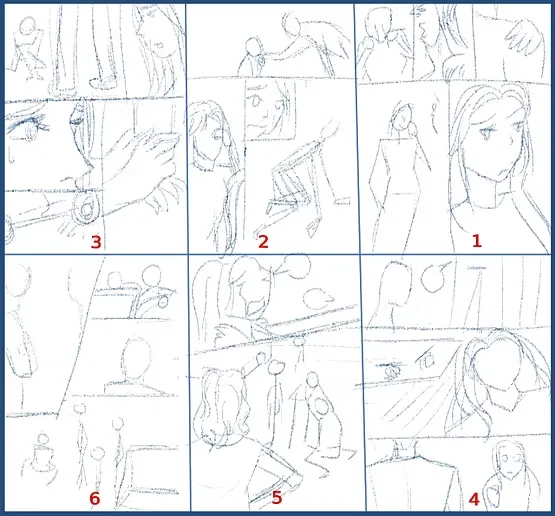
The first step before opening the program is to draw a sketch of the manga scenes on a piece of paper or tablet, where we plan the page layout on one page, and quickly determine the locations of the characters and backgrounds.
The advice here is: Don't overwhelm yourselves with details at this stage. It is enough to determine the location of the characters, the background locations, and the size of the scenes within the page, so that you have a clear idea before entering the program.
Step two
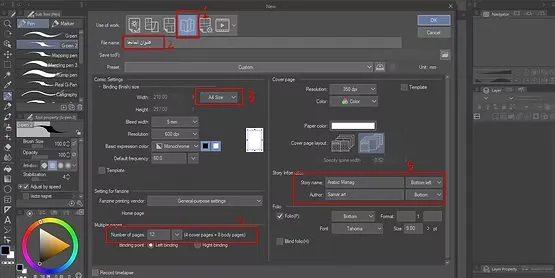
We open the program and select "Open New File," then we select Manga (Comic) Option Which provides us with manga page settings automatically.
We write the name of the manga we are working on, specify the preferred paper size, usually A4, and then specify the number of pages we wish to create.
Then we press OK To create the entire manga project in an organized manner.
Step three
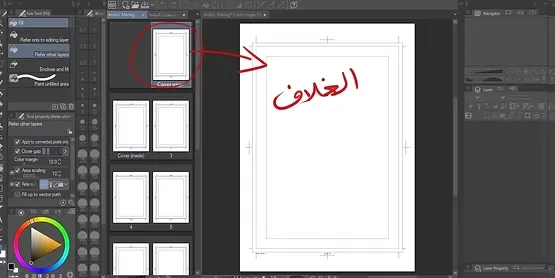
You will notice here that the first page is always the cover, so there is no need to draw any sketches or manga-related illustrations on it. .
We will draw the cover of the story now, or we can postpone this step until the last thing.
A closer look
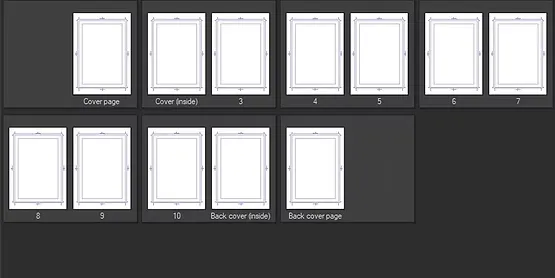
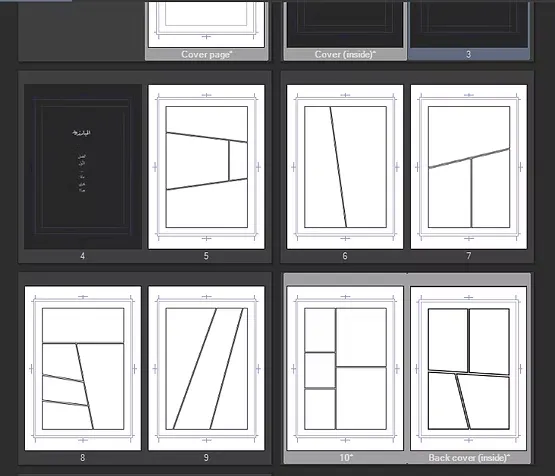
All the pages we created within the program will appear to us, and usually the first page is dedicated to the cover, and the rest of the pages appear neatly below it. This feature makes managing manga pages very easy and organized.
Step four
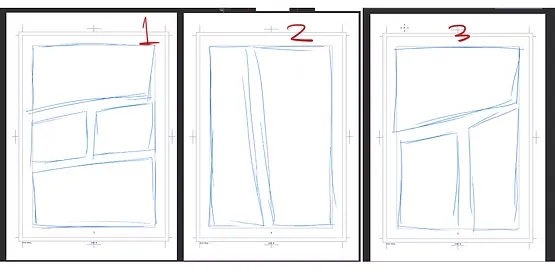
On the first page of the work, we begin Planning the shapes and sizes of scenes (panels)This is done by referring to the scenario we prepared previously, and based on that we determine the number of scenes on the page and their order.
Always remember that the script is the foundation, and through it we know the number of panels, i.e., the scenes, and the size of each scene according to the dialogue and movement within the scene.
Step five
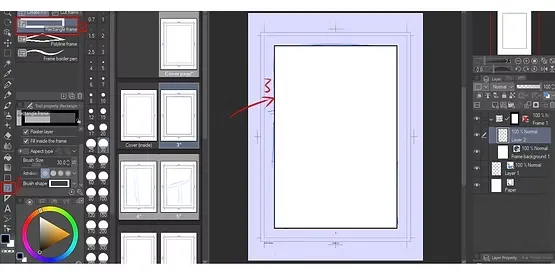
We select a tool Frame Border Tool It is one of the tools that appears on the screen, and it is responsible for drawing the illustrations within the manga page.
We draw the panel shapes, as mentioned in the script, and try to make them match your directorial vision.
Step six
We place the sketch layer at the bottom, then use the tool Frame Border Tool To draw a large rectangle that covers the page or the section we wish to work on.
Step seven
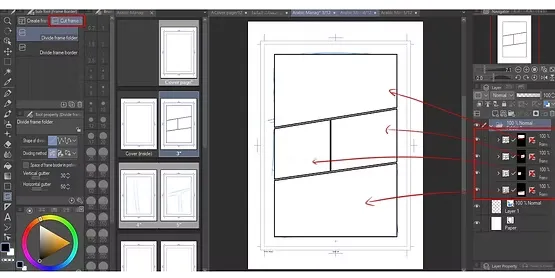
We select a tool Cut Frame Border ToolIt is the tool responsible for dividing the large rectangle into separate scenes (panels) according to the needs of the scene and dialogue in the story.
We repeat this process on all pages, to divide the panels quickly and systematically, relying on the previous sketch, of course.
Step eight
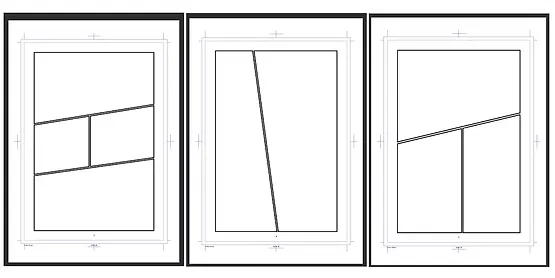
After drawing the panels, we select a tool Operation ToolWhich enables us to control the edges of the panel through the visible blue dots, so that we can change the size of the panels according to our needs, for example, raising a certain angle up or down.
Step nine
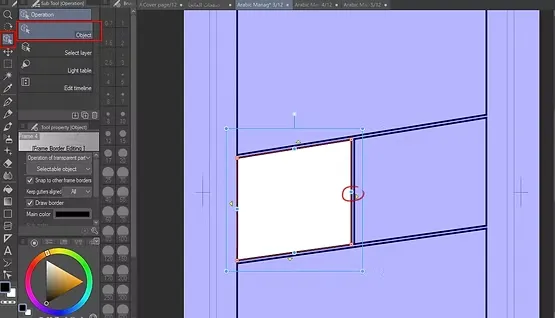
The angles of the panels can also be controlled through Object Tool red dotsWhich helps in tightening the edges and adjusting the angles in any direction we desire to obtain the desired size and shape for the scene.
Change panel size
Use these tools while maintaining the reference to the sketch and the written script, so that you do not lose the order of the scenes within the pages of the manga.
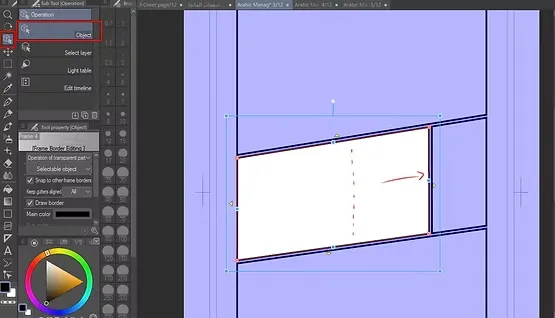
Point control
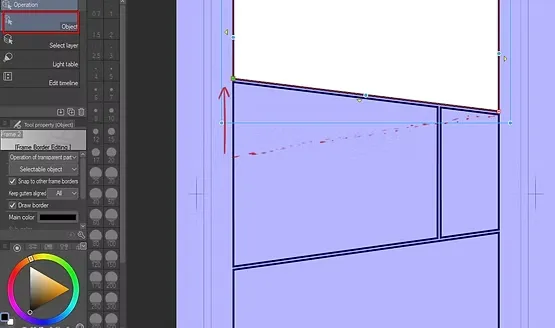
We continue to use the tool Object Tool In case we need to raise any corner of the panel or board from bottom to top or vice versa.
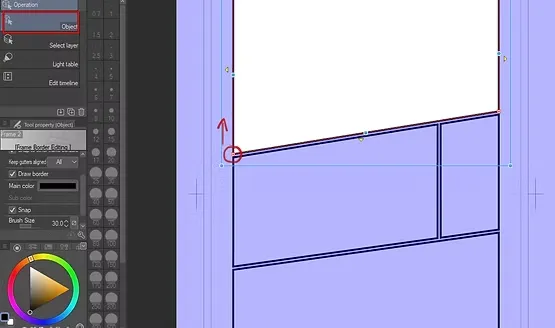
Lower section
We can control the lower section of the frame and move it however we want, as shown in the picture below.
The art of manga and maintaining consistency in the accurate drawing of manga characters.
Preview pages and panels
It is essential to review all the pages we have prepared and make sure they match the written script for our manga. This ensures that the arrangement of scenes, dialogues, and character drawings proceed smoothly and helps to minimize modifications later.
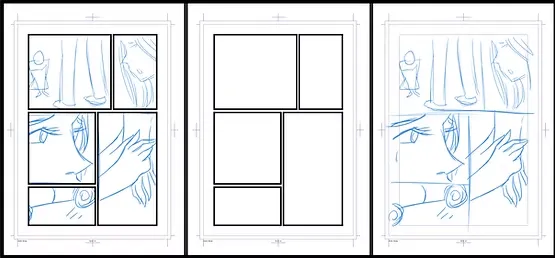
Final pages
With these steps, we have finished preparing the manga pages professionally, with flexible panel division, ready for final drawing, inking, and coloring later.
Rely on this practical method to make working on your manga easier, and enjoy organizing your work pages in a way that allows you to finish the project smoothly, friends.
And that concludes the lesson on preparing manga pages. I will see you soon, God willing.