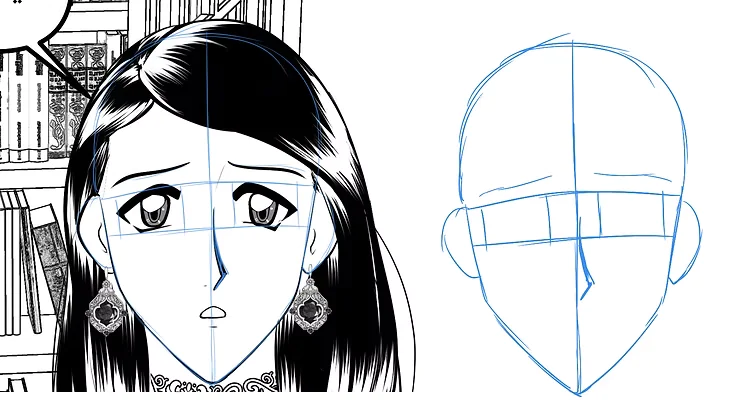
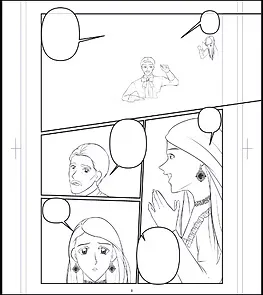
Hello everyone! Today I'll show you three ways to add shadows to manga. If you're looking for quick and easy methods to shade your manga professionally, this tutorial is for you. Many beginner manga artists find it difficult to distribute shadows on characters and backgrounds without spending too much time on each page. In this tutorial, I'll explain three practical and simple methods that will help you add shadows to your manga quickly.
My online store has everything you need as artists
The first method for adding shading to manga
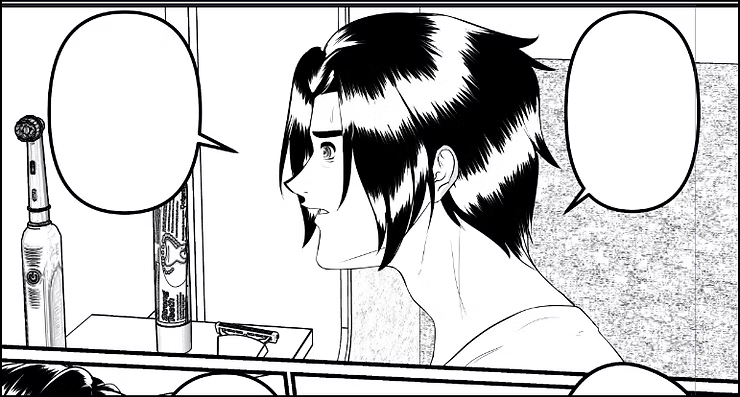
This method is well-known and very easy, because all we have to do is follow the light and shadow path. For example, we define the shadow under the chin and under the bangs, and then fill them with gray. You will only need two tools, and with them, you will have complete manual control over the shading.
First step
We will start with the first method of adding shadows, which is to outline with a pen and then fill immediately:
- We choose Pen Tool (G-Pen) From the tools menu on the left side of the screen.
- We begin by precisely identifying the locations for adding manga shading in order to achieve an organized result.
- As shown in the picture, we select Fill Tool (Fill Tool > Refer Other Layers) We pack within the borders.
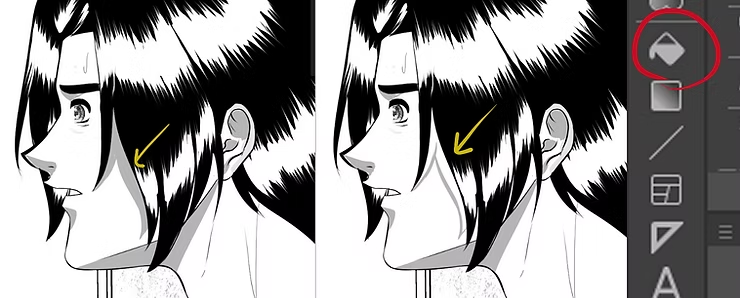
Step two
After the first step, we now come to manual shading if you want more control:
- We choose G-Pen.
- We manually select the areas we want to shade, such as under the nose and under the lower lip.
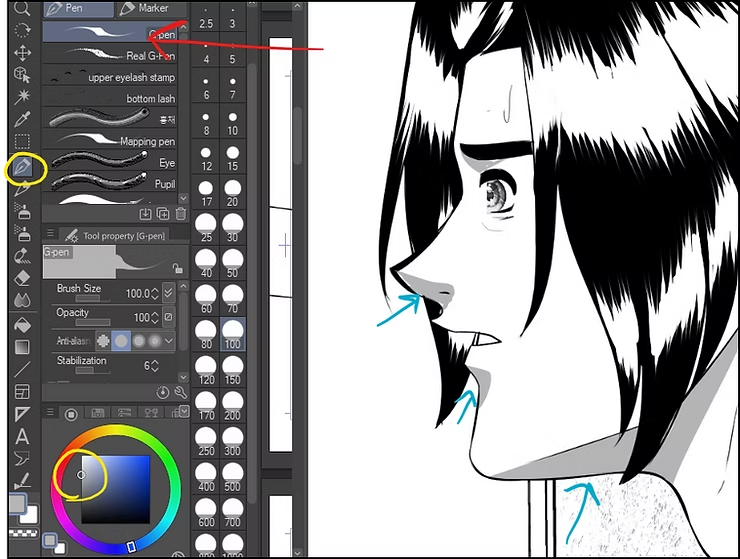
The second method for adding your manga shading
One of the methods used in Japanese manga to add shading is shading using "tones" (ToneThis is a classic technique used by professionals to add depth and speed to shading. It not only saves time but also gives the drawing a professional look, with the ability to control the type of shading, whether it be dots, lines, or other elements.
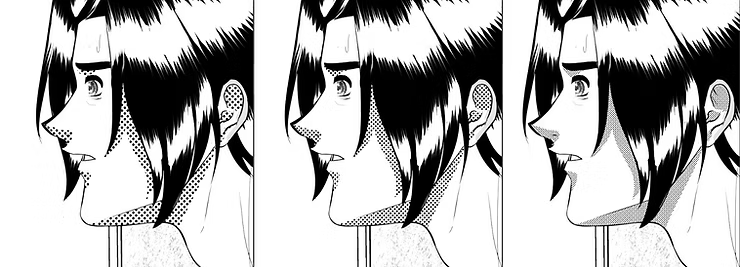
First step
We start from the previous stage, after we have colored the required areas:
- We keep the same shading layer as before, or we copy it and paste it into a new layer.
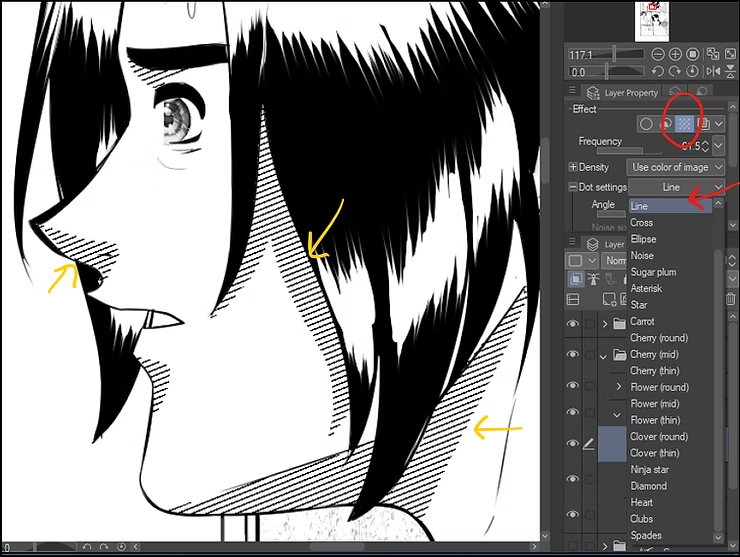
- We go to Layer Property (Layer properties) in the sidebar.
- We activate the option Tone (The dotted icon in the Layer Property tab), which converts shading to dots or lines.
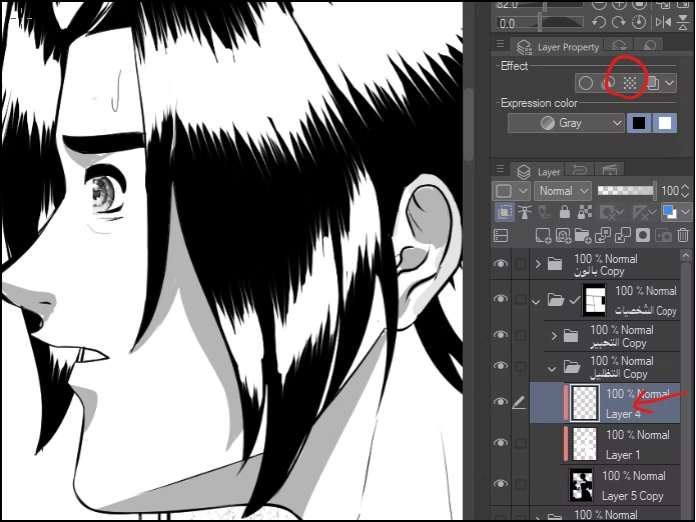
Step two
Now it's time to choose the shading style from the right-hand menu:
- from Layer Property > Tone SettingsWe determine the type of shading (dots - lines - grid).
- You can control the size of the dots or the thickness of the lines by changing the value Frequency وDensity.
- You can modify the shading type at any time later.
The third method for adding shading to manga
Now I'll show you the third method for shading manga, which is to duplicate the character's form and turn it into a shading layer. This method is very effective and quick, and will save you time and effort, as you won't even need to draw by hand. It's suitable for showing shading along the character's borders, so follow along to see how.
First step
We begin by fully defining the character, and this is how it works:
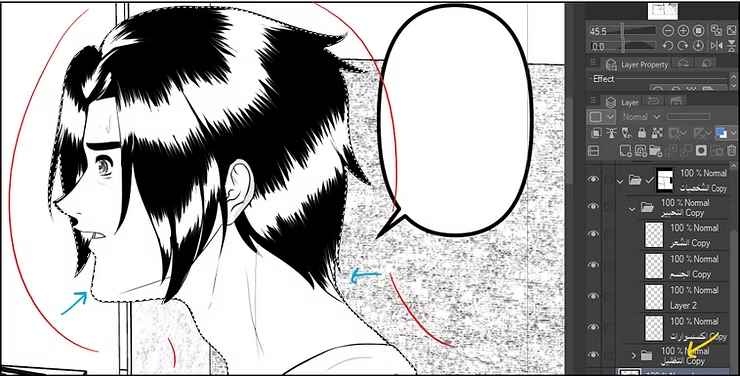
- We determine Personality layer.
- We use Selection tool (Auto Select or Selection Tool) To determine the complete shape of the character.
Step two
Here comes the stage of filling the manga character with color, and here's how:
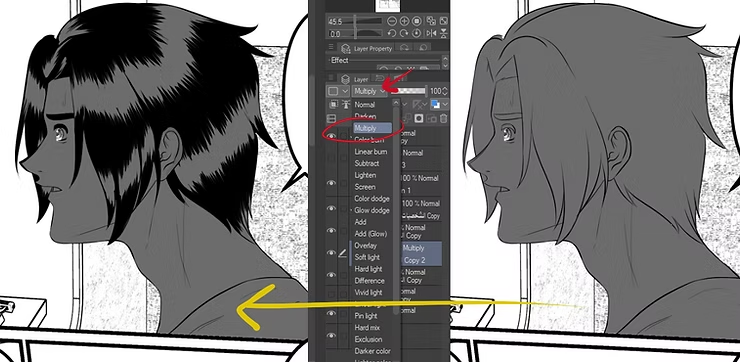
- We add New Raster Layer.
- We fill it with the desired shading color using Fill Tool.
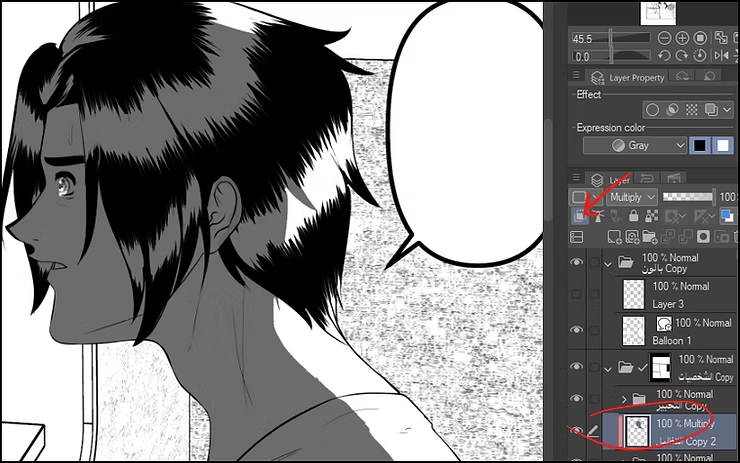
- From the Layers list, we change the layer properties to Multiply To make it transparent and act as a shade.
Step three
At this stage, we will only change the location of the shading:
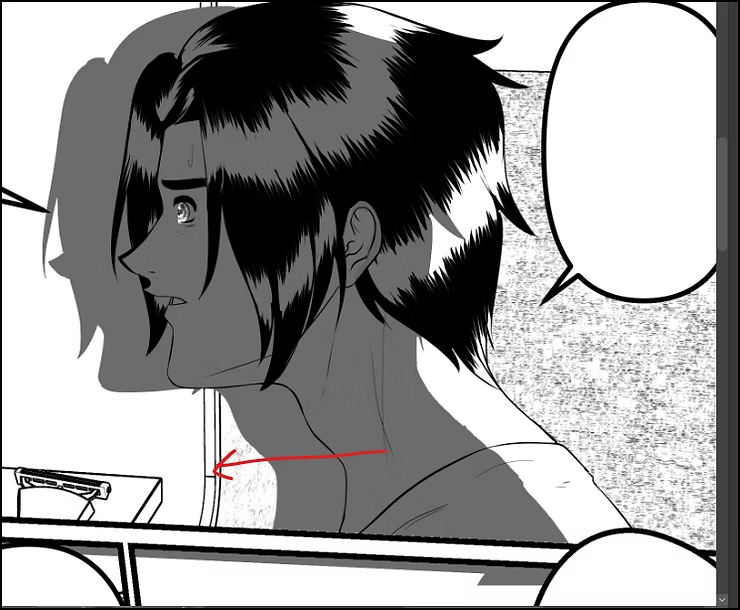
- We choose Move Tool.
- We drag this shading layer towards the direction we want (for example, the shadow direction).
Step four
This is an important step, because it prevents the shading from coming out of place:
- We add Layer Mask To the shading layer, from the Layers bar, to confine the shading within the boundaries of the drawing.
Step five
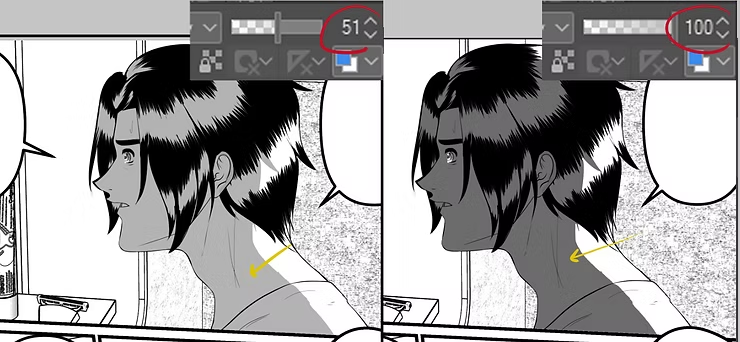
This is an optional step; you can keep the current shader level or reduce it:
- From the Selection Menu, we select Select Layer Transparency
- We reduce the intensity of the color through Opacity To 51%.
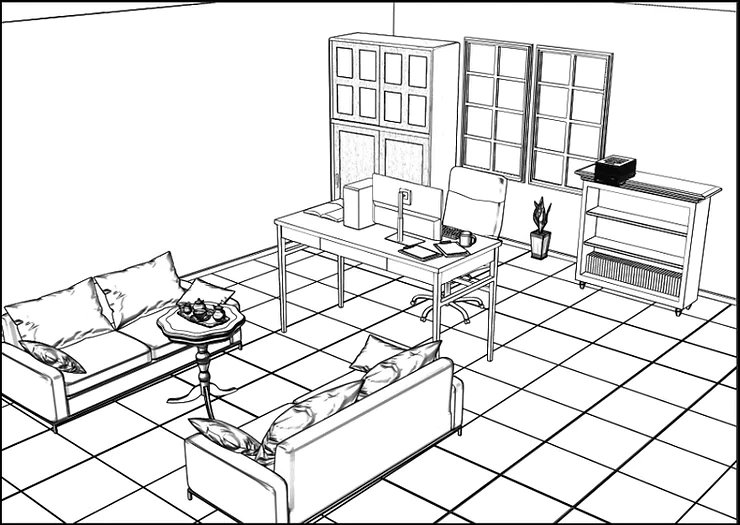
Design a manga hero's room from a ready-made 3D background.
With these three unique methods, you'll be able to shade your manga without wasting much time. Instead of tiring manual shading, I've helped you learn these three techniques today. I encourage you to try them all and choose the one that best suits your manga.
I hope these methods have been helpful to you, and we will meet again, God willing, in future explanations to continuously develop your skills in manga and anime production.