Hello friends! In this new lesson, we'll learn how to animate birds in anime scenes quickly and easily, without having to draw every detail from scratch like the traditional frame-by-frame technique. Adding birds flying in the sky or outdoor scenes adds a lot of realism to the anime scenes you're animating, because it adds a moving element in the background, like a bird flying behind buildings or among trees. This is something I often use when I don't want to animate anything in the scene; I just add the birds, characters, and background, and start exporting the scene in just a few minutes.
Imagine, for example, that you're drawing a scene of your anime protagonist's house, with a clear blue sky and doves flying peacefully above it. This would make the scene more beautiful and give it more detail. So today, we'll learn together how to animate birds in easy steps on the computer using a program. Toon Boom Harmony.
Note: I have previously moved a bird and saved it in the library. Anyone who wants to obtain it for practical experimentation can contact me.
My online store has everything you need as artists
First: Prepare the background for moving the birds
We open Toon Boom Harmony program Let's start by adding the background. You can draw the background by hand or add a ready-made image of a house, street, or garden. The background is the foundation upon which the birds' flight will appear. Make sure the background has clear colors, as this will help the birds' movement appear beautiful and coordinated.
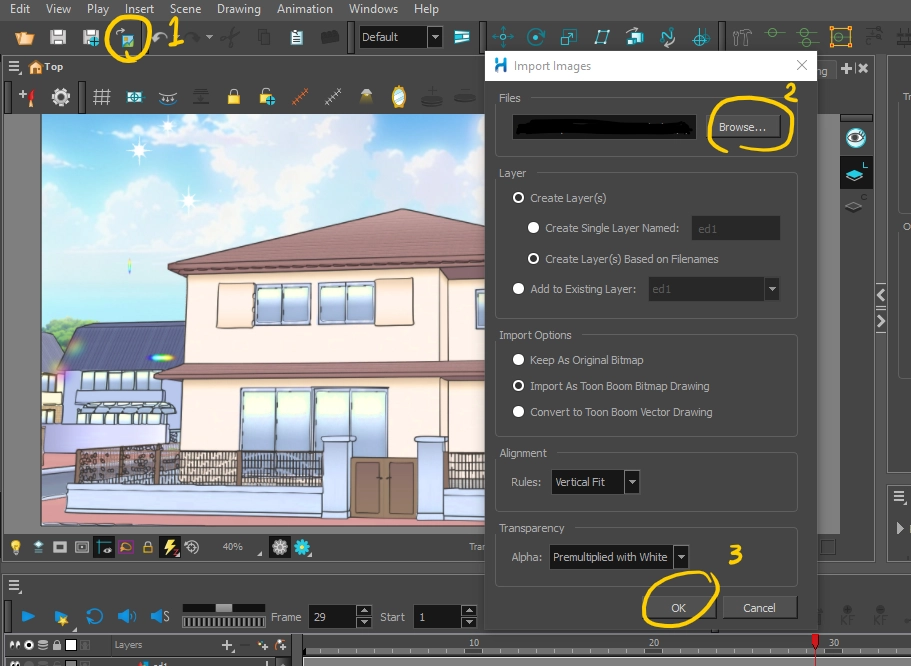
Second: Adding the bird from the library
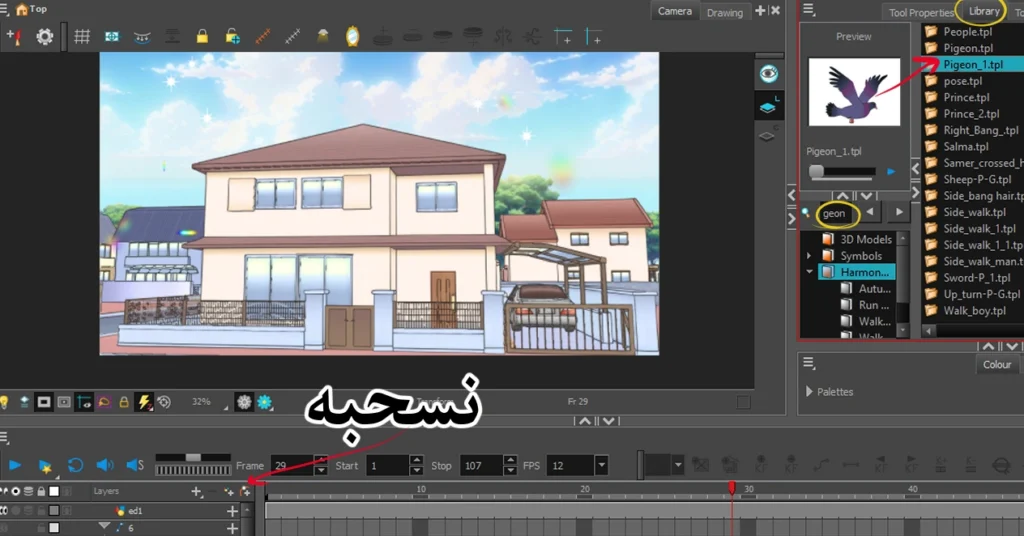
After preparing the background, we go to the library inside the program and choose a ready-made bird model.
We take simple steps:
- Open window Library.
- Pull the bird to the Timeline.
- Make sure it is placed in the appropriate layer so that it appears in the scene.
If you don't have a bird ready, you can draw a simple one consisting of two wings and a body using simple shapes and color it black to look like the shadow of a distant bird in the sky.
Third: Class arrangement
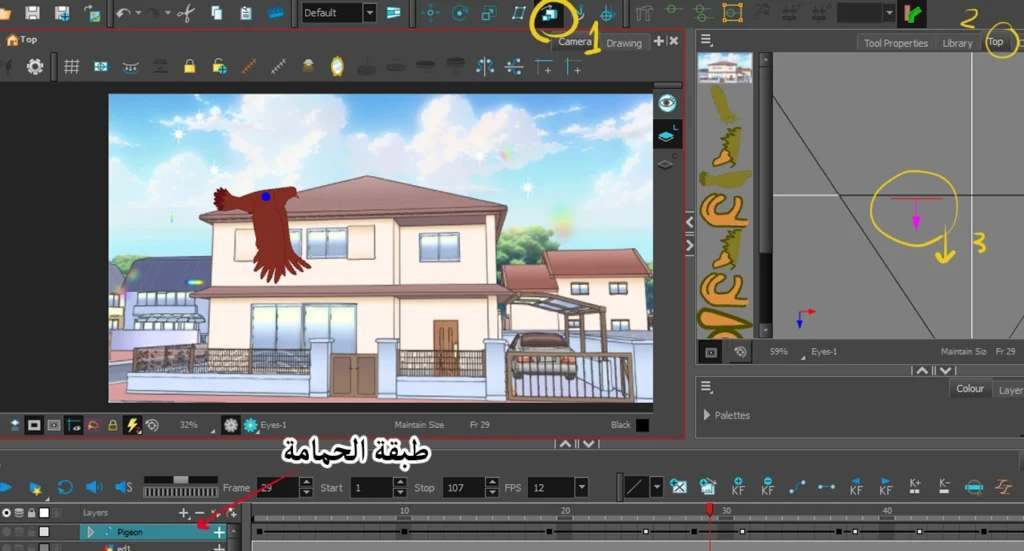
The layers must be arranged to ensure the bird appears above the background:
- The background remains in the background layer.
- A layer of birds is placed on top to make the movement appear.
If the bird is not clearly visible:
- We manually drag the bird layer upwards in the timeline.
- Or we use a tool Maintain Size From the program settings.
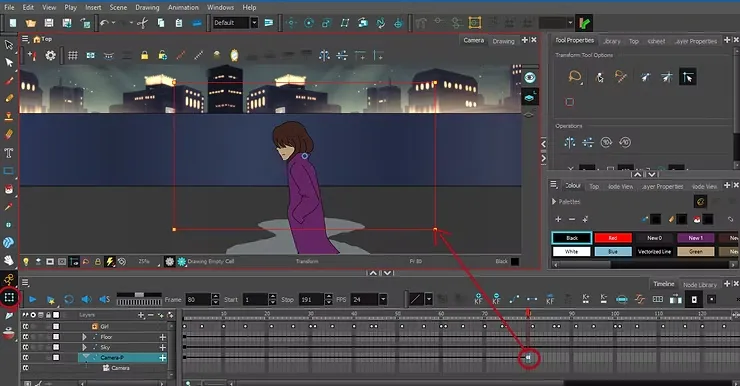
- Or we move to a window Top View We pull the bird closer to the camera.
Fourth: Showing the rear wing
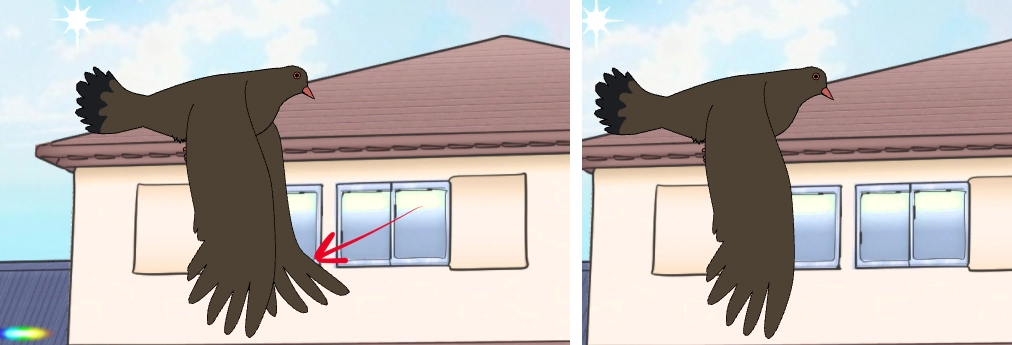
Sometimes, the bird's hindwing is not clearly visible, and to solve this problem:
- They temporarily hid the background to focus on the bird.
- Identify the missing wing.
- Press on B To access the wing's properties.
- Go to Coordinator and Control Point.
- In field Z, add a small value such as 0.005 f So that the wing is clearly visible.
Fifth: Moving the bird from left to right
Here we come to the most important step, which is how to move the birds in the scene:
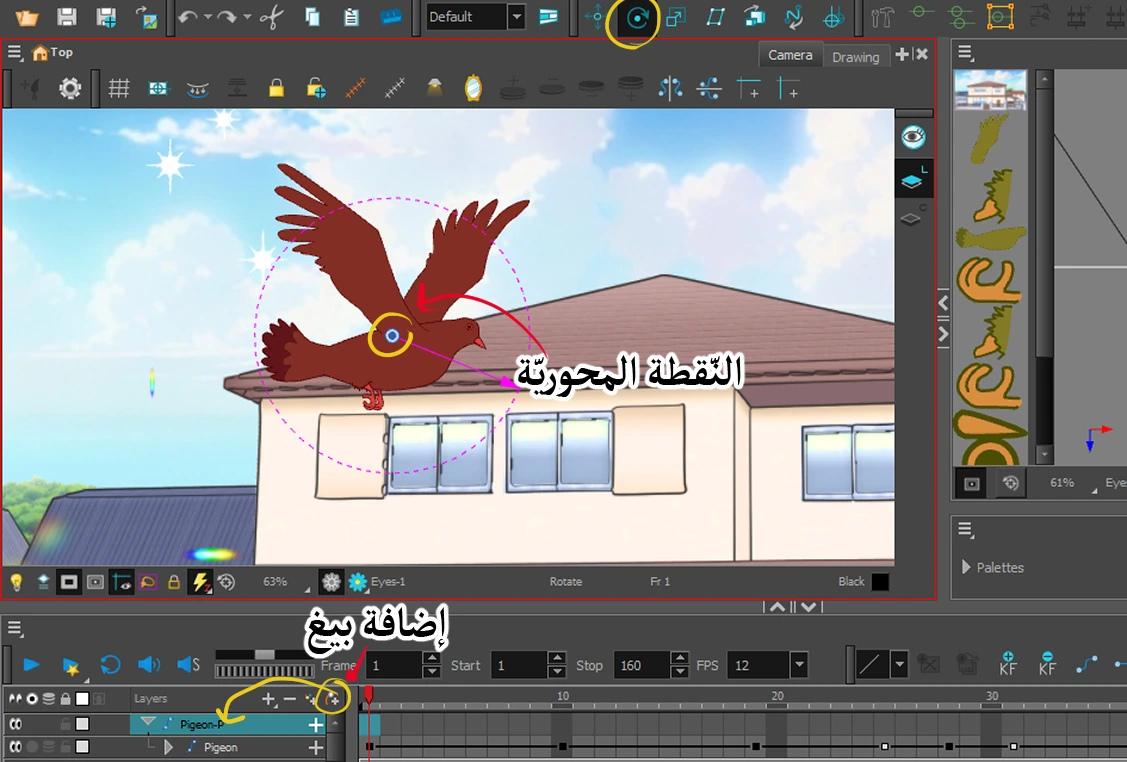
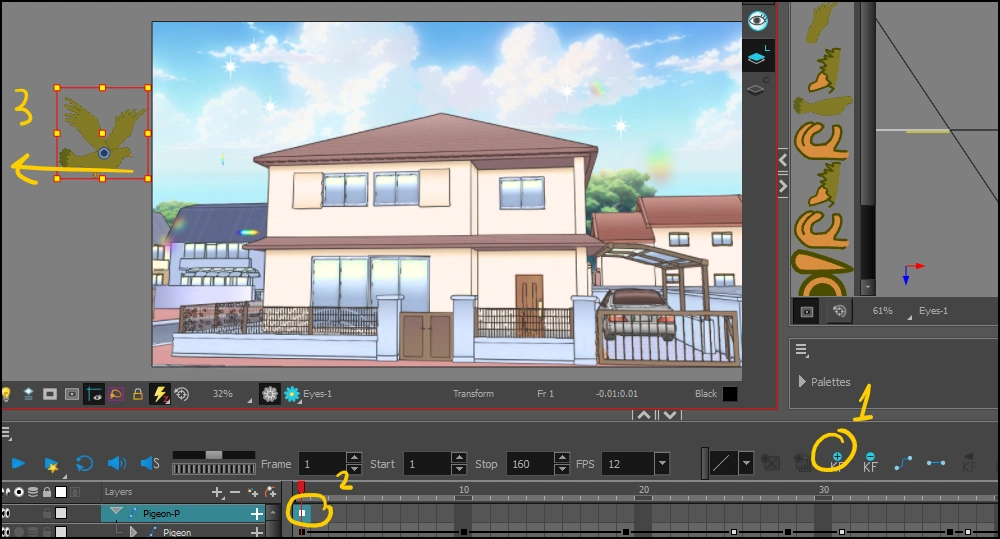
- They identified the bird on the timeline.
- Press on B Add Keyframe (Keyframe).
- Use the tool Rotate They identified the pivot point in the middle of the bird.
- Go to the tool Transform.
- In the first frame, move the bird to the left.
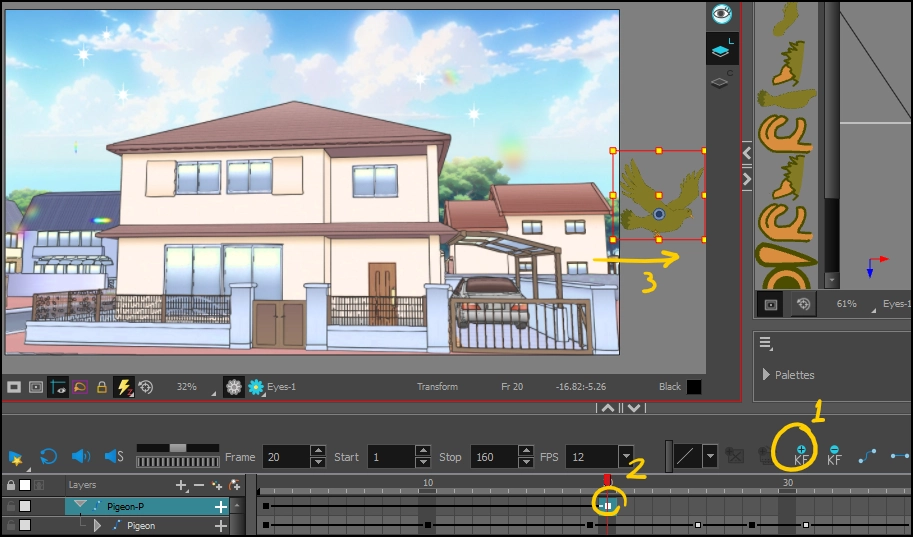
- Switch to frame 20 or according to your preferred time zone.
- Move the bird to the right manually or using the arrow keys on your keyboard.
A guide to animate an anime pigeon to fly in the easiest way with pictures
With these steps, you will have a beautiful morning scene showing the hero's house and birds flying in the sky. .
Practical tips to enhance the aesthetics of the scene:
- After completion, you can copy the bird multiple times, reduce its size, and distribute it in different places to make it look like a flock of birds.
- They estimate that you can control the flight speed by decreasing or increasing the number of frames between the first and last movement.
- Add an effect Motion Blur The simple Toon Boom adds depth to the movement.
Watch the step-by-step video tutorial on how to move birds via the following link:
(http://: https://youtu.be/sQE0pAtV9to)
Final video: https://youtu.be/X2QC18cvORk
Thus, we have learned how to animate birds in anime scenes with practical steps that make it easier for you to add realism to outdoor scenes in your work without having to draw every detail manually.
This method of animating birds will help you add aesthetic touches to your anime scenes easily and professionally. Try this method today and share your results with me. We'll meet again in future lessons, God willing, with more easy and fun anime animation tutorials.