Hello and welcome, my dear friends. Today, since it was a Sunday holiday, I decided to quickly animate the characters Eren and Mikasa from the well-known anime Attack on Titan. I had been thinking about animating them for a long time, but the opportunity did not allow me, and now it has come!
Perhaps the reason is that it is the last season of the anime, and it is like a small farewell to the great work. I have only finished the first part so far, and I will try to complete watching the rest of the parts.
The program I'm using in this lesson is Toon Boom Harmony On the computer, of course. And if you are not familiar with this program, you can find many explanations about it on my SummerArt website, which will help you learn it in a short time.
Toon Boom HarmonyFor those who don't know, it's a program for animating anime and cartoons using various animation techniques such as Frame by Frame (frame by frame), andCut-Out Animation (Moving by cutting), and Motion Tween (Motion Twin) and others. And on my SummerArt website, there are countless tutorials on the program.
My online store has everything you need as artists
First step
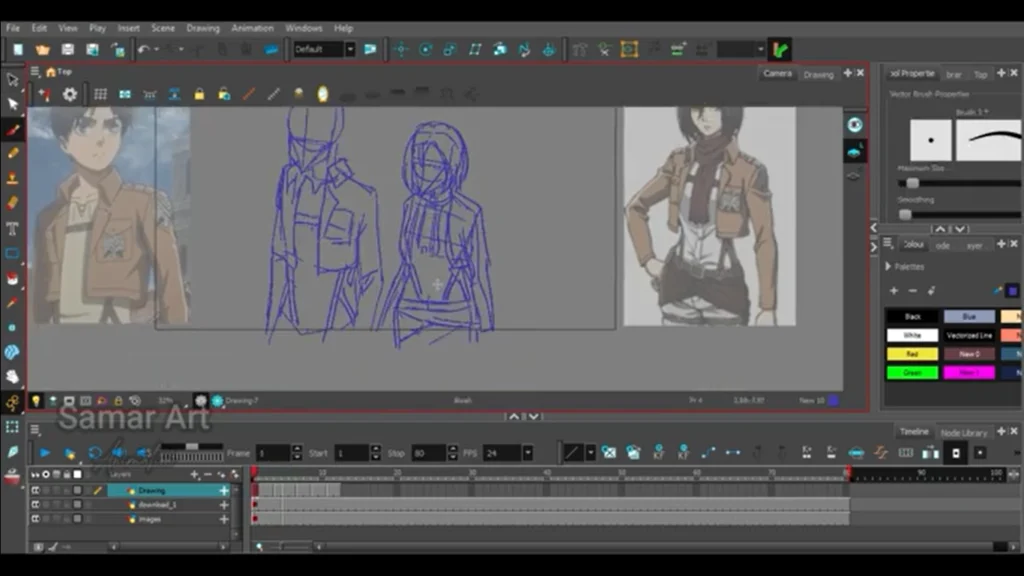
As usual, the first thing I did was a quick sketch, which is something I always rely on to help me in drawing later. I also placed pictures of the two characters close to the drawing board, so that I could make sure to capture all the details related to facial features and clothing.
I drew Eren in his own layer, and Mikasa in a separate layer, in order to erase any mistakes without affecting the other character. Then I merged the two layers together so that I could color.
But before moving on to the coloring step, I had to erase the overlapping lines, and you will see that clearly in the video.
- We include a picture of Eren and Mikasa in the program (File > Import > ImagesAnd we place it in a separate layer inside Timeline To serve as a reference while drawing.
- We add a new layer (Add > Drawing Layer).
- Let's begin sketch Using Pencil Tool (P).
- We draw the basic keyframes.
- We add a new layer, which is Ink Layer.
- We choose the color black, and use Brush Tool (B) For inking based on the sketch layer.
Step two
Here will come a stage ColoringUnfortunately, the program Toon Boom Harmony Sometimes it is difficult for me to color if there is a small hole, so I constantly have to close it first before starting to fill in the drawing, after which I was able to color with ease.
And the best thing is that I finish one color on all the frames, then I move on to the next color and so on.
- We choose Paint Tool (K).
- We select a specific color from Colour Palette.
- We color the desired part in all the frames.
When we resort to traditional animation (Frame by Frame AnimationHere we must draw the entire character in only one layer.
Step three
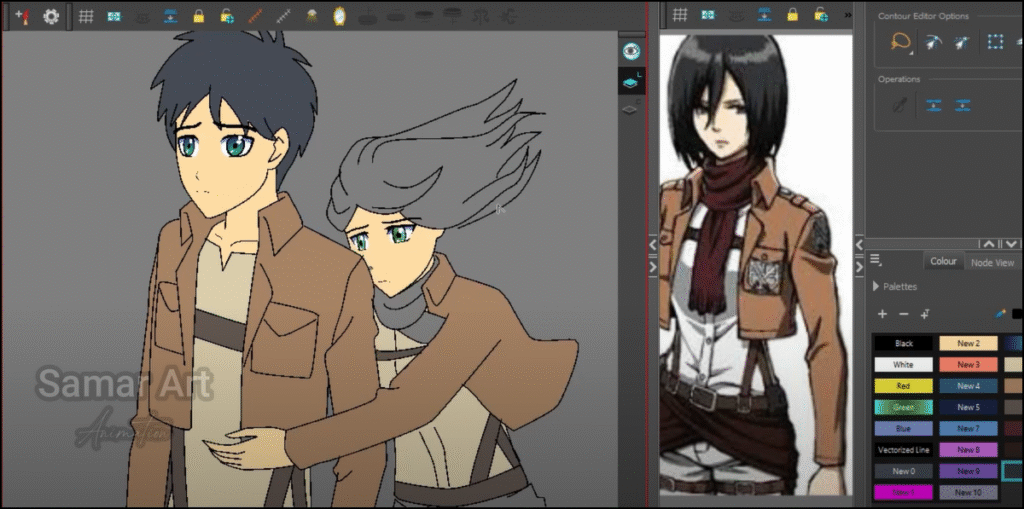
For the record, I didn't add many details because I was in a hurry, and I didn't want to take too long to finish such a simple scene, so I omitted adding lines on the shoulders, for example, or on the edges of the jacket, and focused more on moving Mikasa correctly.
The movement took some thought from me, especially regarding how to make it hug Erin She jumps slightly, with her hair flowing, so that the character appears Erin It is also affected by the movement, and I got exactly the result I wanted.
- Draw the sketch in a separate layer (Drawing Layer).
- Drawing the characters and animation in another layer (Animation Layer).
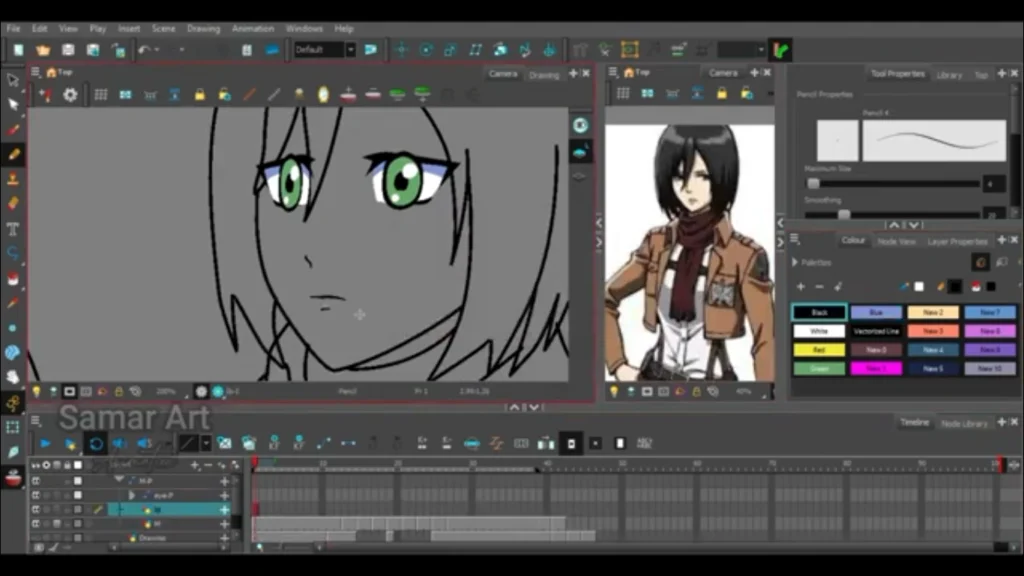
- fee Eyes In a separate layer linked to the characters of Eren and Mikasa via Peg Layer.
Learn animation with two drawings using the Motion Twin technique for two-way animation.
I always draw the eyes and pupils on a separate layer so I can control them without affecting the character, such as making the eye blink using Transform Tool (Shift + T).
Overall, I am happy that I was able to accomplish this in just a few hours, and I am trying to improve my skills further so that I can finish the animation faster and with higher quality.
Thank you from the bottom of my heart for your kind comments below the video, and I will continue to work on more of my upcoming projects that you will see soon on the channel.
This concludes the lesson on moving Eren and Mikasa from the anime Attack on Titan. I hope to meet you in new lessons, God willing. Until then, take care.